
Ten Fingers: Learn to Type
Not claimedTen Fingers teaches children to touch type without looking at the keyboard, in 28 levels…
By LUIS ALVAREZ ACOSTA · Education


About
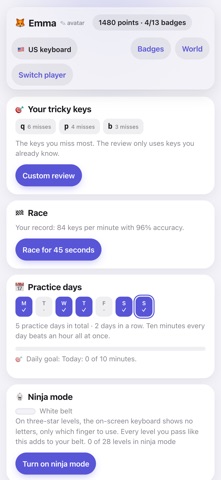
Ten Fingers teaches children to touch type without looking at the keyboard, in 28 levels across six worlds. First the home row, finger by finger; then the top row, the bottom row, capitals, punctuation and finally numbers.
Technique comes before speed: in the first three worlds only accuracy counts, and using the finger shown by the colour. Speed starts scoring in world 4, once finger positions are automatic.
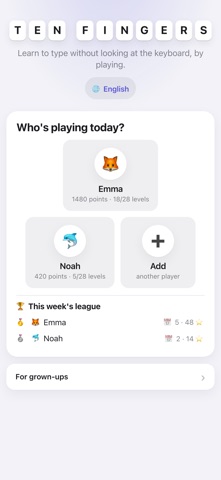
• On-screen keyboard showing which finger goes where, with hands that light up. • Counts misses per key and builds a custom review from the keys that give you trouble. • Streaks, records, badges, a practice calendar and a 45-second race. • Three worlds to choose from: Galaxy, Magic Forest and Open Case. • Six languages, each with its own keyboard: English (US and UK), Spanish, French AZERTY, German QWERTZ, Italian and Portuguese (Portugal and Brazil). • Several players on the same device, each with their own progress. • Works offline. No ads, no in-app purchases, no data collection.
Designed for children from age 8. Use it with a physical keyboard (Bluetooth or a keyboard case): that's how touch typing is learnt.
People rate it
Sign in to rate this app. Honest is what counts.
No ratings yet. Tried it? Be the first to rate it.