
TennisDraw: Video Analysis
Not claimedStudy your tennis serve and strokes frame by frame
By David Balderston · Health and fitness


About
Study your tennis serve and strokes frame by frame. TennisDraw helps players, parents, and coaches review practice videos, spot changes, and share useful feedback.
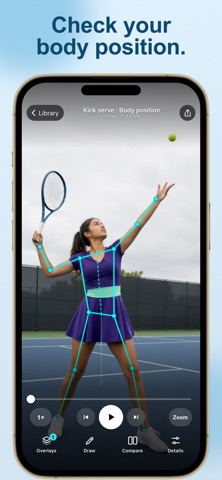
Record a video in the app or import from Photos. Use slow-motion playback and move through the video one frame at a time to review the player’s movement.
DRAW ON YOUR VIDEO Use lines, circles, and guides to mark posture, balance, footwork, and the point where the racket meets the ball. View on-device body-pose overlays alongside your own observations.
COMPARE TWO CLIPS Put two practice videos side by side to study timing and body position. Compare sessions as you work on a specific part of your game.
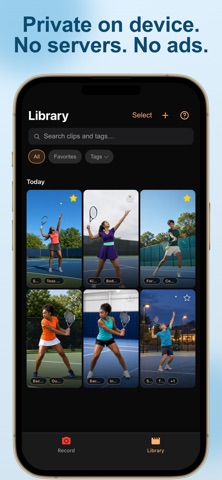
KEEP YOUR COACHING NOTES Add voice notes and tags to a clip. Keep your practice library organized and your feedback close to the video.
SAVE AND SHARE Save annotated photos or videos and share them with your coach, player, or practice partner.
ONE PURCHASE. EVERY TOOL. Pay once for the complete app. No subscriptions, in-app purchases, ads, or account required. Your videos and analysis stay on your device unless you choose to share or export them.
TennisDraw is a video-review tool. It does not measure ball speed, spin, racket speed, or shot placement, and it does not provide automatic coaching.
Privacy Policy: https://davidb.app/tennisdraw/privacy/ Terms of Use: https://davidb.app/tennisdraw/terms/
People rate it
Sign in to rate this app. Honest is what counts.
No ratings yet. Tried it? Be the first to rate it.