
Torvi Shade
Not claimedTorvi Shade turns bright websites into a darker, more comfortable view in Safari on your…
By Ole Marius Staal Torvmark · Utilities


About
Torvi Shade turns bright websites into a darker, more comfortable view in Safari on your Mac. Simple controls keep everyday browsing easy, with advanced options when you want more control.
Turn dark mode on or off with one switch. For each website, choose the default setting, always dark or the original appearance. You can also follow your Mac’s appearance, adjust brightness, contrast and warmth, keep a website’s own dark theme and add optional button borders. Photos and illustrations keep their original colors.
Torvi Shade is completely free, with no subscriptions or in-app purchases. No account is required. Settings are saved on your device, and the app does not use analytics.
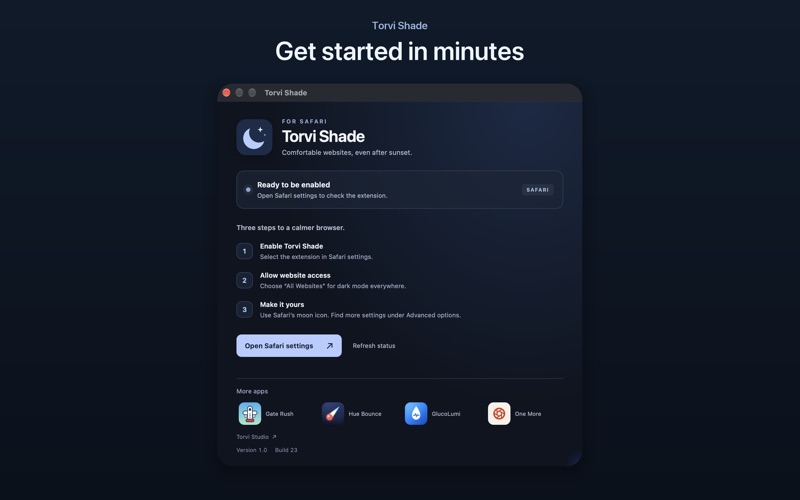
To get started, enable Torvi Shade in Safari settings and allow access to the websites you want to use it on.
People rate it
Sign in to rate this app. Honest is what counts.
No ratings yet. Tried it? Be the first to rate it.