
UltraScan scanner PDF Word Ocr
Not claimedYour documents stay yours
By Artisan di Domenico Mecca · ProductivityWhy we expect it: The clear on-device privacy promise, concrete features and thorough screenshots make the app's value easy to grasp quickly.



About
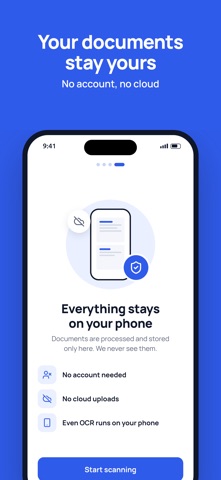
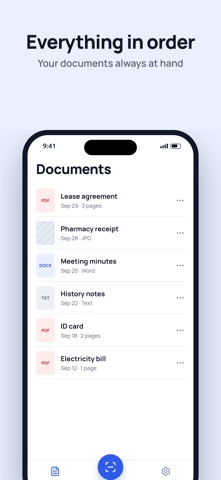
Your documents stay yours. UltraScan turns your iPhone into a scanner that asks for no account and uploads nothing to the cloud: every page is processed and saved only on your phone.
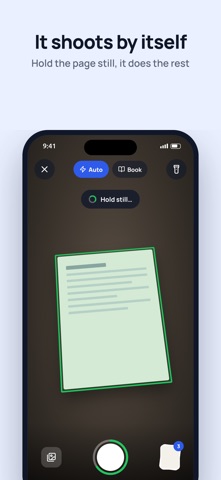
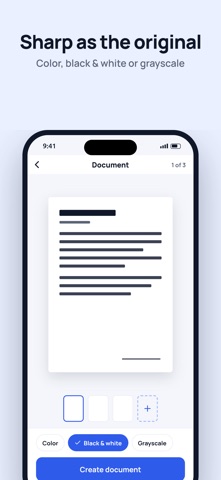
Frame a sheet and hold it still: UltraScan finds the edges, takes the shot by itself, straightens the page and makes it as sharp as the original.
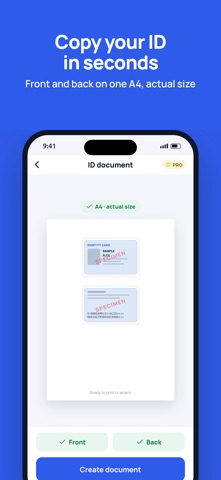
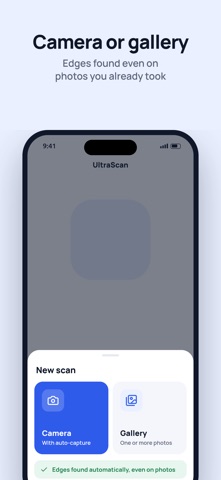
WHAT’S NEW • Auto capture: hold the sheet still and the camera shoots by itself. In multi-page documents you move on to the next sheet without touching anything • ID document (PRO): front and back of your ID card, driving licence or health card on the same A4 page, at real size. The photocopy that offices, banks and public administrations ask for • Password PDF (PRO): the file opens only with the password you choose, thanks to AES encryption. The password is never stored • Redact (PRO): cover bank details, tax ID numbers and signatures before sharing. The data is truly erased from the image, not just covered • Book mode: a double page becomes two separate pages • Import from your photos: edges detected automatically on photos you already took, even several at once • Long-press the app icon to open the camera right away
PRIVACY FIRST • No account to create • No cloud uploads • Documents processed and saved only on your device, text recognition included
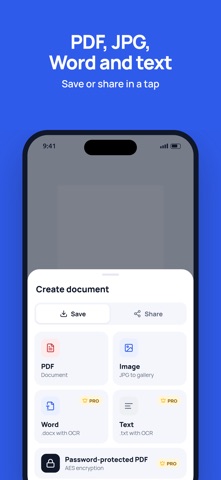
EVERYTHING YOU NEED • Precise cropping: drag the corners, the magnifier shows you every detail • Multiple pages in a single document • Color, Black and white and Grayscale filters • Export to PDF or as JPG images • Choose the quality and see the file size right away • Share via Mail, WhatsApp, AirDrop and all your apps • In English, Italian, Spanish, French, German and Portuguese
ULTRASCAN PRO • ID document on A4 • Password PDF • Redact sensitive data • Word (.docx) and text (.txt) with text recognition • No ads
Monthly or yearly subscription. Payment is charged to your Apple account at confirmation of purchase. The subscription renews automatically unless cancelled at least 24 hours before the end of the current period. You can manage or cancel it at any time in your App Store account settings.
Terms of Use: https://ultrascan.it/en/terms/ Privacy: https://ultrascan.it/en/privacy/
People rate it
Sign in to rate this app. Honest is what counts.
No ratings yet. Tried it? Be the first to rate it.