
What's Next? - Class Countdown
Not claimedWhat's Next?
By Noah Merlin · EducationWhy we expect it: A focused, clearly explained idea that solves a real student need, with transparent privacy and pricing details.


About
What's Next? turns your Canvas calendar into a glanceable answer to one question: what class is next, and where?
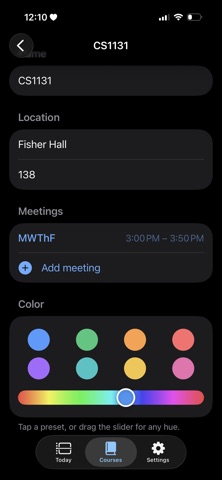
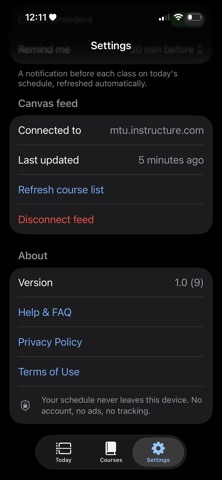
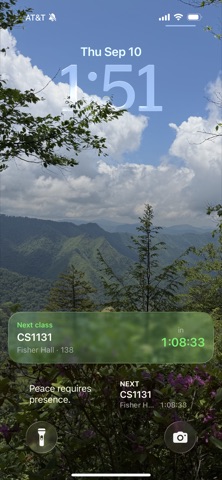
Paste your Canvas calendar feed link once. What's Next? reads it, pulls in your courses, and asks you for the room number and meeting times for each one. From then on your Today screen shows a live "next class" card — course, building, room, and a countdown — and the same thing sits on your Home Screen in a widget and in the Dynamic Island.
Everything runs on your device. No account, no ads, nothing uploaded.
FREE • Paste your Canvas .ics feed and see today's schedule • Live "next class" card with countdown • Small Home Screen widget • Live Activity / Dynamic Island countdown • Automatic background refresh so schedule changes show up
WHAT'S NEXT? PREMIUM — $0.99/month or $9.99/year • The medium Home Screen widget and Lock Screen widgets • Make it yours: Light / Dark theme, 24-hour clock, card layout, and a colour for every course with a hue slider • Pre-class reminders — a notification a few minutes before each class
The subscription renews automatically unless cancelled at least 24 hours before the period ends; manage it in Settings › Apple ID › Subscriptions. Terms: https://whatsnext-legal.netlify.app/terms.html Privacy: https://whatsnext-legal.netlify.app/privacy.html
Not affiliated with Instructure or Canvas.
People rate it
Sign in to rate this app. Honest is what counts.
No ratings yet. Tried it? Be the first to rate it.