
Writely - Text to Handwriting
Not claimedTyping is fast
By Alluson UG (haftungsbeschrankt) · ProductivityWhy we expect it: Writely turns typed text into your own handwriting with clear value, a thorough description, and a free download for students and note-takers.


In short
Writely - Text to Handwriting turns typed or pasted text into handwriting built from strokes the user draws once, with finger or Apple Pencil. It suits students, writers and anyone who wants a personal-looking page without a stock font. One standout feature is TrueInk, which alternates several drawn versions of each character and varies position and tilt so no two lines match.
Summary by Debuts, based on the App Store listing.About
Typing is fast. Handwriting is personal. With Writely, you get both.
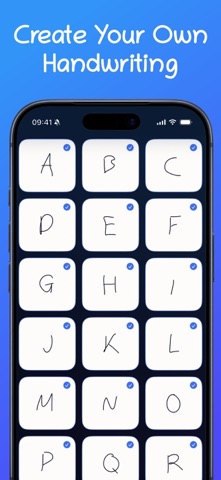
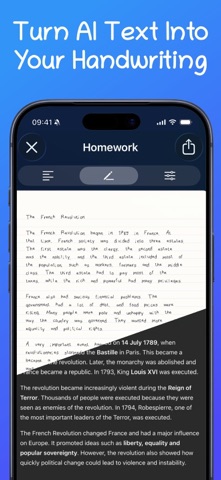
Draw your letters, numbers and symbols once – with your finger or the Apple Pencil. From then on, Writely turns anything you type or paste into your handwriting: line by line, page by page. Not a stock font, but your own strokes.
HOW IT WORKS 1. Create your handwriting. Trace each character once; guides keep everything level. 2. Enter your text. Type or paste it: lecture notes, an essay, a letter, a draft. 3. Finish your page. Save it as an image or PDF, share it or keep working on it.
LOOKS REAL BECAUSE IT IS • TrueInk: draw several versions of the same character. Writely alternates between them as it writes and varies position, tilt and size just a little – no two lines look alike. • Paper: ruled (wide or narrow), squared, dot grid or blank, in several paper colours. • Layout: text size, line height, word and character spacing, margins and page format. • Ink: from deep blue through red and green to any colour you like.
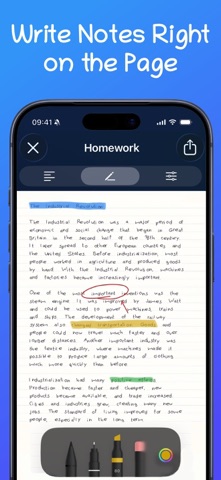
KEEP WRITING WITH THE PENCIL Highlight, underline and add to the finished page. With pen, marker and eraser, undo, redo and automatic saving.
MANY WRITING SYSTEMS Latin script with all the accents for German, French, Spanish, Italian, Turkish, Polish, Dutch and the Nordic languages. Plus Cyrillic, Greek, Japanese kana, Simplified Chinese, Korean Hangul, Arabic, Hebrew, Thai, Devanagari and mathematical symbols.
STAY ORGANISED Folders with their own colour and icon, “Recently used” on the home screen, and multi-page documents you can duplicate and rename.
EXPORT As a PNG image, vector PDF or directly to the clipboard as an image. Export to compatible note-taking apps is included as an experimental feature.
YOUR DATA STAYS WITH YOU No account, no sign-in. Handwritings, documents and folders live locally on your iPhone or iPad.
WRITELY FREE One handwriting, four documents, two folders and three exports per 24 hours. Image exports carry a small watermark.
WRITELY PRO • Unlimited handwritings, documents and folders • Exports without a watermark • PDF export • TrueInk variants for more natural-looking handwriting • All paper styles, page formats and ink colours
Writely Pro is available as a monthly subscription, a yearly subscription or a one-time Lifetime purchase. Subscriptions are billed through your Apple ID and renew automatically unless cancelled at least 24 hours before the end of the current period in your Apple ID settings.
People rate it
Sign in to rate this app. Honest is what counts.
No ratings yet. Tried it? Be the first to rate it.
More Productivity apps
Best new Productivity apps this week ChickMark: Habit TrackerChickMark is a simple habit tracker for routines, goals, and reminders
 Dayflint: One Thing a DayToo many priorities?
 Fristo CAFMFristo is the app for Fristo CAFM, the facility management software
- BeginAnywayMorning alarm for hard tasks: set one task, prove you started, build a streak
 DHUDEDHUDE Analityxs es la herramienta de gestión diaria para grupos de restauración y ocio…
 Fillerless: Teleprompter CoachFillerless is a teleprompter that follows your voice and then tells you how you spoke