
Gulp: Menu Bar Scratchpad
Ikke gjort krav påGulp is a goldfish that lives in your menu bar
Af Arpit Paranjpe · Produktivitet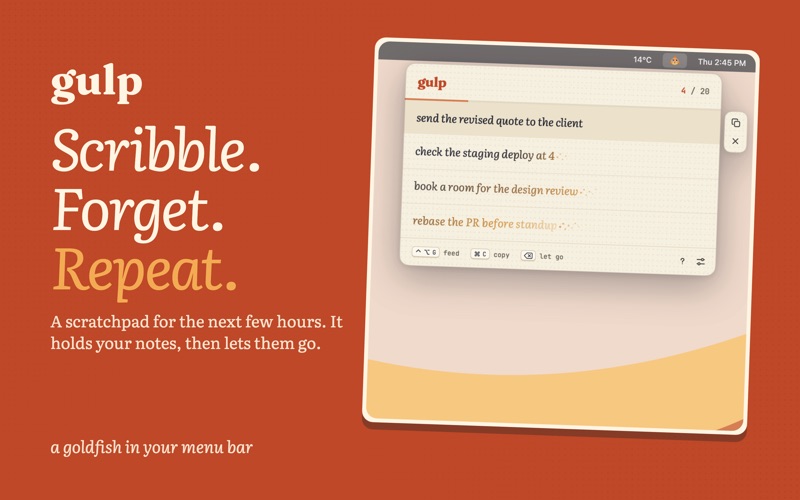



Kort fortalt
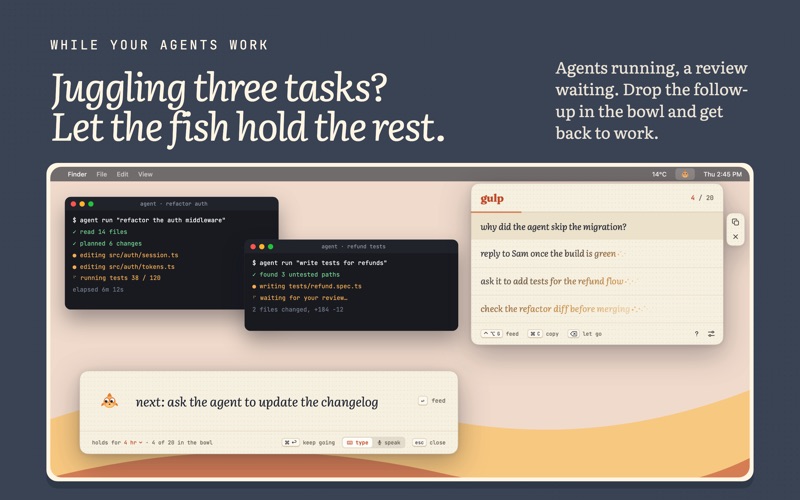
Gulp: Menu Bar Scratchpad is a productivity app that keeps short-lived notes in a goldfish icon in the menu bar. Notes are typed or dictated with on-device transcription, then fade and disappear after a chosen time from 15 minutes to a day. It suits people juggling agents, reviews and meetings, and it stands out for storing nothing permanently, with no history, sync or accounts.
Resumé fra Debuts, baseret på app-siden i App Store.Om appen
Gulp is a goldfish that lives in your menu bar. Feed it a thought and it holds it for a few hours. Then it forgets. That's the point.
It's for the things you'd be sad to forget, but only for the next few hours: the table that wanted the bill, the follow-up for an agent that's still running, the word you need for that email.
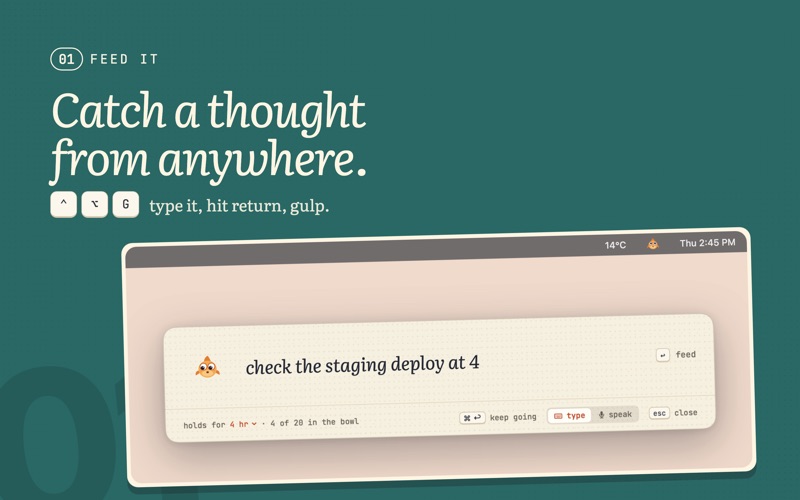
CATCH IT FROM ANYWHERE • Press ⌃⌥G, type, hit Return. The strip lets go in a drift of gold dust and the fish gulps. • Or press ⌃⌥V and just say it. Your words are transcribed on your Mac by Apple's on-device speech recognition. • ⌘Return feeds a thought and keeps the strip open for the next one. • Select text in any app, right-click › Services › Feed the Fish. Or drop text straight onto the fish.
PICK IT UP WHEN YOU NEED IT • Click the fish or press ⌃⌥B. ↑ and ↓ pick a note, ⌘C copies it, ⌫ lets it go early. • Drag a note straight into a terminal, an agent's prompt or a message.
WATCH IT FADE Notes don't blink out. The ink takes on your theme's colour from the end of the line back, gold dust gathers after the last word, and then it's gone. Pick how long the fish remembers: 15 minutes, 30 minutes, an hour, four hours or a day.
MADE FOR BUSY HEADS Juggling agents, reviews and meetings? Park the follow-ups in the bowl and get back to work. Pick them up when the task is done, or let them drift away.
A FISH WITH MANNERS It blinks, it follows your cursor, and it dozes when the bowl is empty. It never pings, badges or bounces. Four themes: goldfish, pond, lilac and deep sea.
WHAT IT WON'T DO, ON PURPOSE No history of forgotten notes. No undo. No tags, folders or search. No reminders or notifications. No sync, accounts or cloud. A note that could be saved is a note you'd feel you should save.
PRIVATE BY DESIGN Gulp has no network access, no analytics and no account. Voice is transcribed on your Mac and the audio is never kept. Only notes that are still alive are stored, and a restart empties the bowl.
Set it up in a minute with the welcome tour: your shortcuts, how long it remembers, a theme, and whether it starts with your Mac.
From the maker of Tug, the menu bar timer you pull out like a tongue.
Brugernes bedømmelse
Log ind for at bedømme appen. Det vigtigste er, at du er ærlig.
Ingen bedømmelser endnu. Har du prøvet den? Giv den første bedømmelse.
Flere apps i kategorien Produktivitet
De bedste nye apps i kategorien Produktivitet denne uge ChickMark: Habit TrackerChickMark is a simple habit tracker for routines, goals, and reminders
 Dayflint: One Thing a DayToo many priorities?
 Snappy Do ItSix connected modes. One traceable journey.
 Fristo CAFMFristo is the app for Fristo CAFM, the facility management software
 UhWhat? Voice NotesCatch the thought before it disappears
- BeginAnywayMorning alarm for hard tasks: set one task, prove you started, build a streak