
Huaguangxian
Ikke gjort krav påRooted in Chinese culture
Af 阳 冯 · Uddannelse





Om appen
Rooted in Chinese culture. Connected through time, the sky and space.
Huaguangxian connects classical ideas, ancient astronomy, calendars and traditional symbolic systems (shushu). Read sources, manipulate models and change time to explore knowledge, the sky and your surroundings.
Learn, Seasons, Observe, Immersion and Tools bring study and spatial creation to Mac, with sidebar navigation, keyboard shortcuts and column layouts.
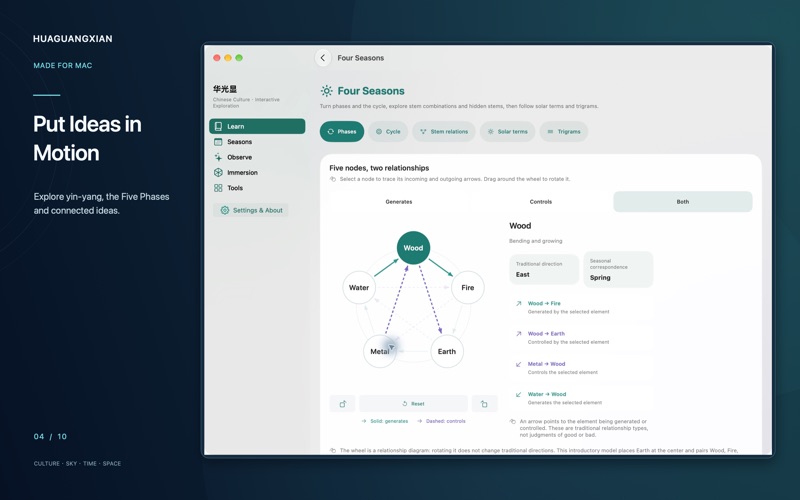
LEARN — Ideas in motion • Adjust yin-yang balance, turn the Five Phases wheel and unfold numbers and directions in Hetu and Lo Shu. • Compose trigrams and hexagrams, rotate stem–branch rings and follow solar longitude through the 24 solar terms. • Explore foundational knowledge, classical texts and sources, from stems and branches to lunar mansions and musical theory. • Search, bookmark, adjust text size and retain reading progress locally.
SEASONS — Rhythms of time Connect Gregorian and Chinese calendars, solar terms, lunar phases, double-hours and stem–branch cycles. Turn the seasonal wheel and carry a selected instant into Observe.
OBSERVE — Explore the sky and its cultural traditions • Rotate and zoom the celestial sphere; locate the Sun, Moon, planets, Chinese asterisms, Big Dipper and 28 lunar mansions. • Compare schematic and true-distance solar-system views, heliocentric and geocentric paths, and retrograde motion. • Explore the Sun, Earth and Moon, lunar phases, solar terms, annual events, daylight and gnomon shadows on linked timelines.
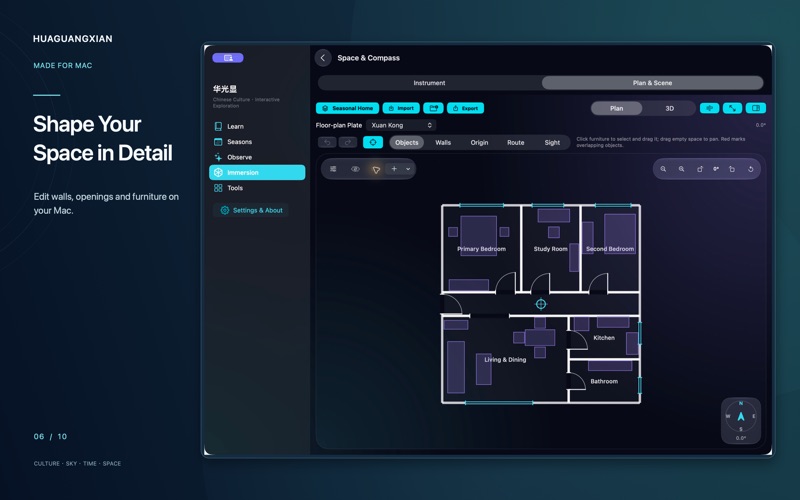
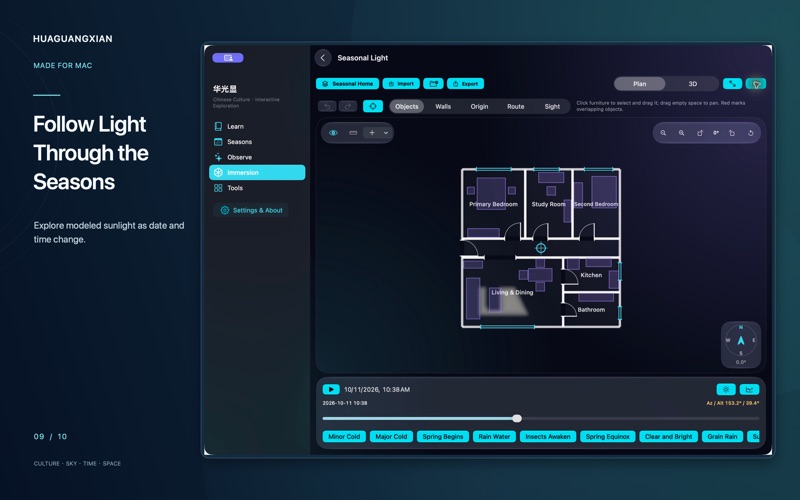
IMMERSION — Explore time and space • Pillars in Time and Qimen in Space connect traditional rules with timelines, relationship diagrams and nine-palace structures. • Space Studio: create a plan or import a phone capture. Edit walls, openings, heading, reference origin and furniture in 2D/3D. • Edit with direct selection, numeric controls, grid snapping and undo/redo. • Seasonal Light: change dates and locations to explore sunlight, shadows and modeled daylight statistics. • Airflow Studio: adjust wind, openings and furniture; compare 2D/3D airflow, pressure, speed and ventilation paths.
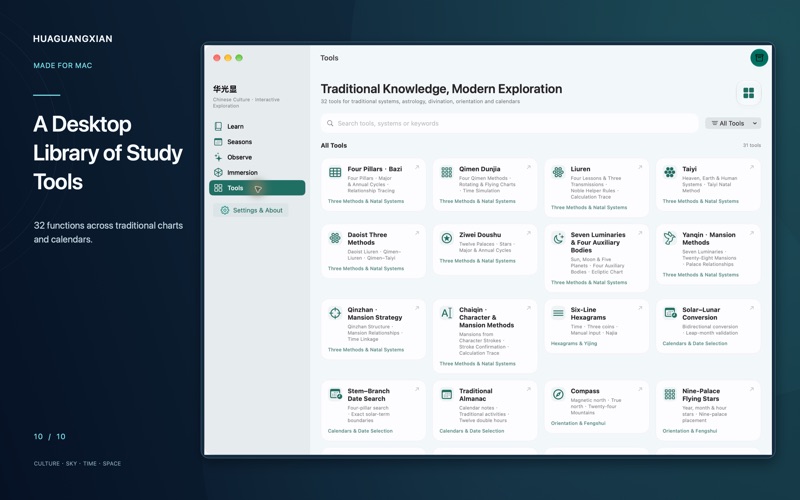
TOOLS — Study through charts 31 catalog entries provide 32 functions, including the Taiyi Life submode. Search in both languages or filter by tradition. Explore Four Pillars, Qimen, Liuren, Taiyi, Ziwei, Seven Luminaries, hexagrams, numerology, directional systems and calendars. Qimen can carry its time and place into the sky view for astronomical comparison.
CAPTURE ON PHONE, REFINE ON MAC Transfer a complete .hgs project from a compatible iPhone/iPad to Mac. Photos, calibration, depth and plans retain their capture relationships. On supported Apple Silicon Macs, the built-in Brush engine performs local Gaussian reconstruction. Save candidates, create an independent refinement, compare results and choose your preferred scene. Export .hgscene results to view on compatible mobile versions; import independent PLY/SPZ models. Interchange transfers data and models, not optimizer state between engines. No developer cloud or automatic USB sync is used. Mac does not provide LiDAR scanning, live camera AR or sensor-based compass readings. Set headings manually. Intel Macs support study, plan editing and compatible viewing, but not Brush training. Quality, completeness and processing time depend on capture data and hardware.
BILINGUAL AND LOCAL Switch between Simplified Chinese and English; classical passages retain Chinese where needed. No account or ads. Bundled content and calculations work offline. Projects, photos and reading records stay local, without automatic uploads to the developer. You choose sharing recipients. External links and email need a connection; Apple settings control backups.
Symbolic systems support cultural study, not factual personal-fortune predictions. Sunlight and airflow are simulations, not engineering measurements. Reconstruction does not promise survey accuracy. Conventions, sources, privacy and licenses are available in-app.
Brugernes bedømmelse
Log ind for at bedømme appen. Det vigtigste er, at du er ærlig.
Ingen bedømmelser endnu. Har du prøvet den? Giv den første bedømmelse.
Flere apps i kategorien Uddannelse
De bedste nye apps i kategorien Uddannelse denne uge FluencyToolShadow a native Japanese sentence, hear your own voice back, and get scored.
 YoMoo: Read & Shadow JapaneseYoMoo turns real Japanese writing into graded reading practice: news articles, Wikipedia…
 KeyswingLearn music notes, rhythm and piano through playful practice in a magical forest.
 Uncle Math Homeschool - 6 to 8No Math Fear, Uncle Math Is Here
 Malachi SpeaksMalachi Speaks gives a voice to people who don't use speech
 SelvarisWatch evolution unfold in real time – on an entire planet