
SquawkBar: Dev & Deploy Status
Ikke gjort krav påStop opening a dozen dashboards to ask "is everything OK?" SquawkBar puts Vercel…
Af Nerd Snipe Inc · Værktøjer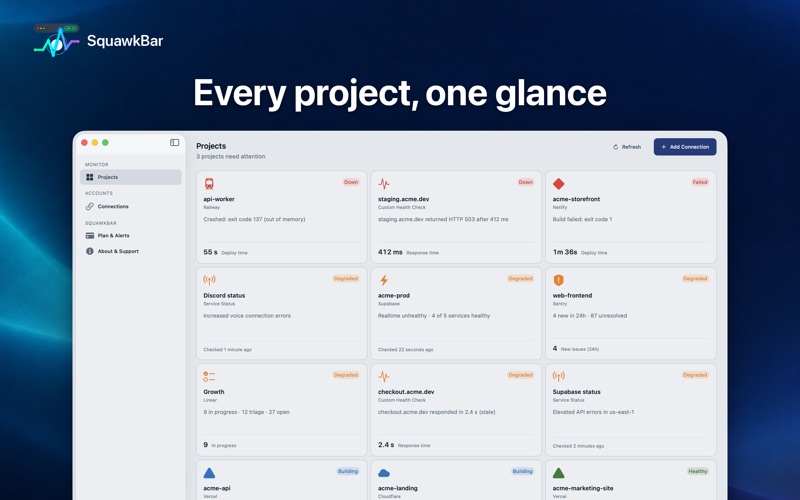





Kort fortalt
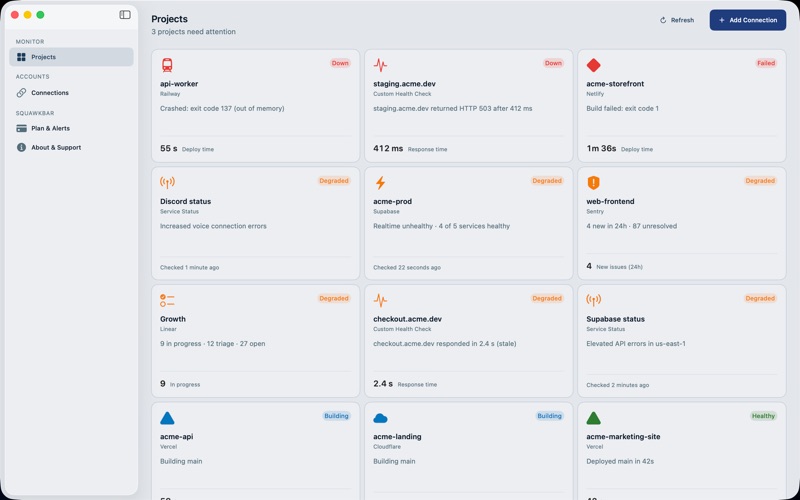
SquawkBar: Dev & Deploy Status is a Mac utility that shows deploys, backend services, status pages and custom health checks from tools like Vercel, Netlify, Supabase, Sentry and GitHub on desktop widgets. It is aimed at indie developers, freelancers and startup engineers who ship to several platforms. It stands out for keeping tokens in the Keychain and collecting no analytics.
Resumé fra Debuts, baseret på app-siden i App Store.Om appen
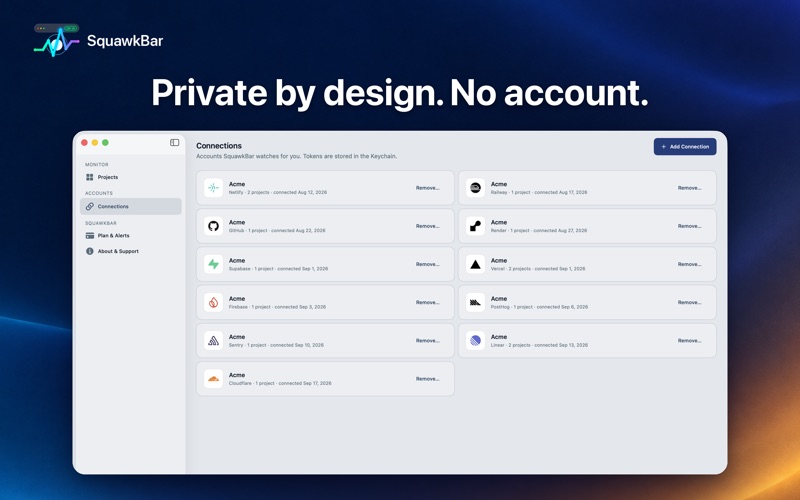
Stop opening a dozen dashboards to ask "is everything OK?" SquawkBar puts Vercel, Netlify, Railway, Render, Supabase, Firebase, Cloudflare, Sentry, PostHog, Linear, GitHub, Slack and Discord, plus your own health checks, on real desktop widgets.
Glance at your Mac desktop and know what is building, what failed and what is down.
MONITOR YOUR WHOLE STACK • Hosting and deploys: Vercel, Netlify, Railway and Render • Backend and edge: Supabase, Firebase and Cloudflare • Monitoring and product tools: Sentry, PostHog, Linear and GitHub • Status pages, no sign-in needed: Slack, Discord, Firebase, Cloudflare and Supabase • Custom health endpoints: watch any URL with your own title and check frequency • Local dev on Mac: spots dev servers listening on common ports such as 3000, 5173 and 8080 • Small, Medium and Large widgets, each showing real detail instead of a status colour • Overview widgets that combine several projects in one place
ONE PLACE INSTEAD OF MANY • Connect a service once, then choose which projects to watch • Tap a widget to open that project, then jump straight to the service's dashboard • Add connections and check details right in the app, with a menu bar glance • Your setup syncs between your Macs through iCloud
ALERTS WHEN IT MATTERS Get a push notification when a deploy fails or a health check goes down, even when your devices are asleep and the app is closed.
PRIVATE BY DESIGN No account to create. Access tokens are stored in the Keychain. No analytics, no ads and no advertising identifiers.
FREE TO START • Free: one service connection with as many projects as you like, unlimited public status pages, plus Local Dev on Mac • SquawkBar Pro: unlimited service connections, custom health endpoints and push alerts. Try Pro free for 7 days, then choose monthly or yearly. Subscriptions renew automatically until cancelled in your Apple Account settings.
PERFECT FOR • Indie developers and freelancers shipping to more than one platform • Startup engineers who want failures on their radar • Anyone who runs local dev servers all day
Coming soon: an iPhone and iPad companion to carry your monitored projects with you.
Download SquawkBar and see your whole stack at a glance.
Terms of Use: https://www.squawkbar.app/terms Privacy Policy: https://www.squawkbar.app/privacy
Brugernes bedømmelse
Log ind for at bedømme appen. Det vigtigste er, at du er ærlig.
Ingen bedømmelser endnu. Har du prøvet den? Giv den første bedømmelse.
Flere apps i kategorien Værktøjer
De bedste nye apps i kategorien Værktøjer denne uge Vodoalarm: vodostaji BiHVodoalarm javlja kad tvoja rijeka naglo raste, pa ne moraš stalno gledati vodostaje
 NadhirNadhir is an independent app
 Rokey: Romanian KeyboardType Romanian without worrying about diacritics
 Vibe Island: AI Agent MonitorVibe Island is a command center for the AI coding agents running on your Mac
 Private AuthenticatorPrivate Authenticator keeps your two-factor authentication codes on your own Apple…
 Photo Clean: Photo CleanupA crowded camera roll?