
WritePerfect
Ikke gjort krav påRemember the old days
Af Rodger Wilson · Produktivitet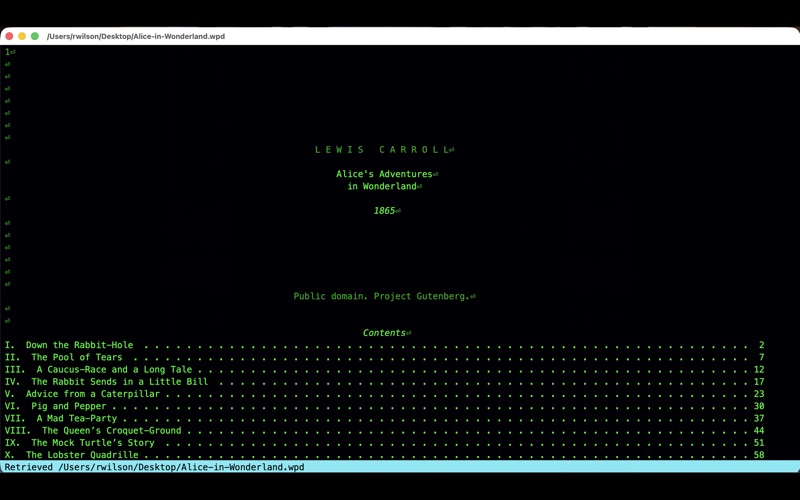
Kort fortalt
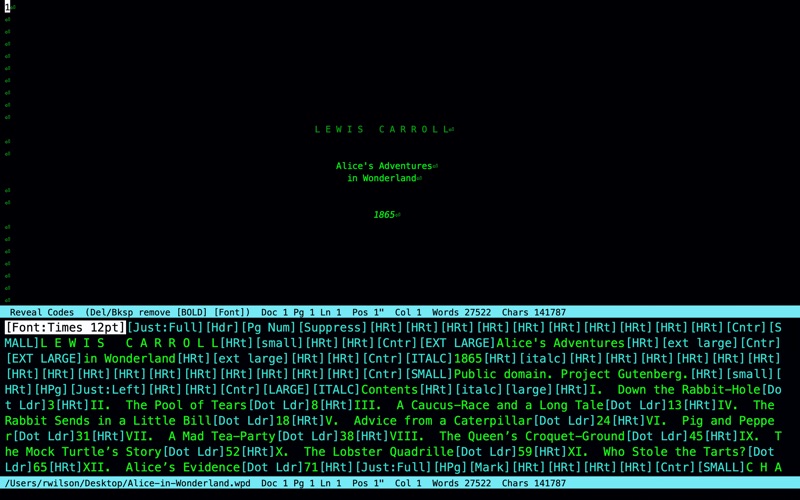
WritePerfect is a word processor for Mac that recreates the feel of WordPerfect 5.1, with function keys on the Touch Bar and a side panel that can show classic reveal codes or an AI writing assistant. It reads and writes DOCX, Markdown, and PDF, supports Unicode for mixed-language documents, and includes a built-in thesaurus and grammar checker.
Resumé fra Debuts, baseret på app-siden i App Store.Om appen
Remember the old days. WordPerfect 5.1 on a 286 was faster than the computers that came after it. You pressed a key and the letter was already there. The program made a simple demand. Write the content first, and leave the beauty until the words are worth keeping.
The F-keys used to live on a plastic sheet laid across the keyboard. WritePerfect puts them on the Touch Bar, the small screen above the keys. On a Mac without one, they sit in the title bar. They change as you work. The plastic sheet could not.
WritePerfect keeps that demand, and it is still an editor. Revise a paragraph. Move a passage. Reveal the codes and change the page when you are ready. The writing comes first. The document stays yours.
Better than WordPerfect, on purpose. It runs on a Mac you already own. There is no second machine to keep alive, and no disk to hunt for.
It speaks Unicode, so one document can be English, Chinese, or anything in between.
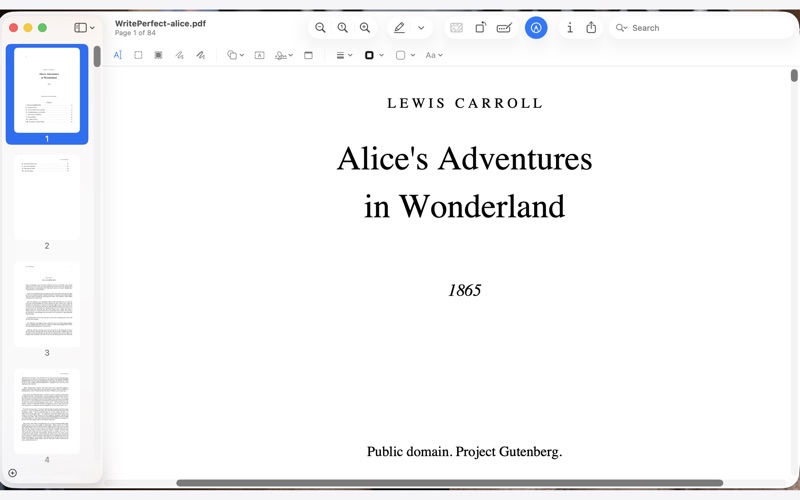
It reads and writes DOCX, Markdown, and PDF. You finish the job in the same program that holds the draft.
A panel sits next to the page. In WordPerfect 5.1 it showed the hidden codes, and the program stopped there. In WritePerfect you choose what that panel does.
One is the classic reveal codes, the bones of the document in plain sight. Another is a Chinese writing coach, in the spirit of Grammarly, which reads the draft and answers you.
We have also created an AI interface that evaluates grammar and writing style. You supply the AI API key. Ask it about a paragraph, or ask it to change the writing, and accept the new paragraph when it is the one you want. This is the power of the pluggable extensions.
You may not have an interest in Chinese, but because the reveal panel is extendable you can create your own version of Grammarly if you want. Sky is the limit.
The right word, and a sentence that holds. The thesaurus is no longer a short list that swaps one word and vanishes. It lives in the pane. You browse. You step from a word to its neighbors and back, and then you choose.
Grammar checking is built in. It needs no API key, and it catches more than a spelling list from the 1980s ever could.
Brugernes bedømmelse
Log ind for at bedømme appen. Det vigtigste er, at du er ærlig.
Ingen bedømmelser endnu. Har du prøvet den? Giv den første bedømmelse.
Flere apps i kategorien Produktivitet
De bedste nye apps i kategorien Produktivitet denne uge ChickMark: Habit TrackerChickMark is a simple habit tracker for routines, goals, and reminders
 Dayflint: One Thing a DayToo many priorities?
 Fristo CAFMFristo is the app for Fristo CAFM, the facility management software
- BeginAnywayMorning alarm for hard tasks: set one task, prove you started, build a streak
 DHUDEDHUDE Analityxs es la herramienta de gestión diaria para grupos de restauración y ocio…
 Unlocky: Training App BlockerLock the apps that eat your day