
Click: Screenshot & Record
Nicht beanspruchtClick is the fastest way to screenshot, mark up and share on your Mac
Von RYAN ALEXANDER LYNCH · ProduktivitätWarum wir das erwarten: A focused, privacy-first Mac screenshot tool with clear value and a free core that suits many professionals.




Info
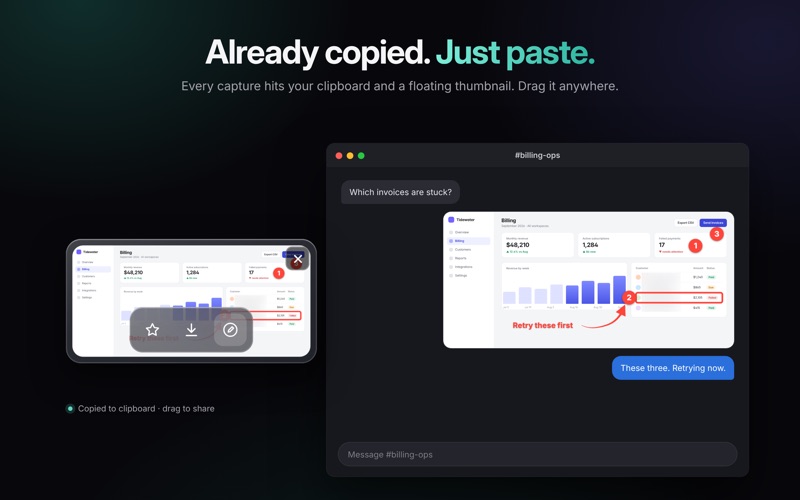
Click is the fastest way to screenshot, mark up and share on your Mac. One keystroke captures a region, a window or the whole screen, and it's already on your clipboard. Add an arrow, blur the private bits, paste it into the chat. Done.
Built for people who explain things all day: support, product, design, engineering, teachers, founders.
CAPTURE • Press ⌘` and drag over anything. Press Space to switch between region, window and full screen • Every capture lands on your clipboard and in a floating thumbnail you can drag into any app • Lives in the menu bar and stays out of the way
MARK IT UP • Arrows: straight, curved or elbow, with taper, color and opacity • Rectangles, ellipses, lines, text and a highlighter • Spotlight: dim everything except the part that matters • Numbered steps that count up for you (1, 2, 3 or A, B, C) • Crop to exactly what matters • Save any style as your default and it's there next time
REDACT BEFORE YOU SHARE • Pixelate or blur emails, API keys, card numbers and faces in one drag • Adjust the strength after you've drawn it
RECORD YOUR SCREEN • Record a region, a window or the full screen • System audio, microphone and a camera bubble, with a 3-2-1 countdown
PRESENT IT WELL • A clean background and a soft shadow in one click, free for everyone • Compare two captures side by side or with a before/after slider • Export PNG, HEIC or PDF, at 2× for Retina
FIND IT AGAIN • The Library keeps every capture, with search, favorites and folders
PRIVATE BY DESIGN • No account. No cloud. Your captures stay on your Mac • Anonymous usage statistics only, and you can turn them off
COMMON QUESTIONS Is there a free screenshot app for Mac with annotation? Yes. Capturing, copying and the background-and-shadow tool are free in Click, forever. How do I blur part of a screenshot on Mac? Take the shot, drag the blur tool over the private part, paste. Click pixelates or blurs, and you can change the strength afterwards. Can I record my screen with my face on it? Yes. Click records a region, window or screen with system audio, a microphone and a camera bubble. Does it upload my screenshots anywhere? No. Click has no account and no cloud. Everything stays on your Mac unless you share it. What does Click replace? The built-in macOS screenshot tool, plus a separate annotation app and a separate screen recorder.
FREE AND PRO Capturing, copying, saving as PNG, and the background and shadow are free. Click Pro unlocks the annotation tools, crop, redaction, screen recording, the camera bubble, mic and system audio, Compare, the Library, and HEIC/PDF and 2× export.
• Pro Monthly: $4.99/month, with a 7-day free trial • Pro Yearly: $47.99/year, with a 7-day free trial • Pro Lifetime: $129, one payment
Nutzer bewerten sie
Melde dich an, um diese App zu bewerten. Ehrlichkeit zählt.
Noch keine Bewertungen. Hast du die App ausprobiert? Gib die erste Bewertung ab.
Mehr Produktivität-Apps
Die besten neuen Produktivität-Apps dieser Woche ChickMark: Habit TrackerChickMark is a simple habit tracker for routines, goals, and reminders
 Dayflint: One Thing a DayToo many priorities?
 Snappy Do ItTurn photos, text and voice into tasks, plans and more.
 Fristo CAFMFristo is the app for Fristo CAFM, the facility management software
 UhWhat? Voice NotesCatch the thought before it disappears
- BeginAnywayMorning alarm for hard tasks: set one task, prove you started, build a streak