
JotShot: Screenshot Markup
Nicht beanspruchtSay it with an arrow
Von Wolfgang Mannel · ProduktivitätWarum wir das erwarten: A focused Skitch successor with clear value, thorough feature detail, and a strong privacy promise.



Kurz gesagt
JotShot: Screenshot Markup is a menu bar app for capturing part of the screen or a single window, marking it up with arrows, text, shapes, and stamps, then copying, dragging, or saving it. It is aimed at people who want a quick Skitch-style workflow on macOS 14 or later, and it runs entirely on the Mac with no account, server, or internet connection.
Zusammenfassung von Debuts, basierend auf dem Eintrag im App Store.Info
Say it with an arrow.
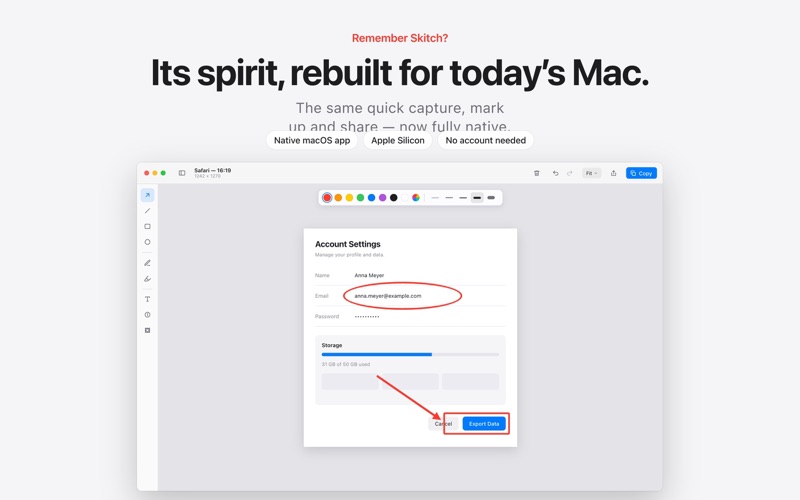
JotShot is a tiny menu bar app that turns "let me explain…" into one screenshot. Grab any part of your screen, mark it up, and share it — in about ten seconds.
IF YOU MISS SKITCH, YOU ALREADY KNOW HOW THIS WORKS Skitch made screenshot annotation effortless. Then Evernote stopped updating it in 2016, and today it needs Rosetta just to launch on an Apple Silicon Mac. JotShot brings the same flow back — capture, arrow, share — written from scratch in Swift for today's macOS, with the same keyboard-first feel and the same big friendly arrows.
ONE SHORTCUT AWAY - Capture an area with a crosshair or pick a whole window with one click - Need a menu open first? Add a 5-second delay - Open or paste any image (PNG, JPEG, TIFF, HEIC, WebP) to mark it up - Choose your own global shortcut in Settings
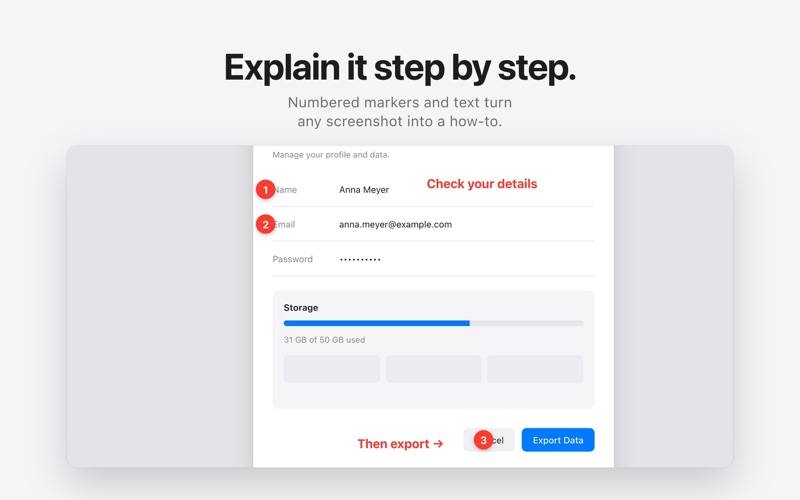
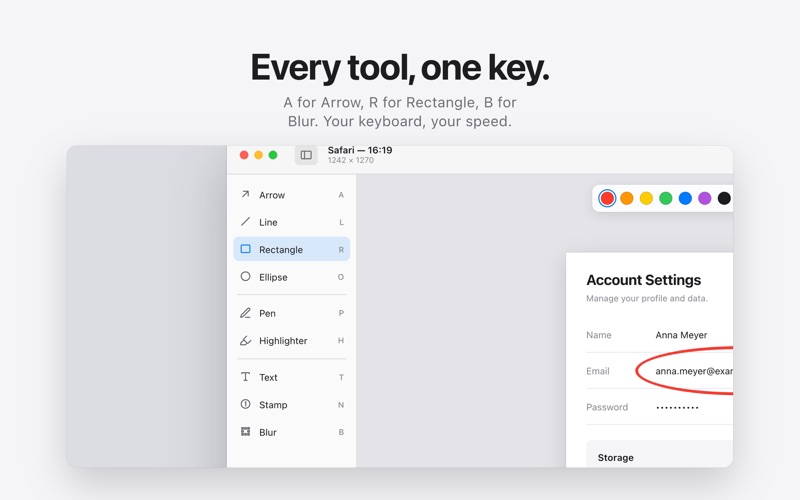
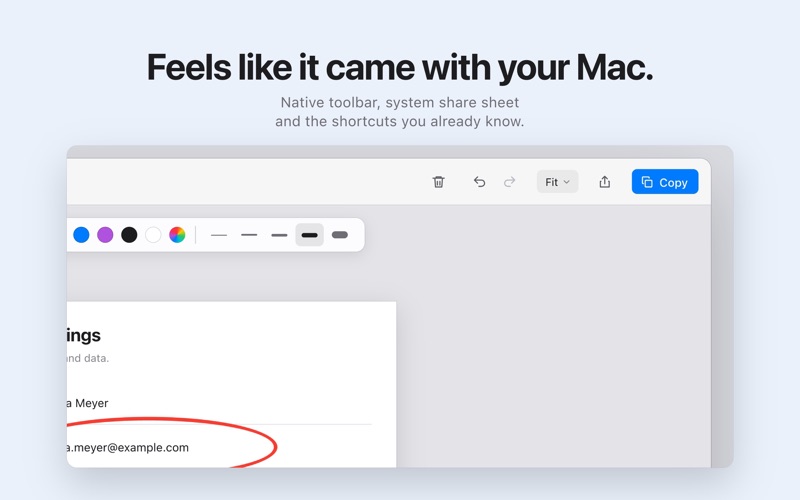
TEN TOOLS, ONE KEY EACH - Arrow (A) — the tapered, unmistakable kind - Text (T) with a white halo so it reads on any background - Rectangle (R), Circle (O), Line (L) - Pen (P) and Highlighter (H) - Stamp (S): Approved, Rejected, Attention, Question, Perfect - Pixelate (X) names, e-mail addresses, keys and faces before a shot leaves your Mac
Move, resize and recolor anything after you've drawn it. Undo everything. Your last color, stroke and text size follow you from shot to shot.
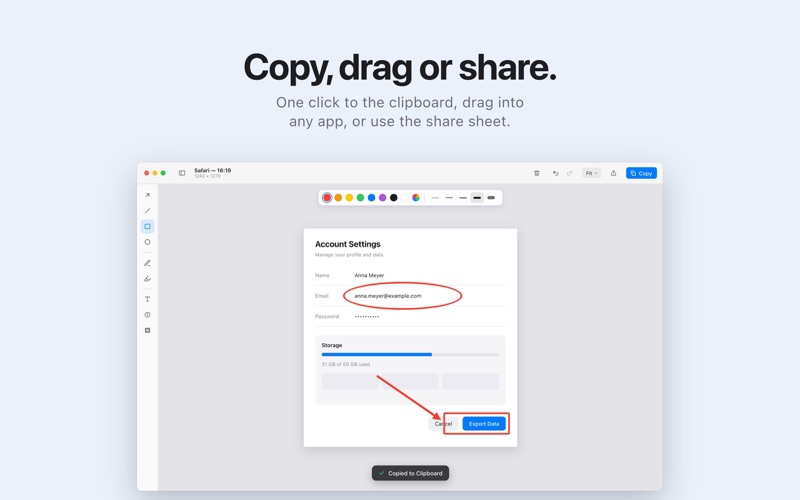
SHARE YOUR WAY - Copy to the clipboard with one click - Drag the image straight out of the window into Slack, Mail, Notes or a browser - Save as PNG, JPEG or PDF to a folder you choose - Send it anywhere with the macOS share sheet
EVERY SHOT, KEPT A history of your captures lives in the app, so "that screenshot from Tuesday" is one click away.
NOTHING LEAVES YOUR MAC JotShot has no server, no account, and no analytics. The app never connects to the internet - not for tracking, not for updates, not for anything. It runs in the macOS App Sandbox and only touches the files you open, paste, or save.
ONE PRICE, ONCE No subscription. No in-app purchases. No trial timer. Buy it once, and it's yours, updates included.
REQUIREMENTS macOS 14 Sonoma or later. Apple Silicon and Intel. JotShot asks for the Screen Recording permission macOS requires for any app that captures the screen; it captures only when you trigger it.
Nutzer bewerten sie
Melde dich an, um diese App zu bewerten. Ehrlichkeit zählt.
Noch keine Bewertungen. Hast du die App ausprobiert? Gib die erste Bewertung ab.
Mehr Produktivität-Apps
Die besten neuen Produktivität-Apps dieser Woche ChickMark: Habit TrackerChickMark is a simple habit tracker for routines, goals, and reminders
 Dayflint: One Thing a DayToo many priorities?
 Snappy Do ItSix connected modes. One traceable journey.
 Fristo CAFMFristo is the app for Fristo CAFM, the facility management software
 UhWhat? Voice NotesCatch the thought before it disappears
- BeginAnywayMorning alarm for hard tasks: set one task, prove you started, build a streak