
QT - Bible & Study Timer
Nicht beanspruchtA study timer that starts with a one-minute QT
Von Ivan Chernoknizhnikov · Produktivität

Kurz gesagt
QT - Bible & Study Timer is a productivity app that opens study sessions with a one-minute Bible reading, a verse, and a one-line reflection. It then runs a 25, 50 or 90 minute timer (or free mode) and locks the distracting apps you pick through Apple's Screen Time. It stands out for keeping time even when the app closes or the phone restarts.
Zusammenfassung von Debuts, basierend auf dem Eintrag im App Store.Info
A study timer that starts with a one-minute QT. Read one verse, write one line of reflection, then start studying. While you study, the apps you choose stay locked.
■ A one-minute QT every day • A new verse and a reflection question each day • Write one line and build a daily streak • Read the whole chapter in your Bible app or on the web
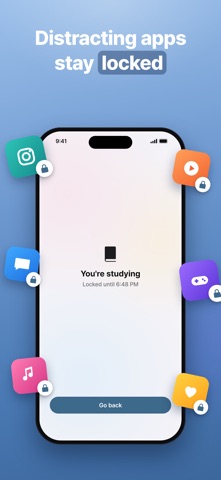
■ Distracting apps stay locked • Only the apps you pick, only while you study • Uses Apple's Screen Time. We can't see which apps you picked • Take a break to unlock them for a moment; resume to lock them again
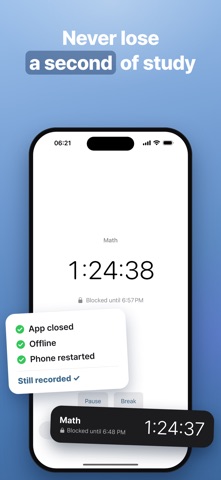
■ A study timer that never loses a second • 25, 50 or 90 minutes, or free mode • Your time is kept even if the app closes, you go offline or your phone restarts • A live timer on the Lock Screen and in the Dynamic Island
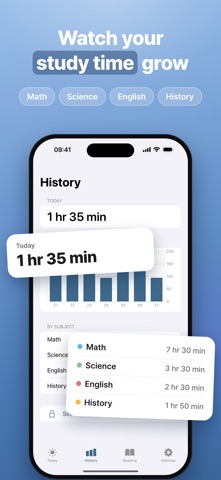
■ Study time by subject • Today, this week and totals by subject • Default subjects, plus your own
■ The New Testament in 90 days • 2–3 chapters a day, checked off as you go
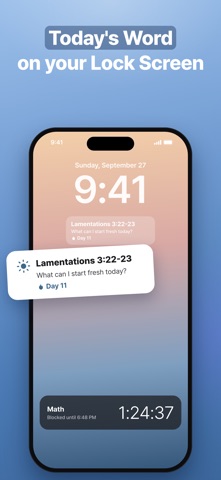
■ Widgets • Today's Word and your streak on the Home and Lock Screen
■ Free and Pro The QT, the timer, blocking one app and the widgets are free. QT Pro removes the limit on how many apps you can block while you study. • Payment is charged to your Apple ID. Subscriptions renew automatically unless cancelled at least 24 hours before the end of the current period. • Manage or cancel in Settings > Apple ID > Subscriptions.
No ads.
Scripture: World English Bible (public domain) Terms of Use: https://www.apple.com/legal/internet-services/itunes/dev/stdeula/
Nutzer bewerten sie
Melde dich an, um diese App zu bewerten. Ehrlichkeit zählt.
Noch keine Bewertungen. Hast du die App ausprobiert? Gib die erste Bewertung ab.
Mehr Produktivität-Apps
Die besten neuen Produktivität-Apps dieser Woche ChickMark: Habit TrackerChickMark is a simple habit tracker for routines, goals, and reminders
 Dayflint: One Thing a DayToo many priorities?
 Snappy Do ItSix connected modes. One traceable journey.
 Fristo CAFMFristo is the app for Fristo CAFM, the facility management software
 UhWhat? Voice NotesCatch the thought before it disappears
- BeginAnywayMorning alarm for hard tasks: set one task, prove you started, build a streak