
SCPilot
Nicht beanspruchtSCPilot is an extremely simple, graphical SCP/SFTP app for the Mac
Von Steven Matthias Bohm · Dienstprogramme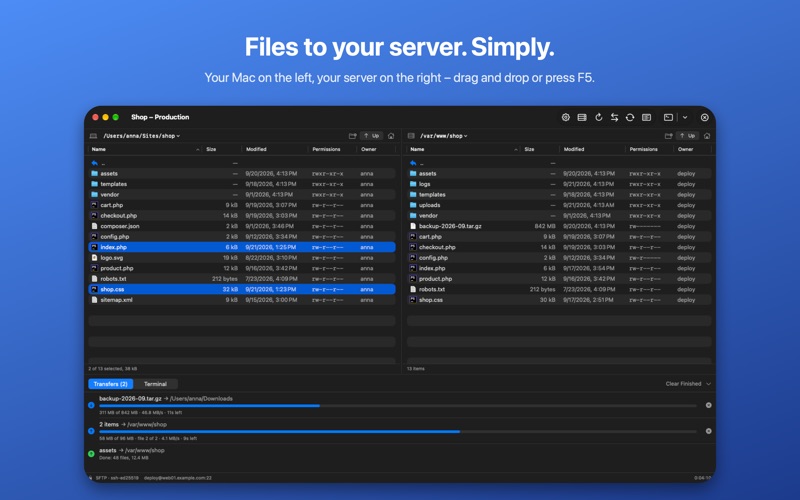


Kurz gesagt
SCPilot is a graphical SCP/SFTP app for the Mac that shows local and remote files side by side, with drag and drop between them. It is aimed at web developers, hosting customers, admins and hobbyists who mainly need to move files to a server. One detail that stands out is that it can import hosts from your SSH configuration file with one click.
Zusammenfassung von Debuts, basierend auf dem Eintrag im App Store.Info
SCPilot is an extremely simple, graphical SCP/SFTP app for the Mac.
Your Mac on the left, your server on the right. Drag files across – done. No clutter, no learning curve, no subscription.
SCPilot is made for everyone who just wants to get files onto a server: web developers, hosting customers, admins and hobbyists with a Raspberry Pi or a NAS.
SIMPLE BY DESIGN • Two file lists side by side: local and remote • Drag and drop between them, from the Finder and back to it • F5 copies the selection to the other side, ".." and the Up button take you one folder up • SCPilot remembers the folder you were in last, for every server
YOUR SERVERS, READY IN SECONDS • Import the hosts from your SSH configuration (~/.ssh/config) with one click • Sign in with password or SSH key (Ed25519, ECDSA, RSA, keys with passphrase) • Create a new SSH key and install it on the server with one click • Passwords and keys are kept in your Keychain
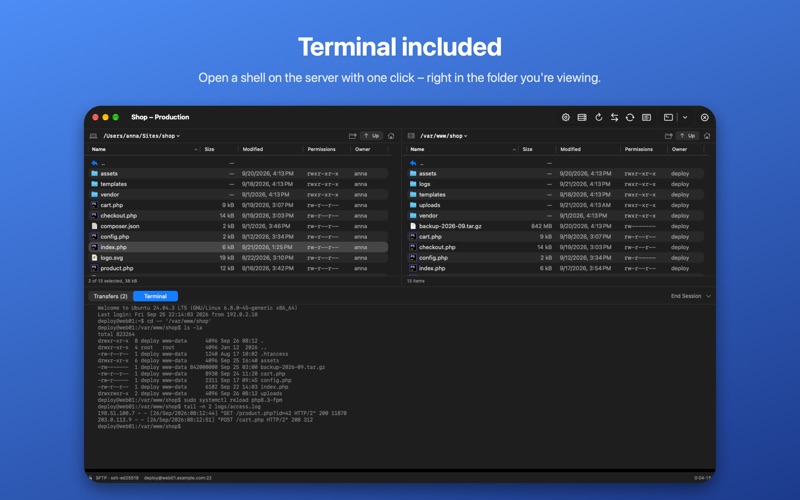
TERMINAL INCLUDED • Open a shell on the server with one click – right in the folder you're viewing • Built-in terminal, or Terminal and iTerm2 if you prefer
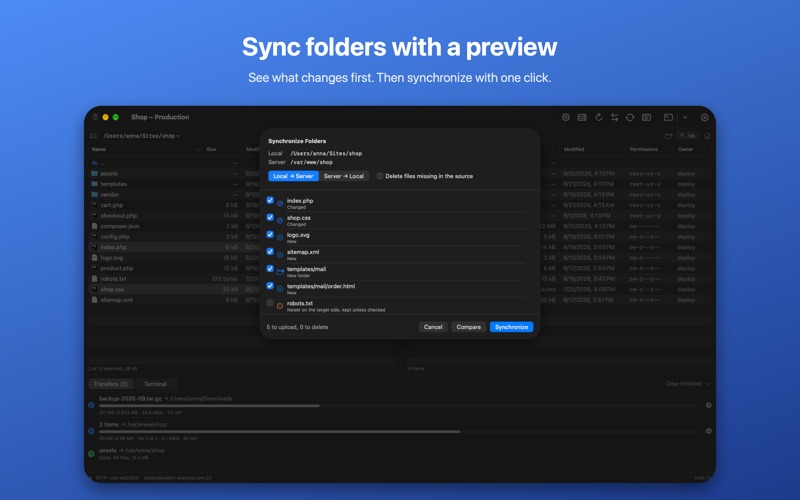
MORE THAN COPYING • Edit files directly on the server in your favorite editor – every save is uploaded • Synchronize folders with a preview: see what changes before anything happens • Rename, delete, create folders and change permissions • Transfer queue with speed and time left; interrupted transfers resume
SAFE • Server fingerprints are checked, and SCPilot recognizes servers you already trust in Terminal • Runs in the Mac App Sandbox; it only sees the folders you choose • No tracking, no analytics, no account – your data stays on your Mac
SCPilot uses SFTP, which practically every Linux and macOS server offers.
Available in English and German. One-time purchase.
Nutzer bewerten sie
Melde dich an, um diese App zu bewerten. Ehrlichkeit zählt.
Noch keine Bewertungen. Hast du die App ausprobiert? Gib die erste Bewertung ab.
Mehr Dienstprogramme-Apps
Die besten neuen Dienstprogramme-Apps dieser Woche Drainly: Speaker CleanerMuffled speaker after a splash, rain, or a sweaty workout?
 Photo & PDF Resize: KBFile too large to upload?
 Arvectum Proxy LauncherArvectum Proxy Launcher is a network utility that routes your iPhone through a proxy you…
 Vodoalarm: vodostaji BiHVodoalarm javlja kad tvoja rijeka naglo raste, pa ne moraš stalno gledati vodostaje
 Dusty: Photo Cleaner PetYour camera roll's new pet
 FairAuth: AuthenticatorFairAuth creates the codes for two-step verification on iPhone and iPad