
Signet Seal & Secure Your PDFs
Nicht beanspruchtSignet turns any PDF into a properly sealed, on-brand, protected document — without ever…
Von Michael Major · Produktivität


Kurz gesagt
Signet Seal & Secure Your PDFs is a Mac app that adds text or image watermarks to PDFs as vector content, keeping text, links, outlines, and form fields intact. It also sets PDF permissions, saves reusable profiles, and can generate personalized copies from a name list. It suits people who regularly stamp or protect shared documents, and it stands out for its batch personalization feature.
Zusammenfassung von Debuts, basierend auf dem Eintrag im App Store.Info
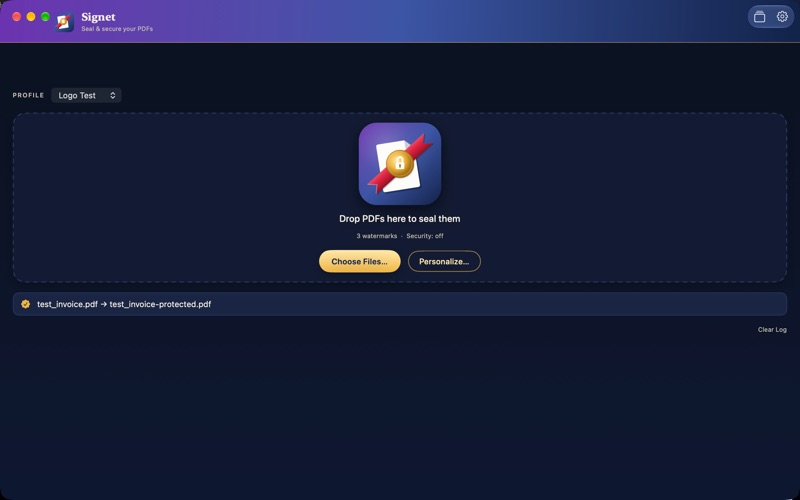
Signet turns any PDF into a properly sealed, on-brand, protected document — without ever touching the text underneath.
Every watermark Signet adds is real vector content, not a flattened image, so your PDF's text stays sharp, searchable, and selectable, and every link, outline, and fillable form field survives untouched.
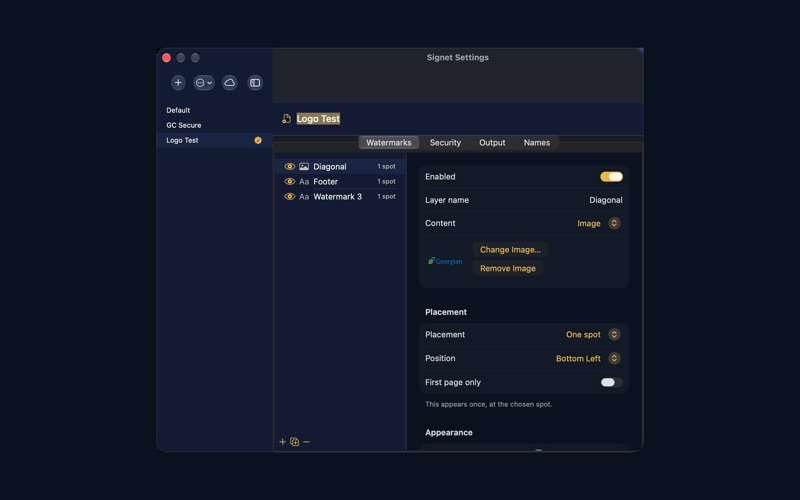
FULL CONTROL OVER EVERY WATERMARK • Text or your own logo/image — mix as many layers as you need in one profile • Precise placement: nine anchor points, a custom position, or a tiled pattern across the whole page • Font, size, color, rotation, and opacity, all independently adjustable • Apply once, on the first page only, or repeat everywhere
LOCK DOWN PDF PERMISSIONS Set an owner password and control printing, copying, editing, and accessibility — the same permission model as the macOS Preview security sheet, so if you know Preview, you already know Signet.
PROFILES FOR REPEATABLE WORKFLOWS Save any combination of watermarks, security settings, and output preferences as a named profile. Switch between them instantly — a "Confidential" profile for internal drafts, a "Client Copy" profile for anything leaving the building.
BATCH PERSONALIZATION Drop in a list of names, put {name} anywhere in a watermark's text, and generate one uniquely stamped copy per name from a single source PDF — perfect for handouts, certificates, or personalized client documents.
DOCUMENT METADATA, YOUR WAY Set title, author, subject, keywords, creator, and producer on the way out — or leave any field blank to keep what the original PDF already has.
WORKS THE WAY YOU DO Drag files onto the app or its Dock icon, or use the Choose Files button — whatever's fastest. Point Signet at a synced folder (iCloud Drive, Dropbox, or similar) to share your profiles across every Mac you use.
Signet respects the PDF you started with: tagged accessibility structure, outlines, and interactive form fields are all preserved, because a watermark shouldn't cost you the rest of the document.
Nutzer bewerten sie
Melde dich an, um diese App zu bewerten. Ehrlichkeit zählt.
Noch keine Bewertungen. Hast du die App ausprobiert? Gib die erste Bewertung ab.
Mehr Produktivität-Apps
Die besten neuen Produktivität-Apps dieser Woche ChickMark: Habit TrackerChickMark is a simple habit tracker for routines, goals, and reminders
 Dayflint: One Thing a DayToo many priorities?
 Fristo CAFMFristo is the app for Fristo CAFM, the facility management software
- BeginAnywayMorning alarm for hard tasks: set one task, prove you started, build a streak
 DHUDEDHUDE Analityxs es la herramienta de gestión diaria para grupos de restauración y ocio…
 FTC BIOBUZZ Scorer & TrainerBIOBUZZ Scorer is a free, ad-free scorer for the 2026–2027 FTC season, built on…