WebP Pass
Nicht beanspruchtWebP Pass converts batches of images between WebP, PNG, and JPEG on your Mac
Von Chi Ieong Tai · DienstprogrammeWarum wir das erwarten: Clear value, careful offline privacy design, and a sensible free-to-Pro model make this a promising Mac utility.

Kurz gesagt
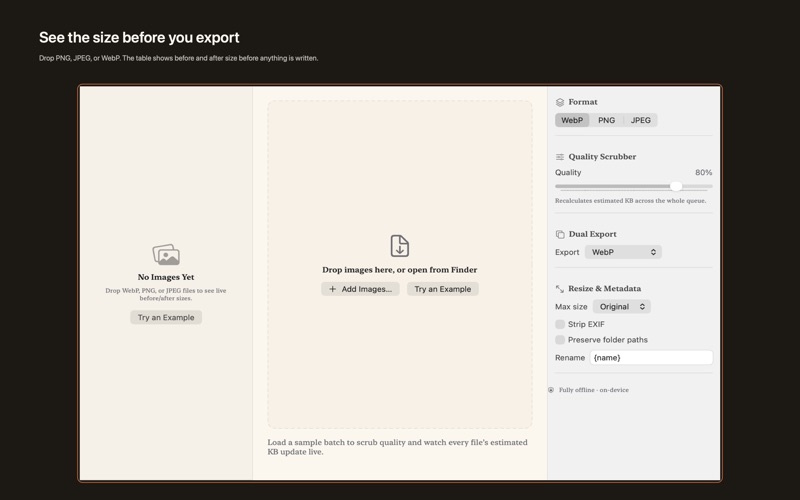
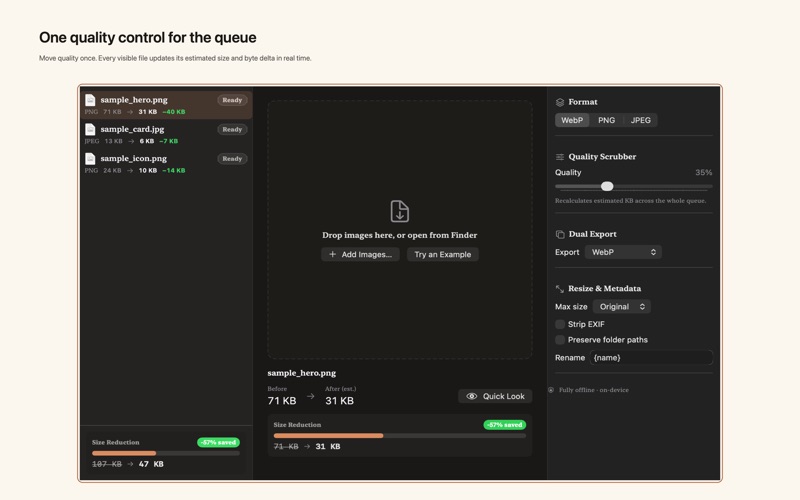
WebP Pass is a Mac utility that converts batches of images between WebP, PNG, and JPEG, showing a live before-and-after size estimate before anything is written. It runs entirely on the device with no upload and no account, and the free tier handles up to three images at a time. Pro adds unlimited batches, HEIC and TIFF sources, and a one-time unlock. What stands out is the live size column, which lets users check estimates before exporting.
Zusammenfassung von Debuts, basierend auf dem Eintrag im App Store.Info
WebP Pass converts batches of images between WebP, PNG, and JPEG on your Mac. Drop a file, read the live before/after size column, and write only when the estimate looks right. Nothing is uploaded. No account is required.
Free Core — up to 3 images • Drag and drop, or open with ⌘O, to convert between WebP, PNG, and JPEG • One quality control that recalculates the estimated size for every file in the queue • Fully offline, on-device processing with no account
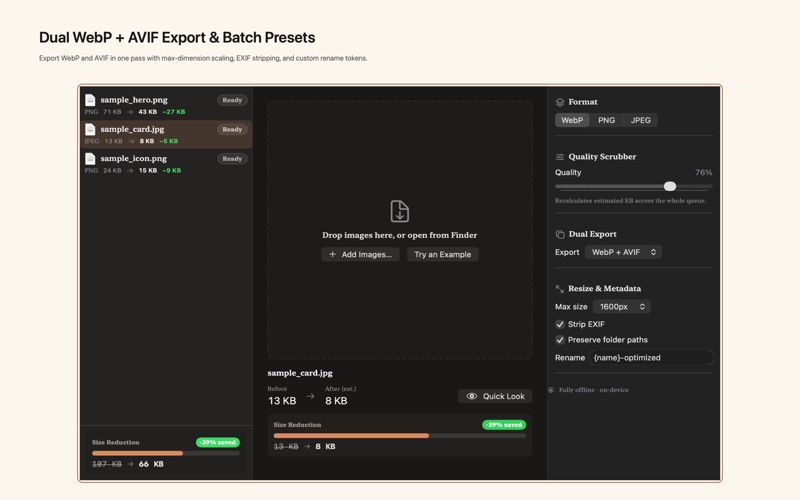
WebP Pass Pro — in-app purchase • Lifetime Pro Unlock — one-time purchase, no subscription • Unlimited queue, HEIC and TIFF sources, and multi-folder drops • One-pass export to both WebP and AVIF, using the same quality and resize settings • Native macOS Shortcuts automation and Finder Quick Action / Services integration • Batch rename tokens, EXIF strip, and max-dimension presets
Native macOS workflow: add files with ⌘O or drag them from Finder, load a sample with ⇧⌘S (File → Load Sample Batch), convert with Return, and undo a batch with ⌘Z. WebP Pass runs in the App Sandbox. It reads only files you choose and keeps folder bookmarks on this Mac. AVIF, Finder Quick Actions, Shortcuts, and batches larger than three images require Pro.
Nutzer bewerten sie
Melde dich an, um diese App zu bewerten. Ehrlichkeit zählt.
Noch keine Bewertungen. Hast du die App ausprobiert? Gib die erste Bewertung ab.
Mehr Dienstprogramme-Apps
Die besten neuen Dienstprogramme-Apps dieser Woche Vodoalarm: vodostaji BiHVodoalarm javlja kad tvoja rijeka naglo raste, pa ne moraš stalno gledati vodostaje
 NadhirNadhir is an independent app
 Rokey: Romanian KeyboardType Romanian without worrying about diacritics
 Vibe Island: AI Agent MonitorVibe Island is a command center for the AI coding agents running on your Mac
 Private AuthenticatorPrivate Authenticator keeps your two-factor authentication codes on your own Apple…
 Photo Clean: Photo CleanupA crowded camera roll?