
BitCompressor
Sin reclamarSave space
De 文文 王 · Utilidades

En resumen
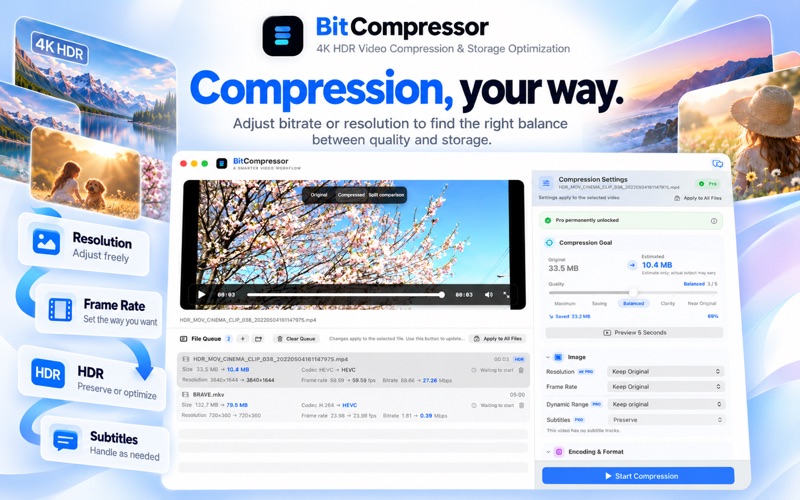
BitCompressor is a video utility for shrinking large files by adjusting bitrate, resolution, frame rate, and codec such as HEVC. It is aimed at people with 4K, HDR, or family video libraries that take up too much storage, and it lets them preview the original and compressed versions side by side before replacing anything.
Resumen de Debuts, basado en la ficha de la App Store.Acerca de
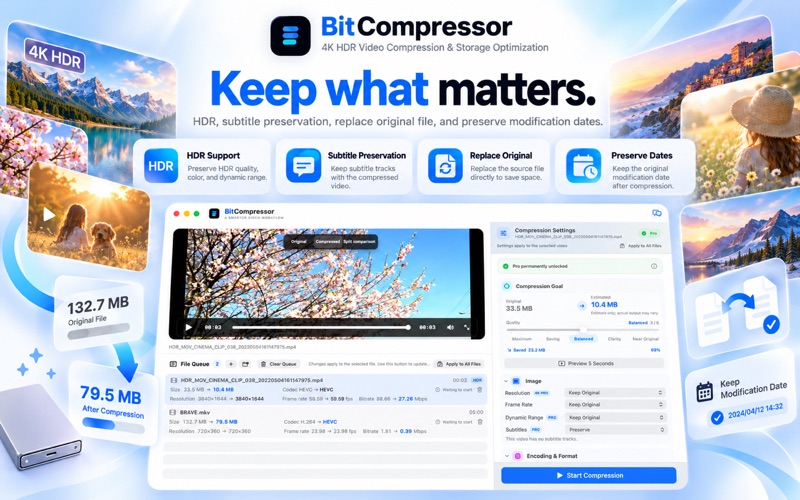
Save space. Keep more memories. Modern phones, cameras, and action cameras make it easy to record beautiful 4K, HDR, and high-bitrate video. Better quality also means much larger files. Trips, family moments, childhood memories, and everyday life can quickly consume hundreds of gigabytes of storage. Many videos simply do not need to stay at their original bitrate or resolution forever. Deleting them feels wrong. Keeping everything at full size takes too much space. BitCompressor is designed for exactly that. Adjust bitrate or resolution and find the balance between visual quality and file size that works for you. Smaller files. Still clear. Choose how you want to compress each video: • Adjust video bitrate • Change or keep the original resolution • Adjust frame rate • Balance quality and file size • Use efficient codecs such as HEVC Different videos deserve different compression settings. Compare before and after Not sure whether your compression settings are right? BitCompressor lets you preview the result before committing. Drag across the comparison view to see the original and compressed versions side by side and choose the settings that work best for you. HDR support BitCompressor supports HDR video and can preserve relevant dynamic-range information during compression. Keep subtitles Videos with subtitle tracks can keep their subtitles after compression. Save storage without leaving important content behind. Replace the original Once you are happy with the compressed result, you can choose to replace the original file directly. Fewer duplicates and less cleanup. Preserve modification dates BitCompressor can preserve the original file's modification date. Your compressed videos can remain in the expected chronological order, making them easier to manage on your Mac, external drives, or NAS. Made for long-term video libraries BitCompressor is ideal for 4K travel footage, family videos, HDR recordings, and growing video libraries that are taking up too much storage. Compression isn't just about making files smaller. It's about making room for more memories. Free users can complete 5 video compressions, so you can try BitCompressor with your own videos first.
Así la valora la gente
Inicia sesión para valorar esta app. Lo que cuenta es ser sincero.
Aún no hay valoraciones. ¿La has probado? Sé el primero en valorarla.
Más apps de Utilidades
Las mejores apps nuevas de Utilidades esta semana Drainly: Speaker CleanerMuffled speaker after a splash, rain, or a sweaty workout?
 Photo & PDF Resize: KBFile too large to upload?
 Arvectum Proxy LauncherArvectum Proxy Launcher is a network utility that routes your iPhone through a proxy you…
 Vodoalarm: vodostaji BiHVodoalarm javlja kad tvoja rijeka naglo raste, pa ne moraš stalno gledati vodostaje
 Dusty: Photo Cleaner PetYour camera roll's new pet
 FairAuth: AuthenticatorFairAuth creates the codes for two-step verification on iPhone and iPad