
Clackboard: Flip Clock
Sin reclamarA real split-flap board on your iPhone: flip clock, message board, countdown and…
De Kris Pierre Ludemann · Utilidades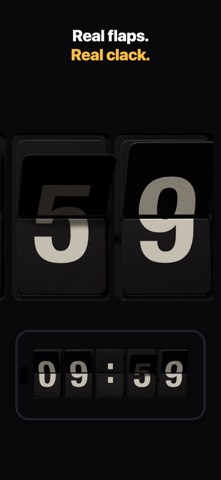



En resumen
Clackboard: Flip Clock is a utility that turns an iPhone or iPad into a split-flap display, with modes for a clock, short messages, a countdown and a scoreboard. It suits anyone who wants a desk clock or departure-board look, and the flaps animate with gravity, light and shadow. Its standout feature is that the iPhone on its charger works as a sideways flip clock.
Resumen de Debuts, basado en la ficha de la App Store.Acerca de
A real split-flap board on your iPhone: flip clock, message board, countdown and scoreboard in one. Every flap falls with gravity, catches the light, casts a shadow, hits the stop and bounces – just like the departure boards at the station.
CLOCK Stand your iPhone sideways on its charger and it becomes a split-flap desk clock. 12 or 24 hours, with seconds and date. At night the board can dim by itself.
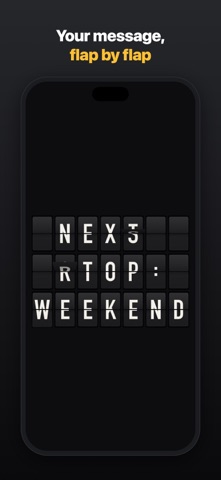
MESSAGE "Coffee?", "Do not disturb", "Delayed by about 5 min" – type what the board should say and watch every flap run through the alphabet until your text stands.
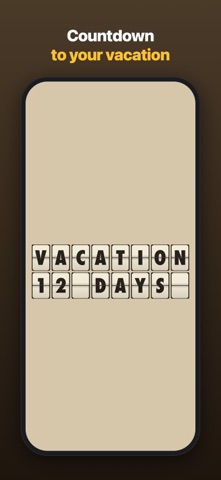
COUNTDOWN How long until your vacation, a birthday or the end of the workday? The board keeps count.
SCOREBOARD Table tennis in the garden, the match on TV, a game night: two teams, their names, points and sets. Tap or swipe down for a point, pull the flap back up to take it away – every point is one flap.
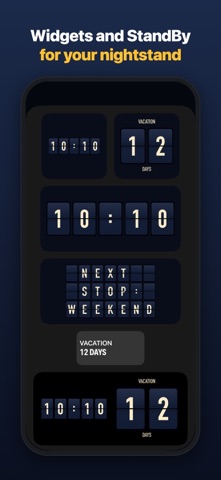
WIDGETS & STANDBY The clock, your message and your countdown on the Home Screen and in StandBy, the countdown also on the Lock Screen – your iPhone on the charger becomes a split-flap clock.
IPHONE & IPAD One purchase for both. An iPad on the desk or on the wall makes a big departure board.
ON THE BIG SCREEN Mirror your iPhone to the TV with AirPlay or a cable, and the whole room can read the board.
DELUXE IN 3D Real plastic flaps, rendered live in 3D: light, shadows, reflections and a little wear, like a board that has hung in a station for years.
DESIGNS Deluxe, Station, Airport, Night Train, Retro, Brass, Signal Red, White and Terminal. Pick one from the menu – swipe sideways to switch between clock, message, countdown and scoreboard.
CLACKBOARD PRO – BUY ONCE, KEEP FOREVER • 8 more designs, including Deluxe in 3D • Countdown, also as a widget • Scoreboard with your own team names • Your own messages on rotation • Video clips with sound and high-res images • No subscription, Family Sharing included
No ads. No account. No data collected.
Así la valora la gente
Inicia sesión para valorar esta app. Lo que cuenta es ser sincero.
Aún no hay valoraciones. ¿La has probado? Sé el primero en valorarla.
Más apps de Utilidades
Las mejores apps nuevas de Utilidades esta semana Vodoalarm: vodostaji BiHVodoalarm javlja kad tvoja rijeka naglo raste, pa ne moraš stalno gledati vodostaje
 NadhirNadhir is an independent app
 Rokey: Romanian KeyboardType Romanian without worrying about diacritics
 Vibe Island: AI Agent MonitorVibe Island is a command center for the AI coding agents running on your Mac
 Private AuthenticatorPrivate Authenticator keeps your two-factor authentication codes on your own Apple…
 Photo Clean: Photo CleanupA crowded camera roll?