
Compress PDF: Shrink File
Sin reclamarYour PDF never leaves your device
De Bokeria · UtilidadesPor qué la esperamos: Clear on-device privacy promise, honest results, and a practical target-size feature make this a useful utility with a well-defined audience.


En resumen
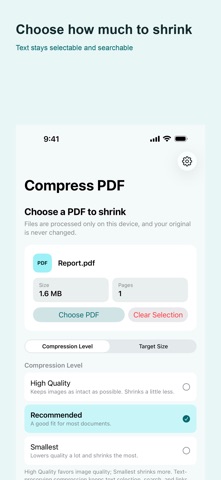
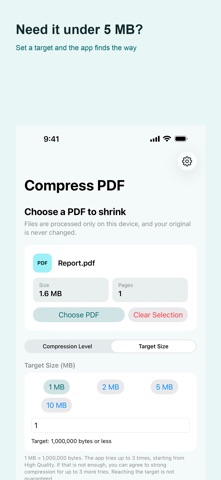
Compress PDF: Shrink File is a utilities app that makes PDF files smaller entirely on the phone, with no upload or account needed. Users choose between text-preserving compression, which keeps search and links working, and stronger compression, which turns pages into images and loses them. It can also shrink a file to a set target size, such as under 5 MB for email.
Resumen de Debuts, basado en la ficha de la App Store.Acerca de
Your PDF never leaves your device. No upload, no account, no waiting.
Compress PDF makes PDF files smaller right on your phone. Pick a file, choose how much to shrink it, and save the result as a new file. Your original is never changed.
TWO WAYS TO SHRINK
Text-preserving compression re-compresses the images inside your PDF while keeping text selection, search, and links working. This is the default.
Strong compression turns every page into an image. It shrinks much more, but text selection, search, and links are lost. The app always asks first, so it never happens by surprise.
HIT AN EXACT SIZE
Need a file under 5 MB for an email attachment? Enter the size and the app tries progressively lower quality until the result fits. It measures the real file size each time — not an estimate — and keeps the best result it found.
HONEST RESULTS
• Real byte sizes before and after, with the actual reduction • If a file cannot be made smaller, the app says so instead of pretending • Cancel any time — the app stops and cleans up • Password-protected PDFs are not supported, and the app tells you why
OPEN FROM OTHER APPS
Open or share a PDF from Files or your email app and it goes straight into the app.
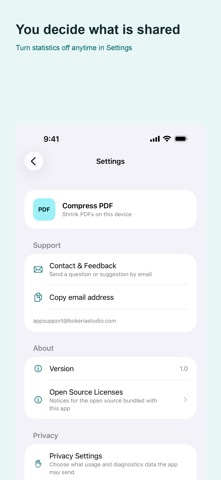
PRIVACY
Así la valora la gente
Inicia sesión para valorar esta app. Lo que cuenta es ser sincero.
Aún no hay valoraciones. ¿La has probado? Sé el primero en valorarla.
Más apps de Utilidades
Las mejores apps nuevas de Utilidades esta semana Drainly: Speaker CleanerMuffled speaker after a splash, rain, or a sweaty workout?
 Photo & PDF Resize: KBFile too large to upload?
 Arvectum Proxy LauncherArvectum Proxy Launcher is a network utility that routes your iPhone through a proxy you…
 Vodoalarm: vodostaji BiHVodoalarm javlja kad tvoja rijeka naglo raste, pa ne moraš stalno gledati vodostaje
 Dusty: Photo Cleaner PetYour camera roll's new pet
 FairAuth: AuthenticatorFairAuth creates the codes for two-step verification on iPhone and iPad