
Downword: Writing App
Sin reclamarDownword is a native writing environment for macOS—a word processor built for the AI era
De MADNESS (FZE) · ProductividadPor qué la esperamos: A thoughtful Markdown writing app with optional, privacy-respecting AI, clear value, and a detailed, well-organized description.



En resumen
Downword: Writing App is a native macOS word processor that renders Markdown as a polished document, with an optional AI Assistant that is off by default. It suits writers who want Word-style editing with plain-text Markdown files they can keep, version, and export to DOCX, PDF, or TXT. One notable point is that AI use is optional and connects through the user's own API key or a local Ollama model.
Resumen de Debuts, basado en la ficha de la App Store.Acerca de
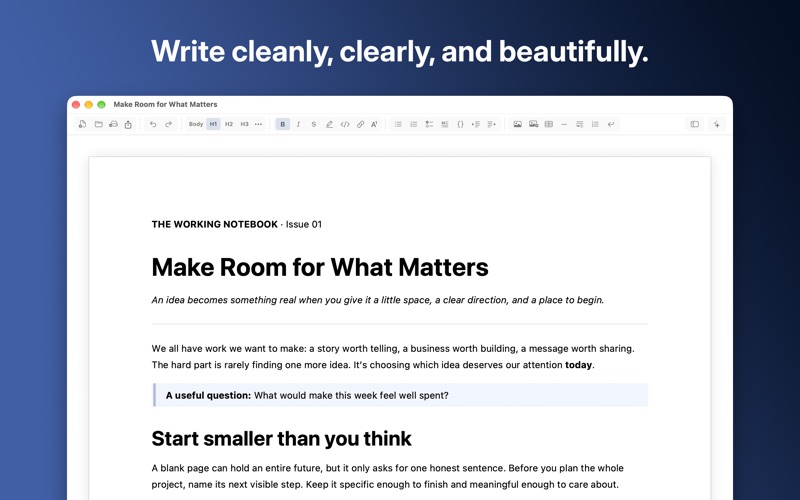
Downword is a native writing environment for macOS—a word processor built for the AI era. It combines the familiar experience of a modern document editor with the freedom, portability, and flexibility of Markdown.
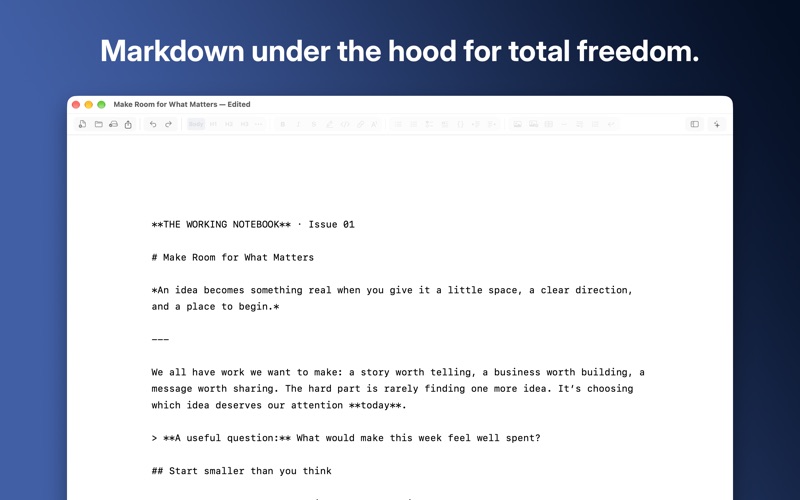
Write naturally while Downword renders your Markdown as a polished document. Use the command ribbon to format text and add images, tables, links, lists, footnotes, and a table of contents. When you want direct control, switch to source mode and edit the Markdown yourself.
AI features are optional and turned off by default. When enabled, Downword’s built-in AI Assistant works directly in your document. Ask it for whatever help you need—rewrite for clarity, adjust the tone, check grammar, summarize, expand, or shorten your writing. You can also attach PDFs, Word documents, Markdown files, text files, and images to give the Assistant more context.
Connect to your preferred AI provider using your own API key. Downword supports OpenAI, Anthropic, Google Gemini, OpenRouter, and Ollama, with the option to create multiple profiles and select a different model for each conversation. API keys are stored securely in your macOS Keychain. For greater privacy, use Ollama to run models locally on your Mac.
You always remain in control. Review every AI edit, undo changes with Command-Z, inspect the complete change history, or restore your document to an earlier version.
Your work is saved as clean, portable, plain-text Markdown—lightweight, inspectable, version-control friendly, and ready for other apps and platforms. It's also the format Large Language Models prefer. When it’s time to share, export a polished copy as DOCX, PDF, or TXT without altering your original Markdown document.
Downword collects no telemetry or analytics. Network requests occur only when you initiate them, load a remote image, or refresh public model information.
Whether you’re drafting a blog post, preparing research, or writing your next bestseller, Downword delivers smooth performance for documents exceeding 100,000 words.
Así la valora la gente
Inicia sesión para valorar esta app. Lo que cuenta es ser sincero.
Aún no hay valoraciones. ¿La has probado? Sé el primero en valorarla.
Más apps de Productividad
Las mejores apps nuevas de Productividad esta semana ChickMark: Habit TrackerChickMark is a simple habit tracker for routines, goals, and reminders
 Dayflint: One Thing a DayToo many priorities?
 Snappy Do ItSix connected modes. One traceable journey.
 Fristo CAFMFristo is the app for Fristo CAFM, the facility management software
 UhWhat? Voice NotesCatch the thought before it disappears
- BeginAnywayMorning alarm for hard tasks: set one task, prove you started, build a streak