
HonestScan
Sin reclamarScan → check and correct → shrink → export
De Jiri Kluciar · ProductividadPor qué la esperamos: A thoughtfully detailed scanner that turns paper into editable, exportable text with clear, practical value.



En resumen
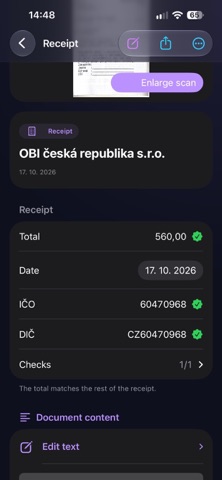
HonestScan turns receipts, documents, contracts and study notes into editable text on the device, with OCR run locally and the original scan kept alongside. It is aimed at people who want to scan paper, check and correct the result, then export a PDF, Markdown or a ZIP to Files. One notable point is that it works fully on its own, and sending content to DashBase is optional.
Resumen de Debuts, basado en la ficha de la App Store.Acerca de
Scan → check and correct → shrink → export.
HonestScan turns receipts, documents, contracts and study notes into text you can edit and send on with the original scan. It works on its own – you do not need DashBase to use it.
FROM PAPER TO EDITABLE TEXT • Scan with edge detection and perspective correction, or import photos. • Let the app recognise the content type. Process several photos separately or as pages of one document. • OCR runs on your device. Markdown retains headings, paragraphs, lists and recognised tables, with page boundaries to help you navigate.
CHECK AND CORRECT • Edit text alongside the original scan. Adjust the split, enlarge the original and pan around it. • Format headings, bold text and lists, then check the preview. • Czech and English dictionaries underline unknown words. Keep a personal allowed-word list for names and specialist terms. • Check receipt amounts and warnings about inconsistent totals and VAT. • Check uncertain formulas against the original. Detected diagrams are preserved as images with their original labels, between text and formulas. • Recognise a saved document again without importing it twice. Your manual edits stay intact, with automatic recognition shown separately.
SHRINK AND SEND ON • Choose scan compression and preview the result before exporting. • Save a PDF, corrected Markdown or both. The PDF includes the scan and a searchable text layer. • Save a portable ZIP to Files with the original scan, corrected text and related images. Notes with diagrams also include an offline preview showing text and pictures together. • Choose a folder on your iPhone, iCloud Drive or another provider in Files. • Find exported packages inside the app. Select several to forward, move or delete together. • Export a receipt overview as CSV for your accountant.
OPTIONALLY SEND TO DASHBASE • Transfer corrected text, every scan page and diagrams to DashBase on iOS or Mac. There you can manage purchases, warranties, claims and contract dates. • Save the same content to Files or share it elsewhere instead. You choose where it goes.
MAKE IT YOURS • Choose a light or dark theme independently of the system, plus text size and font style. • Group notes by subject, search, review handed-off documents and restore items from the bin. • Czech and English interface.
HonestScan is for capture, checking and handing off. You choose where to keep things long term.
Así la valora la gente
Inicia sesión para valorar esta app. Lo que cuenta es ser sincero.
Aún no hay valoraciones. ¿La has probado? Sé el primero en valorarla.
Más apps de Productividad
Las mejores apps nuevas de Productividad esta semana ChickMark: Habit TrackerChickMark is a simple habit tracker for routines, goals, and reminders
 Dayflint: One Thing a DayToo many priorities?
 Snappy Do ItSix connected modes. One traceable journey.
 Fristo CAFMFristo is the app for Fristo CAFM, the facility management software
 UhWhat? Voice NotesCatch the thought before it disappears
- BeginAnywayMorning alarm for hard tasks: set one task, prove you started, build a streak