
MediaSlim
Sin reclamarSmaller files, easier sharing
De 娇娇 洪 · UtilidadesPor qué la esperamos: A well-documented native Mac utility with clear local processing, useful Finder integration, and a free download.


En resumen
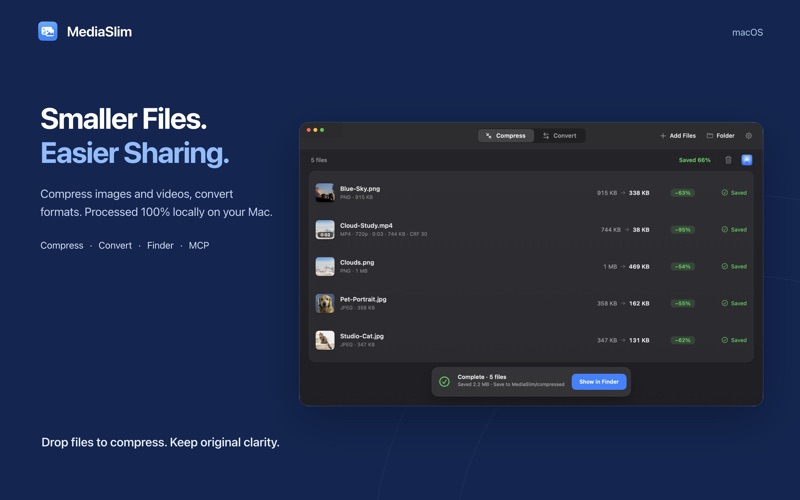
MediaSlim is a native Mac utility for batch compressing PNG, JPEG, MP4, MOV, M4V and MKV files and converting images among JPEG, PNG, HEIC, WebP and AVIF. It runs from the Finder right-click menu and processes everything locally, with originals kept by default. It stands out for its built-in MCP server, which lets compatible AI clients call compression and conversion within folders the user authorizes.
Resumen de Debuts, basado en la ficha de la App Store.Acerca de
Smaller files, easier sharing. MediaSlim is a native Mac utility designed to batch compress images and videos, convert image formats, and streamline your workflow through the Finder context menu and MCP for AI clients. All media is processed 100% locally on your Mac.
Batch Compression • Process images and videos together in a single batch. • Compress PNG and JPEG images, plus MP4, MOV, M4V and MKV videos. • MediaSlim automatically chooses an optimal approach for each file, so you do not need to configure complex compression settings. • See the original size, output size, space saved and task status. Reveal finished files in Finder.
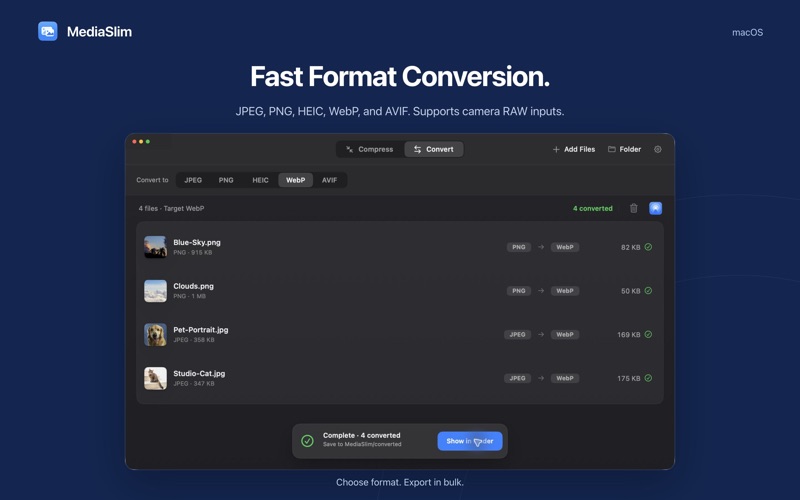
Image Format Conversion • Convert between JPEG, PNG, HEIC, WebP and AVIF. • Import camera RAW images and convert them to common image formats. • Choose a target format and process files in batches for sharing, web assets and consistent resource formats.
Finder Integration • Enable the MediaSlim Finder extension, then right-click selected files or folders to start compression or conversion. • Follow quick-task progress in the menu bar, pause or cancel a task, and reveal its results.
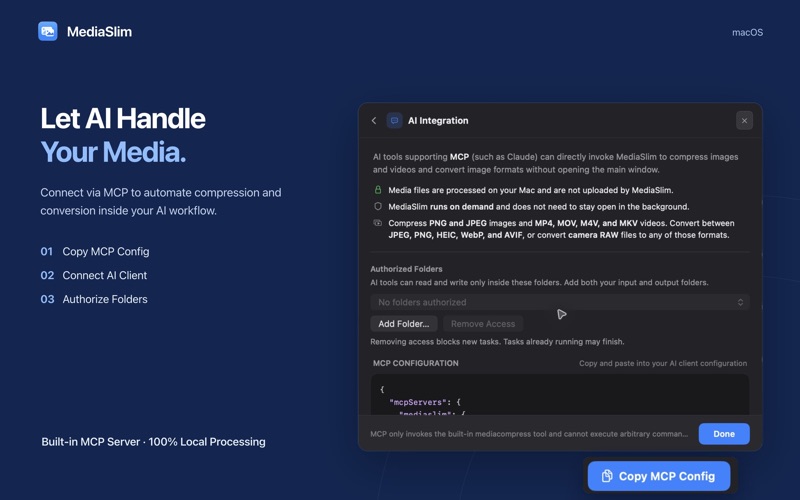
MCP for AI Workflows • The built-in MCP server lets compatible AI clients call batch compression and image format conversion. • Copy the MCP configuration from the app, connect your AI client, and authorize input and output folders. • MediaSlim’s MCP server accesses only the folders you authorize.
100% Local Processing · Originals Kept by Default Media files are processed on your Mac without uploading images or videos. No account or sign-in is required, and compression and conversion work offline. Results are saved separately by default. Choose an output location in Settings.
Designed for macOS Light and dark appearances fit seamlessly into your workspace while you create, share and organize files.
Support & Feedback Have questions or feature suggestions? We’d love to hear from you: jojotech.workshop@gmail.com
Requires macOS 15 or later and a Mac with Apple silicon.
Así la valora la gente
Inicia sesión para valorar esta app. Lo que cuenta es ser sincero.
Aún no hay valoraciones. ¿La has probado? Sé el primero en valorarla.
Más apps de Utilidades
Las mejores apps nuevas de Utilidades esta semana Vodoalarm: vodostaji BiHVodoalarm javlja kad tvoja rijeka naglo raste, pa ne moraš stalno gledati vodostaje
 Rokey: Romanian KeyboardType Romanian without worrying about diacritics
 Vibe Island: AI Agent MonitorVibe Island is a command center for the AI coding agents running on your Mac
 Private AuthenticatorPrivate Authenticator keeps your two-factor authentication codes on your own Apple…
 Photo Clean: Photo CleanupA crowded camera roll?
 Songbird AlarmWhat if the morning didn't have to start with a loud noise?