
TakeAScan
Sin reclamarTakeAScan turns a document into a PDF on your iPhone, and you can sign the page first
De Petra van Harten · ProductividadPor qué la esperamos: Its clear signing-and-PDF purpose, on-device privacy, and well-explained subscription make it a promising productivity app.



En resumen
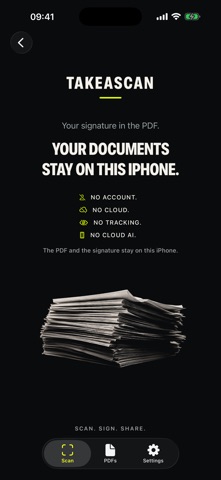
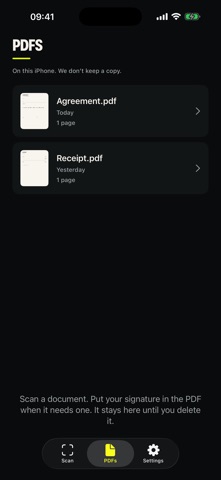
TakeAScan turns photos or camera scans of documents into PDFs on an iPhone, with an option to add a signature first. It is aimed at people who need to sign and share paperwork. The app keeps scans, signatures, and PDFs on the device, with no account and no TakeAScan server.
Resumen de Debuts, basado en la ficha de la App Store.Acerca de
TakeAScan turns a document into a PDF on your iPhone, and you can sign the page first. The scan, the signature, and the PDF stay on this device. There is no account and no TakeAScan server.
Scan with the camera or add a photo. Crop, rotate, and filter the page. Draw your signature, or place one you saved, then make a PDF and share it yourself.
Three PDFs are free. After that, TakeAScan Premium continues with an auto-renewable subscription: €12.99 per year or €1.99 per month. Payment is charged to your Apple ID. The subscription renews unless you cancel at least 24 hours before the period ends, in iPhone Settings.
Así la valora la gente
Inicia sesión para valorar esta app. Lo que cuenta es ser sincero.
Aún no hay valoraciones. ¿La has probado? Sé el primero en valorarla.
Más apps de Productividad
Las mejores apps nuevas de Productividad esta semana ChickMark: Habit TrackerChickMark is a simple habit tracker for routines, goals, and reminders
 Dayflint: One Thing a DayToo many priorities?
 Snappy Do ItTurn photos, text and voice into tasks, plans and more.
 Fristo CAFMFristo is the app for Fristo CAFM, the facility management software
 UhWhat? Voice NotesCatch the thought before it disappears
- BeginAnywayMorning alarm for hard tasks: set one task, prove you started, build a streak