
FileKit: PDF & Video Converter
Ei lunastettuChoose a file
Tekijä: Takahiro Aminaga · ApuohjelmatMiksi odotamme sitä: Clear on-device file tools, a helpful choose-a-file workflow, and transparent privacy and ad disclosures make it promising.




Lyhyesti
FileKit: PDF & Video Converter is a utility that processes images, PDFs, videos and audio on the device, showing the actions available for each selected file. It suits people who need to convert, compress, merge, split or OCR documents and media without an account. One notable feature is Protect & Share, which encrypts a file into a password-protected .filekit container, though recipients also need the app.
Debutsin tekemä tiivistelmä App Store -listauksen pohjalta.Tietoa
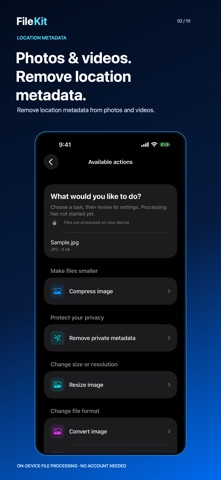
Choose a file. Choose what to do. FileKit processes images, PDFs, videos and audio on your device. It shows the actions available for your selected files so you can get straight to the task.
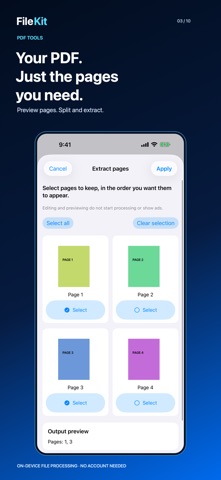
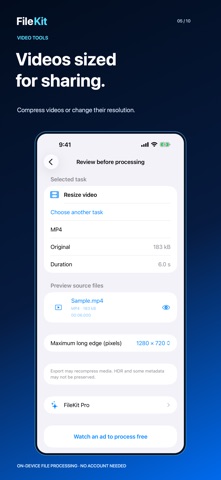
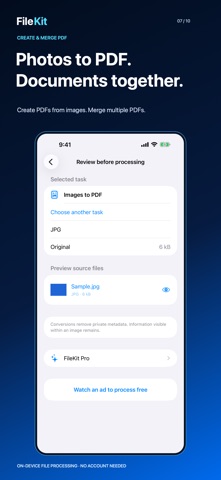
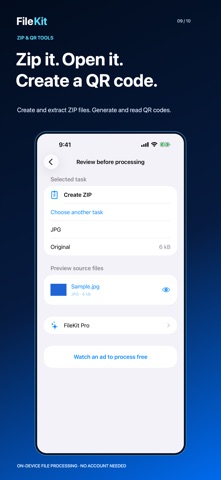
Images: convert JPEG, PNG, HEIC and WebP; compress, resize, combine images into a PDF, inspect and remove metadata. PDFs: merge, split, extract, delete and reorder pages; export images, compress through rasterization, optimize document structure, set passwords, unlock with the correct password and create searchable OCR PDFs. Video and audio: convert supported formats, export MP3, compress, trim, extract audio and create short GIFs. Remove location metadata from videos. More: extract text from images and PDFs with Japanese and English OCR, create and extract ZIP archives, and generate or read QR codes.
Protect & Share: encrypt a photo, video, PDF or other file on your device as a password-protected .filekit container. Secure supports one file up to 2 GiB. Recipients also need the latest FileKit. Opening and decrypting is free without ads. Free creation uses a rewarded ad disclosed before starting; Pro creates without ads. Forgotten passwords cannot be recovered. The in-app guide explains how to send and open files.
Original files stay unchanged. Results are new files, with their size and size difference shown before you save, share or continue with another action. Send files from another app through Share > FileKit, then continue in the main app shared inbox. File names and contents are not sent to advertising services. No account is required.
Except for Secure decryption, free processing normally uses one rewarded ad per operation, disclosed before you start. Saving does not trigger another ad or payment request. If an ad is unavailable, follow the notice to continue free.
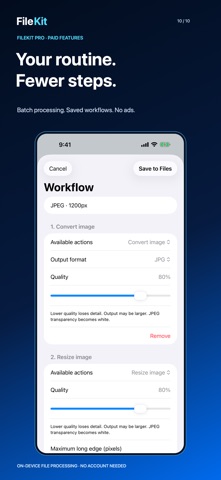
FileKit Pro is an auto-renewable subscription with ad-free processing, batch operations and saved multi-step workflows. Monthly and annual prices and billing periods appear before purchase. Manage or cancel subscriptions in iOS Settings.
Choose from nine interface languages at first launch or later using the globe button.
Standard conversion and editing limits: 512 MB per file and selection; images up to 100 MP, with automatic output reduction to 24 MP when needed for conversion and editing; HEIC, JPEG and PNG location removal preserves original resolution and image quality; up to 500 PDF pages, with a 128 MB limit for page editing; video and audio up to two hours. The share extension accepts up to 10 files and 64 MB per request. DRM-protected files and some codecs are unsupported. Compression and OCR results vary. Raster PDF compression removes searchable text. Structural optimization does not guarantee size reduction or preserve digital signature validity. Changes to quality and metadata are explained before processing.
Privacy: https://filekit-support.oppi-sakura.chatgpt.site/privacy Terms: https://www.apple.com/legal/internet-services/itunes/dev/stdeula/
Ihmisten arvio
Kirjaudu sisään arvioidaksesi tämän sovelluksen. Rehellisyys on tärkeintä.
Ei vielä arvioita. Oletko kokeillut sitä? Anna ensimmäinen arvio.
Lisää Apuohjelmat-sovelluksia
Viikon parhaat uudet Apuohjelmat-sovellukset Drainly: Speaker CleanerMuffled speaker after a splash, rain, or a sweaty workout?
 Photo & PDF Resize: KBFile too large to upload?
 Arvectum Proxy LauncherArvectum Proxy Launcher is a network utility that routes your iPhone through a proxy you…
 Look Twice: Scam & AI CheckLook twice before you click
 Vodoalarm: vodostaji BiHVodoalarm javlja kad tvoja rijeka naglo raste, pa ne moraš stalno gledati vodostaje
 MonkeytailMonkeytail is a native request debugger for iPhone, iPad, Mac, and Apple Vision Pro