
Nebula Note: Markdown Editor
Ei lunastettuNebula Note is a clean, focused Markdown editor for the Mac with a live preview that…
Tekijä: Byoungho Kim · TuottavuusMiksi odotamme sitä: A focused Mac Markdown editor with built-in diagrams, offline privacy, and thorough feature details makes its value clear to people who love trying new apps.

Lyhyesti
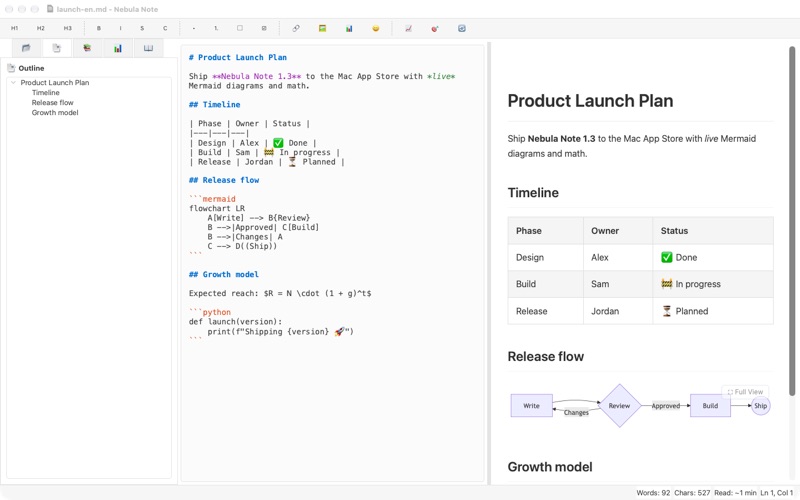
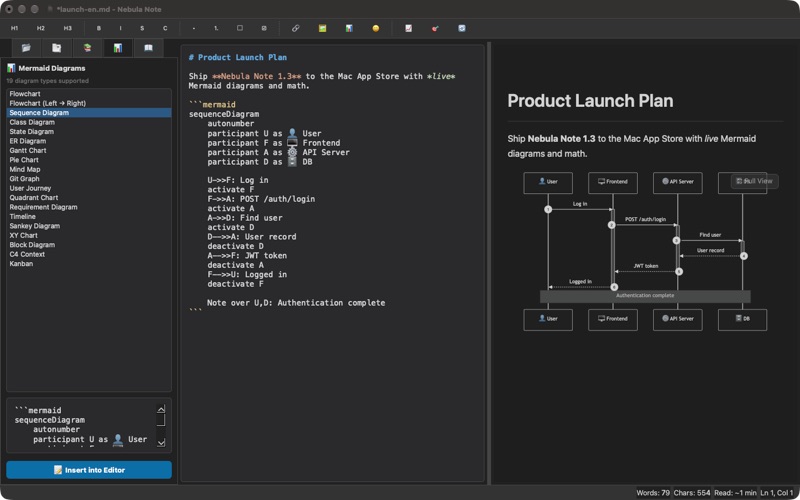
Nebula Note is a Markdown editor for the Mac with a live preview that renders LaTeX math and Mermaid diagrams as you type. It suits people who write technical or structured documents and want diagrams, exports to HTML or PDF, and a focus mode. It works offline, and the store text says documents stay on the Mac with no accounts or tracking.
Debutsin tekemä tiivistelmä App Store -listauksen pohjalta.Tietoa
Nebula Note is a clean, focused Markdown editor for the Mac with a live preview that renders diagrams and math as you type.
WRITE AND PREVIEW SIDE BY SIDE • Live preview with syntax-highlighted code blocks and one-click Copy buttons • Tables, task lists, table of contents, footnote-style links and images • LaTeX math rendered with MathJax ($E = mc^2$)
MERMAID DIAGRAMS, BUILT IN • 19 diagram types: flowchart, sequence, class, state, ER, Gantt, pie, mind map, Git graph, user journey, timeline, quadrant, sankey, XY chart, block, C4, kanban and more • A dedicated diagram viewer with zoom, fit-to-window and full screen • Export any diagram as SVG, PNG or high-resolution PNG @2x
STAY IN THE FLOW • Focus mode hides everything but your words • Document outline for jumping between headings • Snippets that expand with Tab, plus autocomplete for common Markdown • Word goals, reading time and detailed document statistics • Find & replace with regular expressions • One-click table formatting, line sorting and empty-line cleanup
MADE FOR YOUR MAC • Dark mode and custom CSS for the preview • Export to standalone HTML or PDF • Works fully offline — Mermaid and MathJax are bundled in the app • Available in English, Korean, Japanese and Simplified Chinese
Your documents never leave your Mac. No accounts, no tracking.
Ihmisten arvio
Kirjaudu sisään arvioidaksesi tämän sovelluksen. Rehellisyys on tärkeintä.
Ei vielä arvioita. Oletko kokeillut sitä? Anna ensimmäinen arvio.
Lisää Tuottavuus-sovelluksia
Viikon parhaat uudet Tuottavuus-sovellukset ChickMark: Habit TrackerChickMark is a simple habit tracker for routines, goals, and reminders
 Dayflint: One Thing a DayToo many priorities?
 Fristo CAFMFristo is the app for Fristo CAFM, the facility management software
- BeginAnywayMorning alarm for hard tasks: set one task, prove you started, build a streak
 DHUDEDHUDE Analityxs es la herramienta de gestión diaria para grupos de restauración y ocio…
 ScrollTime: Limit & ChallengesTikTok, Instagram, Facebook… ScrollTime helps you take back control of the time you…