
ScrollPage: Long Screenshot
Ei lunastettuSave more than one screen
Tekijä: 绍威 罗 · Apuohjelmat

Lyhyesti
ScrollPage: Long Screenshot is a utility app that merges overlapping screenshots or a scrolling screen recording into one long image. It suits people who want to keep articles, chats, or instructions together for reading or sharing. Processing happens on the device, with no account or ads, and cover masks let you hide sensitive details before saving.
Debutsin tekemä tiivistelmä App Store -listauksen pohjalta.Tietoa
Save more than one screen.
Turn overlapping screenshots or a scrolling screen recording into a long image. ScrollPage helps you keep articles, conversations, instructions, and other scrolling content together for easier reading and sharing.
THREE WAYS TO START • Stitch consecutive screenshots. • Import a scrolling screen recording. • Start a system-authorized screen capture, scroll through your content, then return to ScrollPage.
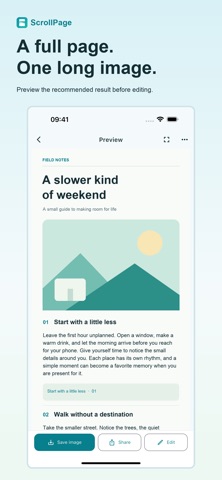
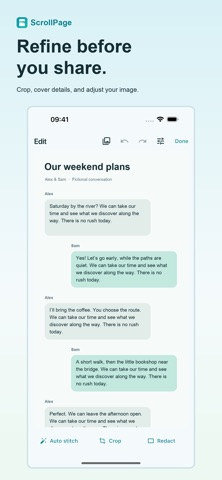
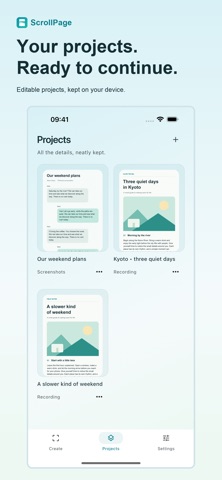
REVIEW AND REFINE • Preview the recommended result before editing. • Choose different frames or change their order. • Crop unwanted areas and cover sensitive details with solid masks. • Keep editable projects and continue later.
SAVE AND SHARE Save to Photos or Files, or share through the iOS share sheet. Large results can be exported in parts.
YOUR CONTENT STAYS ON YOUR DEVICE Images and recordings are processed locally. No account required. No ads. Optional crash reporting is managed separately in Settings and does not upload your screenshots or recordings.
Available in English and Simplified Chinese.
For best results, scroll slowly in one direction and keep consecutive screenshots overlapping. ScrollPage does not scroll automatically or capture protected content. Fast scrolling, animations, and changing layouts may affect the result. Imported recordings are limited to 3 minutes and 200 MiB. Review the finished image before sharing.
Ihmisten arvio
Kirjaudu sisään arvioidaksesi tämän sovelluksen. Rehellisyys on tärkeintä.
Ei vielä arvioita. Oletko kokeillut sitä? Anna ensimmäinen arvio.
Lisää Apuohjelmat-sovelluksia
Viikon parhaat uudet Apuohjelmat-sovellukset Vodoalarm: vodostaji BiHVodoalarm javlja kad tvoja rijeka naglo raste, pa ne moraš stalno gledati vodostaje
 NadhirNadhir is an independent app
 Rokey: Romanian KeyboardType Romanian without worrying about diacritics
 Vibe Island: AI Agent MonitorVibe Island is a command center for the AI coding agents running on your Mac
 Private AuthenticatorPrivate Authenticator keeps your two-factor authentication codes on your own Apple…
 Photo Clean: Photo CleanupA crowded camera roll?