
Anyform Converter
Non revendiquéeAnyform turns a file into the format you need, right on your device
Par LOUIS GREGORY CARO VARGAS · Utilitaires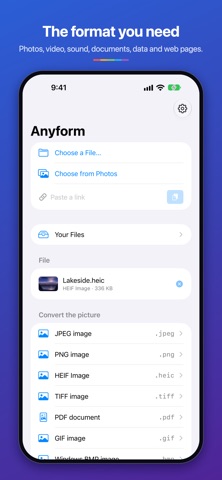


En bref
Anyform Converter changes files, photos, videos, audio, documents, archives and web links into the format you choose, with all conversion done on the device. It suits people who need quick format changes without an account, sign-up or tracking. One notable point is that camera details and location data can be stripped from photos and videos.
Résumé par Debuts, d'après la fiche de l'App Store.À propos
Anyform turns a file into the format you need, right on your device. Pick a file, a photo or a link, choose a format, and convert. Your files never leave the device.
PICTURES JPEG, PNG, HEIC, TIFF, GIF, BMP, AVIF and PDF, resized on the way if you like. Camera details stay unless you turn them off; where a photo was taken is left out unless you keep it. A folder of pictures becomes one PDF, and a PDF's pages become pictures.
VIDEO MP4 or MOV, in H.264 or HEVC, trimmed to the part you want. Make an animated GIF, save any frame as a picture, or keep just the sound. Where it was filmed is left out unless you keep it.
SOUND WAV, AIFF, CAF, M4A and FLAC, at the sample rate and channels you choose.
DOCUMENTS AND DATA Plain text, rich text, HTML, Markdown and PDF, and on the Mac, Word and OpenDocument too. JSON, CSV, XML, property lists and YAML. Change a text file's encoding.
ARCHIVES Pack files and folders into a zip or an Apple Archive. Unpack zip, tar, gzip, bzip2, xz and Apple Archive.
LINKS Download a file from a direct link. Save a web page as a PDF, text or Markdown. Make a QR code from a link.
YOUR FILES Everything you convert waits in Your Files, where you can rename, move and delete it. Add any folder, like iCloud Drive or On My iPhone, and manage it the same way.
SHARE TO ANYFORM On iPhone and iPad, tap Share in Photos, Safari or Files, then Anyform.
PRIVATE BY DESIGN Every conversion happens on your device. No account, no sign-up, no ads, no tracking. A link is fetched only when you convert it.
COLOURS AND ICONS Earn coins each day you use Anyform, or buy a pack, and spend them on six colours and, on iPhone and iPad, six app icons. Your coins work in every Invader Studio app.
Les notes des utilisateurs
Connecte-toi pour noter cette appli. Ce qui compte, c'est d'être honnête.
Pas encore de notes. Tu l'as essayée ? Sois le premier à la noter.
Plus d'apps Utilitaires
Les meilleures nouvelles apps Utilitaires de la semaine Drainly: Speaker CleanerMuffled speaker after a splash, rain, or a sweaty workout?
 Photo & PDF Resize: KBFile too large to upload?
 Arvectum Proxy LauncherArvectum Proxy Launcher is a network utility that routes your iPhone through a proxy you…
 Vodoalarm: vodostaji BiHVodoalarm javlja kad tvoja rijeka naglo raste, pa ne moraš stalno gledati vodostaje
 Dusty: Photo Cleaner PetYour camera roll's new pet
 FairAuth: AuthenticatorFairAuth creates the codes for two-step verification on iPhone and iPad