
Clackboard: Flip Clock
Non revendiquéeA real split-flap board on your iPhone: flip clock, message board, countdown and…
Par Kris Pierre Ludemann · Utilitaires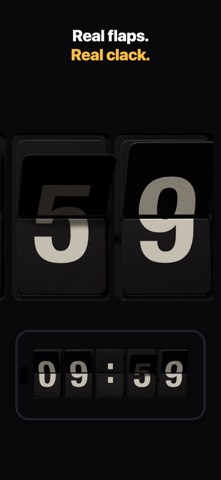



En bref
Clackboard: Flip Clock is a utility that turns an iPhone or iPad into a split-flap display, with modes for a clock, short messages, a countdown and a scoreboard. It suits anyone who wants a desk clock or departure-board look, and the flaps animate with gravity, light and shadow. Its standout feature is that the iPhone on its charger works as a sideways flip clock.
Résumé par Debuts, d'après la fiche de l'App Store.À propos
A real split-flap board on your iPhone: flip clock, message board, countdown and scoreboard in one. Every flap falls with gravity, catches the light, casts a shadow, hits the stop and bounces – just like the departure boards at the station.
CLOCK Stand your iPhone sideways on its charger and it becomes a split-flap desk clock. 12 or 24 hours, with seconds and date. At night the board can dim by itself.
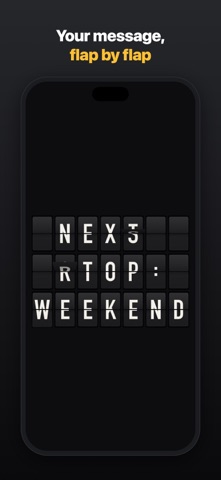
MESSAGE "Coffee?", "Do not disturb", "Delayed by about 5 min" – type what the board should say and watch every flap run through the alphabet until your text stands.
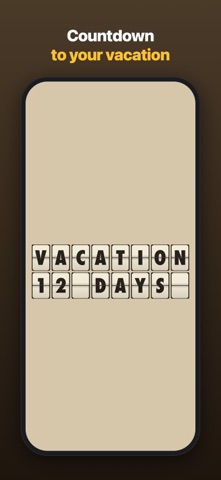
COUNTDOWN How long until your vacation, a birthday or the end of the workday? The board keeps count.
SCOREBOARD Table tennis in the garden, the match on TV, a game night: two teams, their names, points and sets. Tap or swipe down for a point, pull the flap back up to take it away – every point is one flap.
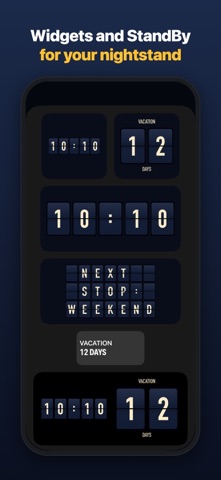
WIDGETS & STANDBY The clock, your message and your countdown on the Home Screen and in StandBy, the countdown also on the Lock Screen – your iPhone on the charger becomes a split-flap clock.
IPHONE & IPAD One purchase for both. An iPad on the desk or on the wall makes a big departure board.
ON THE BIG SCREEN Mirror your iPhone to the TV with AirPlay or a cable, and the whole room can read the board.
DELUXE IN 3D Real plastic flaps, rendered live in 3D: light, shadows, reflections and a little wear, like a board that has hung in a station for years.
DESIGNS Deluxe, Station, Airport, Night Train, Retro, Brass, Signal Red, White and Terminal. Pick one from the menu – swipe sideways to switch between clock, message, countdown and scoreboard.
CLACKBOARD PRO – BUY ONCE, KEEP FOREVER • 8 more designs, including Deluxe in 3D • Countdown, also as a widget • Scoreboard with your own team names • Your own messages on rotation • Video clips with sound and high-res images • No subscription, Family Sharing included
No ads. No account. No data collected.
Les notes des utilisateurs
Connecte-toi pour noter cette appli. Ce qui compte, c'est d'être honnête.
Pas encore de notes. Tu l'as essayée ? Sois le premier à la noter.
Plus d'apps Utilitaires
Les meilleures nouvelles apps Utilitaires de la semaine Vodoalarm: vodostaji BiHVodoalarm javlja kad tvoja rijeka naglo raste, pa ne moraš stalno gledati vodostaje
 NadhirNadhir is an independent app
 Rokey: Romanian KeyboardType Romanian without worrying about diacritics
 Vibe Island: AI Agent MonitorVibe Island is a command center for the AI coding agents running on your Mac
 Private AuthenticatorPrivate Authenticator keeps your two-factor authentication codes on your own Apple…
 Photo Clean: Photo CleanupA crowded camera roll?