
Paperstyle - Soften Glare
Non revendiquéeStaring at your Mac all day can make bright white backgrounds and harsh contrast…
Par Yuta Kishi · Utilitaires


En bref
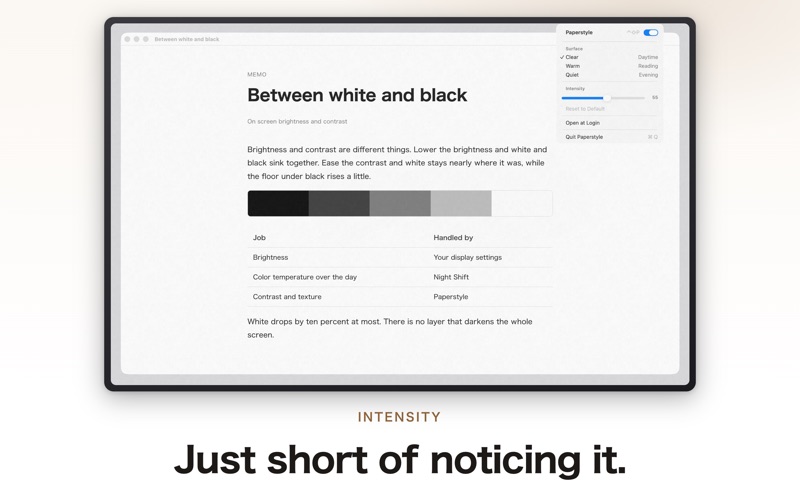
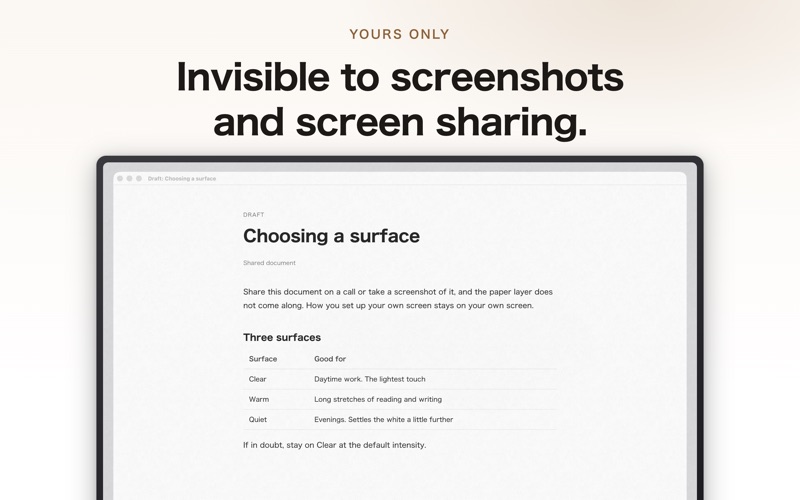
Paperstyle - Soften Glare is a Mac utility that adds a subtle paper-like texture to the display to reduce harsh contrast, without dimming the screen. It offers Clear, Warm, and Quiet textures with a 0 to 100 intensity slider, and the effect stays out of screenshots and screen sharing.
Résumé par Debuts, d'après la fiche de l'App Store.À propos
Staring at your Mac all day can make bright white backgrounds and harsh contrast uncomfortable, especially later in the day.
Paperstyle gently softens the appearance of your Mac’s display by adding a subtle paper-like texture. Like the page of a printed book, it slightly lifts dark tones, reduces the difference between light and dark areas, and adds a fine grain to the surface.
■ It doesn’t change your screen brightness
Paperstyle does not dim your display. It serves a different purpose from brightness controls and Night Shift, which adjusts color temperature based on the time of day. Paperstyle focuses only on softening harsh contrast and adding a subtle paper-like texture.
■ Three paper textures
• Clear: Adds a fine grain with almost no change in color. Ideal for everyday use during the day. • Warm: Adds a slightly warmer background and more noticeable fibers. Designed for extended reading and writing. • Quiet: Adds a light gray layer to further soften the difference between light and dark areas. Ideal for evening use.
Adjust the intensity from 0 to 100 with a single slider. If you can clearly see the texture, it may be set too high. The best setting is one you barely notice.
■ Invisible in screenshots and screen sharing
Paperstyle’s effect does not appear in screenshots or screen sharing. Your personal display settings will not be included in shared screens or exported images.
■ Quietly stays in the menu bar
• Access Paperstyle from the menu bar and toggle it at any time with the ⌃⇧P keyboard shortcut. • Paperstyle uses no animations or timers, so CPU usage while idle is nearly zero. • No additional permissions are required. Accessibility and screen-recording access are not needed. • Paperstyle makes no network connections, requires no account, and collects no data.
Les notes des utilisateurs
Connecte-toi pour noter cette appli. Ce qui compte, c'est d'être honnête.
Pas encore de notes. Tu l'as essayée ? Sois le premier à la noter.
Plus d'apps Utilitaires
Les meilleures nouvelles apps Utilitaires de la semaine Vodoalarm: vodostaji BiHVodoalarm javlja kad tvoja rijeka naglo raste, pa ne moraš stalno gledati vodostaje
 NadhirNadhir is an independent app
 Rokey: Romanian KeyboardType Romanian without worrying about diacritics
 Vibe Island: AI Agent MonitorVibe Island is a command center for the AI coding agents running on your Mac
 Private AuthenticatorPrivate Authenticator keeps your two-factor authentication codes on your own Apple…
 Photo Clean: Photo CleanupA crowded camera roll?