
PDF Editor, Convert & eSign
Non revendiquéeThis is a completely reimagined PDF workspace, built from the ground up for a faster…
Par Shams Alam · ProductivitéPourquoi nous l'attendons : The description clearly explains a broad, practical value across editing, signing, and conversion tools for a large audience.

En bref
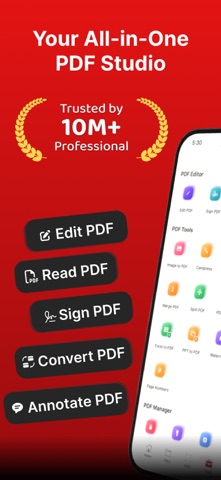
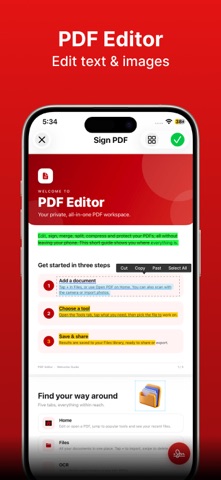
PDF Editor, Convert & eSign is a PDF app for iPhone and iPad that covers editing, signing, merging, splitting, compressing, scanning with OCR, and converting to and from Word, Excel, PowerPoint, and images. It suits students, small business owners, and anyone who needs to handle documents without a computer. Core tools are free, while unlimited OCR and batch conversion require a Pro upgrade.
Résumé par Debuts, d'après la fiche de l'App Store.À propos
This is a completely reimagined PDF workspace, built from the ground up for a faster, cleaner way to work with documents on iPhone and iPad. If you've tried other PDF apps and found them cluttered or slow, this one takes a different approach: every tool is one tap away, the interface gets out of your way, and nothing feels bolted on. Whether you're a student, a small business owner, or someone who just needs to handle a document without a laptop, you get a full PDF office in your pocket.
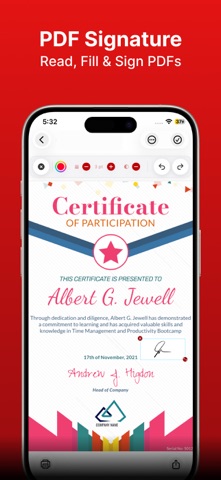
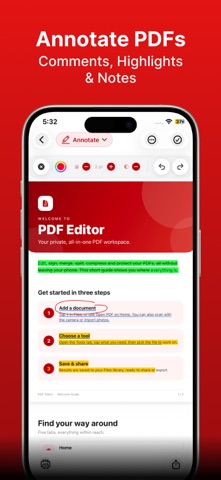
Editing and signing are where the new design really shows. Mark up any PDF with text boxes, notes, and highlights, draw freehand with your finger or Apple Pencil, and permanently redact sensitive details before sharing a file. Add a legally binding eSignature to a contract, lease, or form in seconds — no printing, scanning, or emailing copies back and forth.
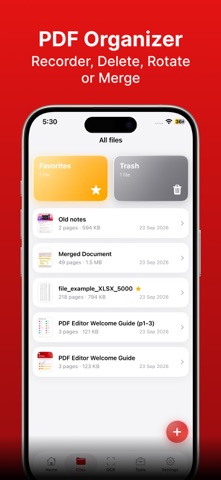
Managing longer documents is just as effortless. Reorder, insert, or delete pages with a drag, merge several PDFs into one file, or split a large document into smaller pieces. Compress oversized PDFs for easy sharing, repair files that won't open properly, add watermarks and page numbers, rotate pages that scanned in sideways, and lock or unlock confidential files with a password.
Conversion and digitization are covered end to end. Scan paper documents straight into sharp, ready-to-share PDFs with your camera, then run OCR to pull out editable, searchable text from scans or images. Convert freely between images and PDF or text and PDF, and turn Word, Excel, and PowerPoint files into polished PDFs — or back again — in one tap.
Download it free today and see what a PDF app feels like when it's actually designed for how people use their phones. Core tools are free to use, with premium extras like unlimited OCR and batch conversion available through the Pro upgrade.
Policy: https://askshams.com/privacy-policy/ Terms: https://askshams.com/terms-conditions/
Les notes des utilisateurs
Connecte-toi pour noter cette appli. Ce qui compte, c'est d'être honnête.
Pas encore de notes. Tu l'as essayée ? Sois le premier à la noter.
Plus d'apps Productivité
Les meilleures nouvelles apps Productivité de la semaine ChickMark: Habit TrackerChickMark is a simple habit tracker for routines, goals, and reminders
 Dayflint: One Thing a DayToo many priorities?
 Snappy Do ItTurn photos, text and voice into tasks, plans and more.
 Fristo CAFMFristo is the app for Fristo CAFM, the facility management software
 UhWhat? Voice NotesCatch the thought before it disappears
- BeginAnywayMorning alarm for hard tasks: set one task, prove you started, build a streak