
PDF Scanner: Smart Scan
Non revendiquéeTurn paper into documents you can use
Par antonio jesus pujol diaz · Productivité



En bref
PDF Scanner: Smart Scan lets people capture receipts, notes and forms with the camera or an imported photo, then crop, filter, mark up, sign and share them as PDF or JPG. It suits anyone who wants to keep everyday paperwork in folders on an iPhone. One notable point is that OCR text recognition runs on the device, though it requires the PRO subscription.
Résumé par Debuts, d'après la fiche de l'App Store.À propos
Turn paper into documents you can use.
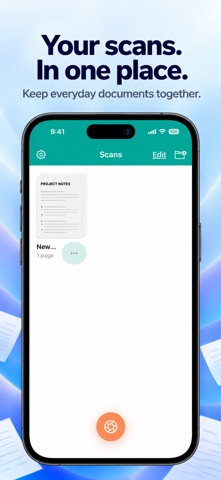
PDF Scanner: Smart Scan helps you capture receipts, notes and forms, tidy up each page, and keep your paperwork together. Scan with your camera or import a photo, then edit and share from your iPhone.
CAPTURE CLEAR PAGES Use automatic or manual capture, adjust page borders and correct perspective. Combine multiple pages into one document.
EDIT, MARK UP AND SIGN Crop and rotate pages, apply filters and adjust the image. Add annotations or a signature, and put pages in the right order before sharing.
KEEP DOCUMENTS ORGANIZED Name your documents and arrange them in folders so everyday paperwork is easier to find.
EXPORT YOUR WAY Share documents as PDF or JPG, save them to Files, send them by email or print with AirPrint. Choose your paper size and add a password to an exported PDF when needed.
ON-DEVICE TEXT RECOGNITION Scanner PRO can recognize text from your scans so you can copy and use it. OCR is processed on your device. Review recognized text for accuracy.
EXTRA APP PROTECTION With Scanner PRO, protect access to the app with a four-digit PIN. No app account is required.
FREE ACCESS AND SCANNER PRO Create and save two documents in total without a subscription. A saved multipage document counts as one. Canceled or failed scans do not use the allowance, and deleting a document does not restore it. Editing and exporting your existing saved documents remain available without PRO.
Scanner PRO includes: • Unlimited Document Scans • Text Recognition (OCR) • PIN App Protection
Choose a monthly, three-month or annual auto-renewable subscription. All plans unlock the same PRO features. Eligible new subscribers can receive a three-day free trial on the monthly plan only. The three-month and annual plans do not include a trial.
Your local price and billing period are shown before purchase. Payment is charged to your Apple Account. Subscriptions renew automatically unless canceled at least 24 hours before the trial or current period ends. Manage or cancel in your Apple Account settings. Restore Purchases is available in Settings and on the subscription screen.
Les notes des utilisateurs
Connecte-toi pour noter cette appli. Ce qui compte, c'est d'être honnête.
Pas encore de notes. Tu l'as essayée ? Sois le premier à la noter.
Plus d'apps Productivité
Les meilleures nouvelles apps Productivité de la semaine ChickMark: Habit TrackerChickMark is a simple habit tracker for routines, goals, and reminders
 Dayflint: One Thing a DayToo many priorities?
 Snappy Do ItSix connected modes. One traceable journey.
 Fristo CAFMFristo is the app for Fristo CAFM, the facility management software
 UhWhat? Voice NotesCatch the thought before it disappears
- BeginAnywayMorning alarm for hard tasks: set one task, prove you started, build a streak