
iGLEAM
Non rivendicataiGLEAM is a smart lighting control app designed to give you simple and intuitive control…
Di Conceptualise · Utilità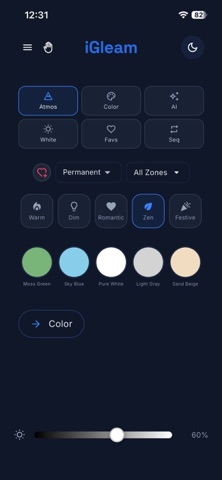

In breve
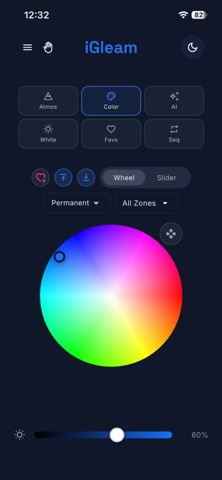
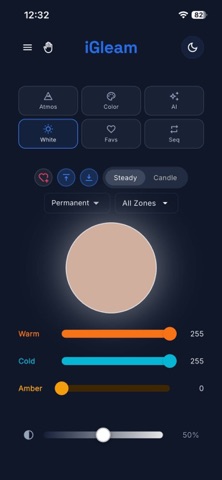
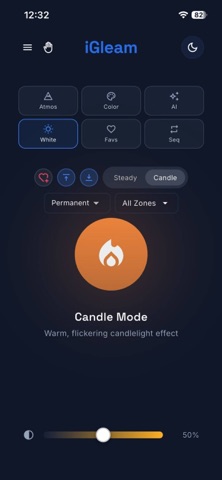
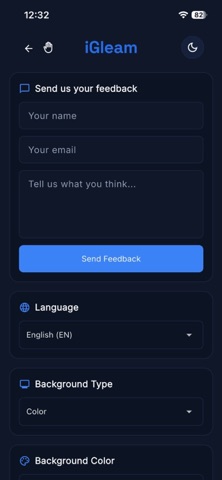
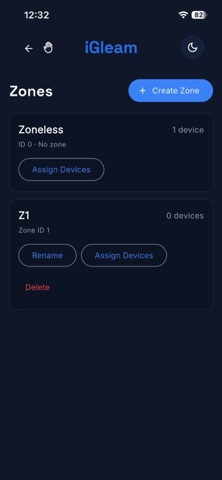
iGLEAM is a utilities app for controlling compatible iGLEAM smart lights. Users can discover nearby lights, organize them into zones, and adjust color, white light, brightness, and lighting modes. One notable feature is the ability to save favorite lighting settings for reuse.
Riepilogo di Debuts, basato sulla scheda dell'App Store.Informazioni
iGLEAM is a smart lighting control app designed to give you simple and intuitive control over compatible iGLEAM lights.
Discover nearby lights, connect and manage your devices, organize lights into zones, and create your preferred lighting atmosphere. Adjust colors, white light, brightness, and lighting modes directly from the app.
With iGLEAM, you can:
• Discover nearby iGLEAM lights • Connect and manage your lighting devices • Organize lights into zones • Control color and brightness • Adjust white light settings • Create and save favorite lighting settings • Choose from different lighting modes and atmospheres • Control individual lights or groups of lights • Easily manage your lighting setup from one place
iGLEAM brings your lighting controls together in a clean and intuitive experience, making it easy to create the lighting environment you want.
Le valutazioni delle persone
Accedi per valutare questa app. Conta essere sinceri.
Ancora nessuna valutazione. L'hai provata? Sii il primo a valutarla.
Altre app di Utilità
Le migliori nuove app di Utilità di questa settimana Vodoalarm: vodostaji BiHVodoalarm javlja kad tvoja rijeka naglo raste, pa ne moraš stalno gledati vodostaje
 Letter Explainer: PostklarGot an official letter and only understand half of it?
 NadhirNadhir is an independent app
 Rokey: Romanian KeyboardType Romanian without worrying about diacritics
 Vibe Island: AI Agent MonitorVibe Island is a command center for the AI coding agents running on your Mac
 Private AuthenticatorPrivate Authenticator keeps your two-factor authentication codes on your own Apple…