
Lockerz: Local Password Vault
Non rivendicataNo master password to remember
Di Park Francis · ProduttivitàPerché ce lo aspettiamo: Its clear privacy promise, Secure Enclave encryption, and detailed, well-organized description make the value easy to grasp.


In breve
Lockerz: Local Password Vault is a macOS password manager that encrypts each stored password with the Mac's security chip and keeps all data on the device, with no servers, accounts, or internet connection. It is aimed at Mac users who want a local-only vault that opens with Touch ID or their Mac login password. One notable point is that it can split passwords pasted from notes into separate items and import CSV files from other managers.
Riepilogo di Debuts, basato sulla scheda dell'App Store.Informazioni
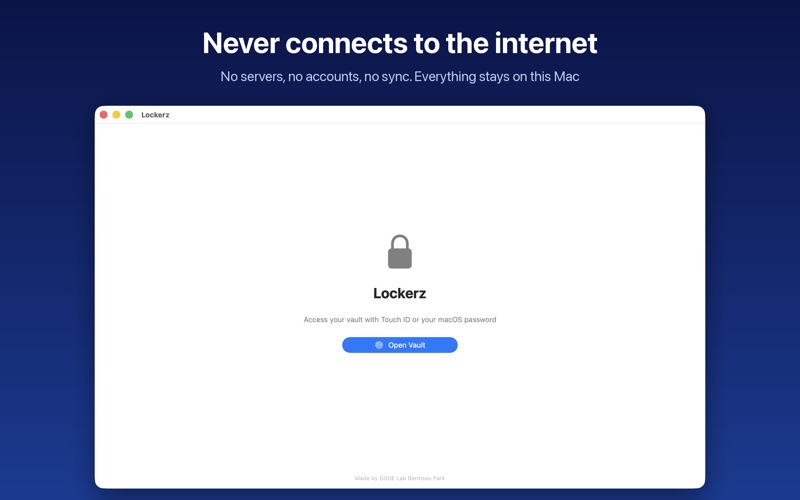
No master password to remember. Lockerz opens with Touch ID or your Mac login password, encrypts every password with your Mac's security chip, and keeps everything on this Mac. It never connects to the internet, so there are no servers and no account to create.
■ Encrypted by the security chip • Each item's password, secondary value (such as a PIN) and memo is encrypted with its own Secure Enclave key • Keys never leave your Mac's security chip, and every use requires Touch ID or your Mac login password. After you authenticate with Touch ID, you won't be asked again for 5 minutes • Copied passwords are cleared from the clipboard after 30 seconds
■ Never connects to the internet • No servers, no accounts, no sync, no ads, no analytics, no crash reporting • The macOS App Sandbox blocks network access entirely. Nothing you store ever leaves your Mac
■ Auto-lock • Locks after a period of inactivity, when the screen locks, or when the Mac sleeps • Also locks after 5 failed authentications in a row
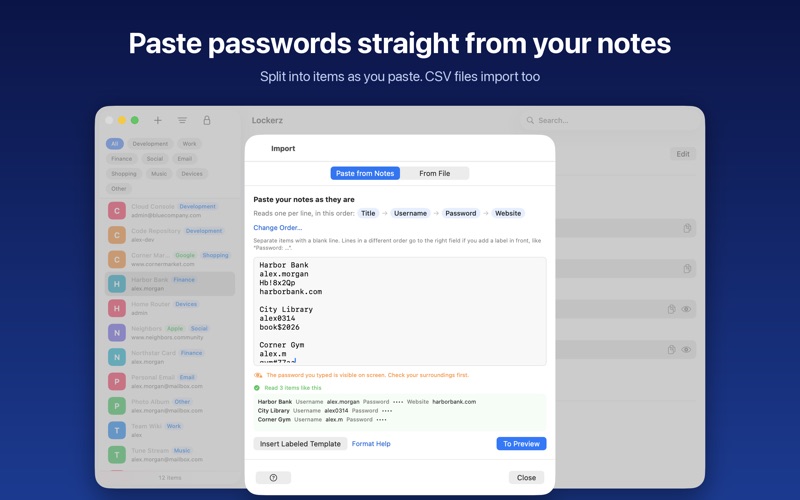
■ Easy to move in • Paste passwords from your notes and Lockerz splits them into items as you paste • Import CSV files exported from other password managers, browsers or spreadsheets (JSON files are supported too) • Review new and updated items in a preview before importing
■ Backup and restore • Export all items into a single encrypted backup file • Backups open only with your recovery key and can be restored on a new Mac
■ Also • Categories, search and sorting • Search inside passwords to find where a leaked password is reused • Generate a new password and see its strength • Keep track of which sign-in method you use for accounts that sign in through a social login
■ Good to know • Available in English and Korean (follows your Mac's language setting) • Data is stored per Mac with no sync between devices; use a backup file to move it • AutoFill in Safari and other apps is not supported yet • Requires a Mac with Apple silicon (M1 or later) and macOS 14 or later. Without Touch ID, it opens with your Mac login password
Made by GSGE Lab · Bermseo Park
Le valutazioni delle persone
Accedi per valutare questa app. Conta essere sinceri.
Ancora nessuna valutazione. L'hai provata? Sii il primo a valutarla.
Altre app di Produttività
Le migliori nuove app di Produttività di questa settimana ChickMark: Habit TrackerChickMark is a simple habit tracker for routines, goals, and reminders
 Dayflint: One Thing a DayToo many priorities?
 Fristo CAFMFristo is the app for Fristo CAFM, the facility management software
- BeginAnywayMorning alarm for hard tasks: set one task, prove you started, build a streak
 DHUDEDHUDE Analityxs es la herramienta de gestión diaria para grupos de restauración y ocio…
 FTC BIOBUZZ Scorer & TrainerBIOBUZZ Scorer is a free, ad-free scorer for the 2026–2027 FTC season, built on…