
Magical Share
Non rivendicataMagical Share for Mac sends files to a nearby phone using light
Di ZINCIRX BILISIM TEKNOLOJI VE DANISMANLIK ANONIM SIRKETI · UtilitàPerché ce lo aspettiamo: A clever light-based file sharing idea with clear privacy benefits and a thorough, honest description.



In breve
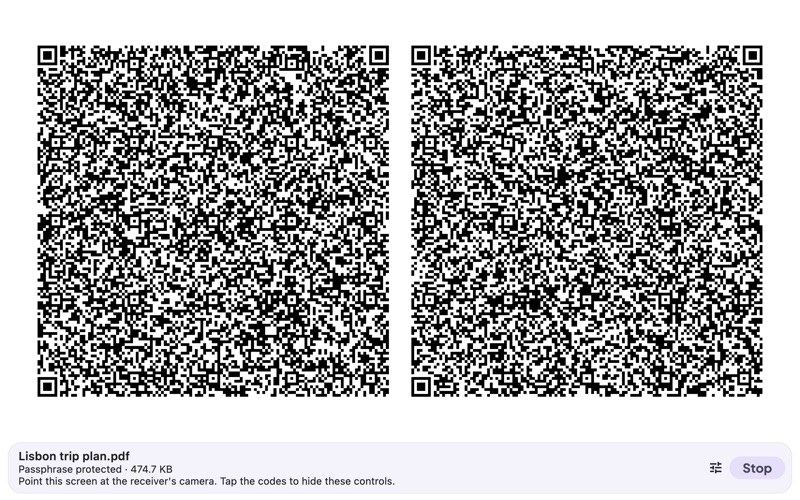
Magical Share for Mac sends files to a nearby phone by showing a stream of moving codes on screen that the phone reads with its camera, with no internet, Wi-Fi, Bluetooth, or pairing involved. It suits people who need to share documents, photos, contacts, notes, or keys offline, including with Android phones. A passphrase encrypts each file, and the app is free for seven days before a one-time Pro unlock.
Riepilogo di Debuts, basato sulla scheda dell'App Store.Informazioni
Magical Share for Mac sends files to a nearby phone using light. Your Mac shows a stream of moving codes, and the phone reads them with its camera in the free Magical Share app for iPhone or Android. Nothing goes over the internet, Wi-Fi or Bluetooth, and there is nothing to pair.
PRIVATE BY DESIGN • No internet, no accounts, no analytics, no ads, no tracking. • Passphrase protection encrypts the file end to end, so filming the screen reveals nothing without the passphrase. • Your file leaves the Mac only as the codes on its screen.
WORKS WHERE OTHER SHARING DOESN'T • From a Mac to Android phones as well as iPhones. • On a plane, in a basement, abroad without data. • On networks that block devices from seeing each other. • When Bluetooth is turned off or not allowed.
HOW IT WORKS 1. On the phone, open Magical Share and tap Receive. 2. On your Mac, pick a file, set a passphrase, and click Start sending. 3. Point the phone's camera at the Mac screen. Missed codes do not matter: the phone finishes with whichever codes it catches, and checks every byte before showing the file.
A large Mac display makes an excellent sender, because bigger codes are easier for a phone camera to read.
FREE FOR 7 DAYS Try sending free for 7 days. After that, a one-time Pro unlock keeps sending available. Pro and the trial are shared with Magical Share on iPhone and iPad through your Apple ID. No subscription, no account.
GOOD TO KNOW • The Mac version sends. Receiving needs a phone camera. • Best for documents, photos, contacts, notes and keys. Typical speeds are 50 to 100 KB per second, so a large video is better sent another way. • While sending, the screen flashes rapidly. If you are sensitive to flashing lights, do not look at the sending screen.
Magical Share collects no data at all. The full privacy policy is inside the app.
Le valutazioni delle persone
Accedi per valutare questa app. Conta essere sinceri.
Ancora nessuna valutazione. L'hai provata? Sii il primo a valutarla.
Altre app di Utilità
Le migliori nuove app di Utilità di questa settimana Vodoalarm: vodostaji BiHVodoalarm javlja kad tvoja rijeka naglo raste, pa ne moraš stalno gledati vodostaje
 NadhirNadhir is an independent app
 Rokey: Romanian KeyboardType Romanian without worrying about diacritics
 Vibe Island: AI Agent MonitorVibe Island is a command center for the AI coding agents running on your Mac
 Private AuthenticatorPrivate Authenticator keeps your two-factor authentication codes on your own Apple…
 Photo Clean: Photo CleanupA crowded camera roll?