
PinMyMemo
Non rivendicataYour notes, always in view
Di myoungwon Suh · ProduttivitàPerché ce lo aspettiamo: Clear value for Apple Notes users who want their notes visible on the Mac desktop.




In breve
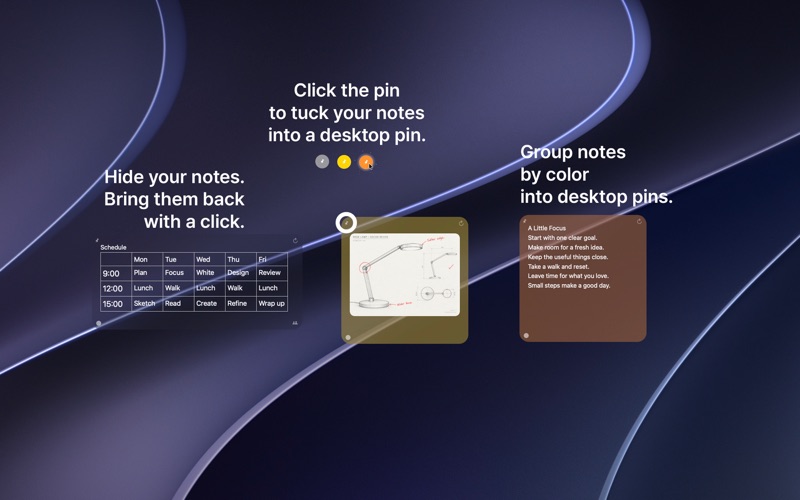
PinMyMemo pins notes from Apple Notes to the Mac desktop so information stays visible during the day. It suits people who plan their week, keep reference material nearby, or revisit ideas. One notable feature is that edits to plain-text notes save back to Apple Notes, and sync runs through Apple Notes and iCloud.
Riepilogo di Debuts, basato sulla scheda dell'App Store.Informazioni
Your notes, always in view.
PinMyMemo brings your Apple Notes to your Mac desktop, keeping useful information close at hand. From daily plans and quick reminders to ideas you want to revisit, give your notes a place where you can see them throughout the day.
KEEP IMPORTANT NOTES CLOSE Choose notes from Apple Notes and pin them to your desktop. Arrange multiple notes to create a workspace that suits your routine, with the information you need just a glance away.
MAKE QUICK TEXT EDITS Double-click a supported plain-text note to enter edit mode. Update its text, then click outside the note to save your changes back to Apple Notes. For shared notes, locked notes, or notes with formatting and attachments, continue editing in Apple Notes.
MAKE EACH NOTE YOUR OWN Choose a background color for each note. Adjust opacity for a subtle, blurred background or a more solid appearance, and select a light, dark, or system-matched theme.
KEEP YOUR DESKTOP ORGANIZED Move and resize notes to fit your workspace. Magnetic snapping helps neighboring notes line up with consistent spacing.
KEEP NOTES IN SYNC ACROSS YOUR MACS PinMyMemo works with the notes already in Apple Notes. When those notes are stored in iCloud and Notes syncing is enabled on your Macs, changes sync through Apple Notes. PinMyMemo does not require a separate sync account.
RECOGNIZE SHARED NOTES A small sharing icon helps you identify shared notes at a glance. Manage collaboration and edit shared content in Apple Notes.
CHOOSE YOUR LANGUAGE Use PinMyMemo in English, Korean, Japanese, Simplified Chinese, Traditional Chinese, French, German, Spanish, Brazilian Portuguese, or Italian.
Whether you are planning your week, keeping a reference nearby, or refining an idea, PinMyMemo helps your notes stay part of your everyday workspace.
REQUIREMENTS • macOS 13 or later. • Permission to access Apple Notes through macOS Automation. • iCloud Notes enabled on each Mac for syncing iCloud notes.
Note content sync is handled by Apple Notes and iCloud. Desktop positions and appearance settings are local to each Mac. Direct editing in PinMyMemo is available for supported plain-text notes.
Le valutazioni delle persone
Accedi per valutare questa app. Conta essere sinceri.
Ancora nessuna valutazione. L'hai provata? Sii il primo a valutarla.
Altre app di Produttività
Le migliori nuove app di Produttività di questa settimana ChickMark: Habit TrackerChickMark is a simple habit tracker for routines, goals, and reminders
 Dayflint: One Thing a DayToo many priorities?
 Snappy Do ItSix connected modes. One traceable journey.
 Fristo CAFMFristo is the app for Fristo CAFM, the facility management software
- BeginAnywayMorning alarm for hard tasks: set one task, prove you started, build a streak
 DHUDEDHUDE Analityxs es la herramienta de gestión diaria para grupos de restauración y ocio…