
Hello Draw: Learn to Draw
Ikke hentetTurn simple shapes into drawings you can be proud of
Av Moymer Negocios e Servicos em Tecnologia LTDA. · UtdanningHvorfor vi forventer det: Clear step-by-step lessons, 270 drawings and offline practice make this a strong pick for beginners.



Kort fortalt
Hello Draw: Learn to Draw is an iPhone and iPad app that teaches drawing through step-by-step lessons built from simple shapes. It offers 270 drawings across five categories, plus 20 architecture lessons on perspective. Its standout feature is a highlight that shows which part of a drawing is still missing when you pause.
Sammendrag fra Debuts, basert på oppføringen i App Store.Om appen
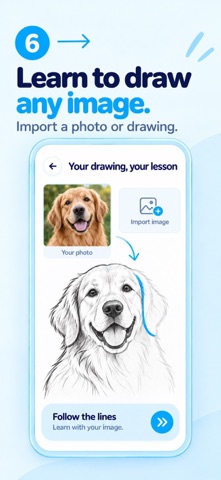
Turn simple shapes into drawings you can be proud of. Hello Draw helps you get started with step-by-step practice on iPhone and iPad. Choose a subject, explore how its shapes fit together, and bring your own drawing to life.
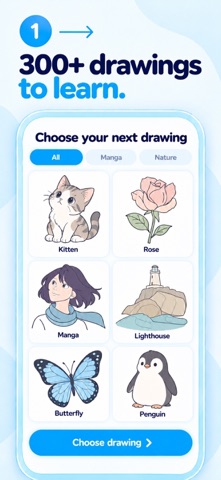
270 DRAWINGS TO EXPLORE Find 50 drawings in each of five categories: cute animals, cartoons, worlds and scenes, manga, and observational drawing. Every drawing is available to choose independently, so you can follow your curiosity. There are also 20 architecture lessons that teach perspective: rooms, houses, buildings and streets, built with construction lines you draw yourself. If you pause while drawing, the app highlights the section that’s still missing.
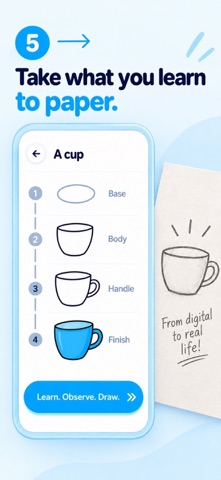
BUILD YOUR DRAWING STEP BY STEP Start with meaningful, complete shapes. Practice proportions, see how forms overlap, then add the details that give your drawing character. The aim is to understand how a drawing comes together, one stage at a time.
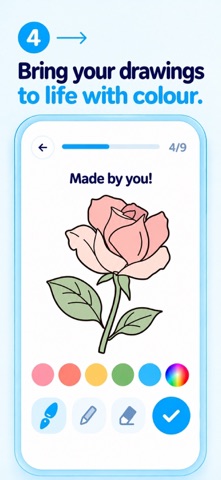
CHOOSE HOW YOU PRACTICE Use guided mode for support as you draw. Try HARD mode for freer strokes during each stage, with finishing assistance when you move to the next one. See the shapes you created come to life in color.
MAKE ROOM TO EXPERIMENT Zoom in when you need a closer look and undo strokes to try again. Drafts and progress are saved locally, and you can practice offline.
The app interface and lesson instructions are available in English and other supported languages.
HELLO DRAW PREMIUM The free plan includes a daily number of drawings. Premium removes the daily limit, so you can draw as much as you like, every day.
Eligible new subscribers can start with a 7-day free trial. The annual subscription then renews automatically at the price shown in the app unless canceled at least 24 hours before the current period ends. Payment is charged to your Apple Account. Manage or cancel your subscription in your App Store account settings.
Support: https://falou.com/hellodraw/faq Terms of Use: https://moymer.com/terms Privacy Policy: https://moymer.com/privacy
Slik vurderer folk den
Logg inn for å vurdere denne appen. Det ærlige svaret teller.
Ingen vurderinger ennå. Har du prøvd den? Vær den første til å vurdere.
Flere Utdanning-apper
Ukens beste nye Utdanning-apper FluencyToolShadow a native Japanese sentence, hear your own voice back, and get scored.
 YoMoo: Read & Shadow JapaneseYoMoo turns real Japanese writing into graded reading practice: news articles, Wikipedia…
 KeyswingLearn music notes, rhythm and piano through playful practice in a magical forest.
 Uncle Math Homeschool - 6 to 8No Math Fear, Uncle Math Is Here
 Malachi SpeaksMalachi Speaks gives a voice to people who don't use speech
 SelvarisWatch evolution unfold in real time – on an entire planet