
Jigs: Your Mac in Your Pocket
Ikke hentetJigs are the things you type again and again — a reply, a sign-off, directions to the…
Av JIIGS LLC · ProduktivitetHvorfor vi forventer det: Clear, useful combination of reusable fill-in-the-blank templates and reliable calendar alarms that ring through Silent and Focus.



Kort fortalt
Jigs: Your Mac in Your Pocket is a productivity app for making reusable text templates, called jigs, on an iPhone. Users fill in typed blanks, then copy the result into any app, and the app also provides calendar alarms that ring through Silent and Focus. A notable feature is that each blank can ask for a specific input type, such as a date, a choice from a list, or a photo.
Sammendrag fra Debuts, basert på oppføringen i App Store.Om appen
Jigs are the things you type again and again — a reply, a sign-off, directions to the office, a note to the team — written once, with blanks for the parts that change. Make them on your iPhone, fill in the blanks, copy, and use them in any app.
JIGS ON YOUR IPHONE — no Mac needed
• Make, edit and delete jigs right on your iPhone. Give each one an icon and a description. • Every blank becomes a question: text, email, a number, a date or time, yes or no, a choice from a list, a rating, an order, or a photo from your library or camera — each with a hint and a check on the answer, and asked only when another answer calls for it. • Tap a jig, answer, copy. A jig works straight away: in the app, with Siri, and in Shortcuts. • A formatting bar above the keyboard — bold, italic, headings, lists, quotes, links and code — and a preview of exactly what you'll get. • AirDrop a jig to another iPhone or a Mac, and receive one from either.
EVENT ALARMS
Real alarms from your calendar — ones that ring through Silent and Focus, so a meeting never slips past because your phone was on mute. Pick the calendars you care about once; every event on them gets an alarm, and new events pick one up as they arrive.
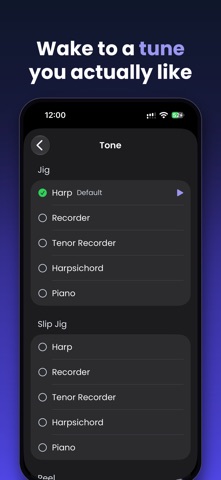
• Heads-Up Alarms℠ — ring 5, 15, 30 minutes or hours before an event starts. Add as many as you like, per event or as your default. • Wrap-Up Alarms℠ — a nudge before an event ends, so you leave the meeting on time. They vibrate by default, so they don't interrupt the room. • All-day events — an alarm on the morning of the day, at a time you choose. • Late additions are covered — an event added too close to its start still gets an alarm when it begins. • Snooze from the Lock Screen, and set how long a snooze lasts. • Turn any single event's alarms off without touching the rest. • Pause all alarms for an hour, or for the evening — or just ask Siri. • Time Left — a live countdown on the Lock Screen while an event is on. • Choose your alarm tone from a library of tunes and instruments. • Print Agenda — print a day's events and reminders, or save it as a PDF, with each event's alarms listed under it.
WITH JIGS FOR MAC
Your Mac, in Your Pocket℠. Pair your iPhone with Jigs on your Mac and it can do more:
• Your jigs sync both ways when the two meet — make or change one on either, and it's on both. • Search your Mac — find mail, notes, files, contacts and more on your Mac, from your iPhone, and open them there or here. • Favorite and recent searches, one tap away.
Your iPhone talks to your Mac directly over your own network, encrypted. It never goes through the internet, and pairing takes a QR code and a few seconds.
PRIVATE BY DESIGN
No account. No sign-in. No servers. Jigs reads your Calendar on your iPhone to schedule alarms, and your Reminders only when you print an agenda. Nothing is collected or sent anywhere.
Slik vurderer folk den
Logg inn for å vurdere denne appen. Det ærlige svaret teller.
Ingen vurderinger ennå. Har du prøvd den? Vær den første til å vurdere.
Flere Produktivitet-apper
Ukens beste nye Produktivitet-apper ChickMark: Habit TrackerChickMark is a simple habit tracker for routines, goals, and reminders
 Dayflint: One Thing a DayToo many priorities?
 Snappy Do ItSix connected modes. One traceable journey.
 Fristo CAFMFristo is the app for Fristo CAFM, the facility management software
 UhWhat? Voice NotesCatch the thought before it disappears
- BeginAnywayMorning alarm for hard tasks: set one task, prove you started, build a streak