
PDF to Word Offline OCR
Ikke hentetConvert a PDF into an editable Word document — entirely on your iPhone
Av Aksana Aheika · ProduktivitetHvorfor vi forventer det: Clear value, honest limits and fully offline conversion make this a compelling, privacy-first PDF tool for iPhone users.



Kort fortalt
PDF to Word Offline OCR converts PDFs into editable .docx files entirely on the iPhone, with no uploads, account, or connection required. It is aimed at people who handle sensitive documents such as contracts, resumes, or medical records. The app keeps headings, tables, and images, and it converts the first 3 pages free before a single purchase unlocks the rest, with a note that multi-column layouts come out simplified.
Sammendrag fra Debuts, basert på oppføringen i App Store.Om appen
Convert a PDF into an editable Word document — entirely on your iPhone. No servers, no sign-up, no subscription.
Other converters upload your file to their servers. That is why they charge every month, cap you at 20 pages, and stop working without a connection. This one does the whole job on your device, so none of that applies.
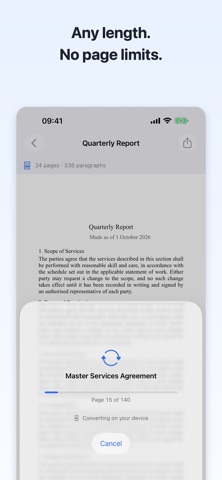
WHAT YOU GET • A standard .docx that opens in Word, Pages, Google Docs and LibreOffice • Headings, paragraphs, lists, bold and italic, text colour, tables and images — kept, not flattened into plain text • Scanned pages recognised on the device • Documents of any length: a 500-page manual works like a one-page letter • Everything offline — on a plane, in the metro, abroad with no data
YOUR FILES STAY YOURS Contracts, resumes, tax forms, medical records. Nothing is uploaded, there is no account, and the app collects no data at all. Airplane mode is a fair test.
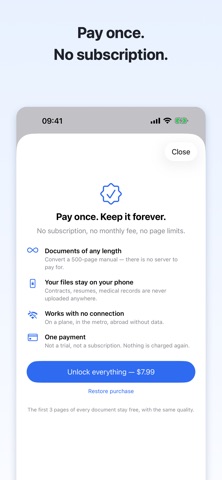
TRY BEFORE YOU PAY The first 3 pages of any document convert for free, at full quality — the real result, not a blurred preview. Unlock the rest with a single purchase. No subscription, no trial that charges you later.
HONEST ABOUT LIMITS Text documents — contracts, resumes, letters, articles, reports — come out close to the original. Magazine-style multi-column layouts, deeply nested tables and text wrapped around images come out simplified: the text is all there, the arrangement is not. We would rather say so here than take your money and let you find out.
HOW IT WORKS 1. Pick a PDF, or share one from Mail, Safari or Files 2. Watch it convert, page by page 3. Preview the result and send it wherever you need
Privacy Policy: https://pdfconverter.slumbiapp.com/privacy/ Support: https://pdfconverter.slumbiapp.com/support/
Slik vurderer folk den
Logg inn for å vurdere denne appen. Det ærlige svaret teller.
Ingen vurderinger ennå. Har du prøvd den? Vær den første til å vurdere.
Flere Produktivitet-apper
Ukens beste nye Produktivitet-apper ChickMark: Habit TrackerChickMark is a simple habit tracker for routines, goals, and reminders
 Dayflint: One Thing a DayToo many priorities?
 Snappy Do ItSix connected modes. One traceable journey.
 Fristo CAFMFristo is the app for Fristo CAFM, the facility management software
 UhWhat? Voice NotesCatch the thought before it disappears
- BeginAnywayMorning alarm for hard tasks: set one task, prove you started, build a streak