
Qreck
Ikke hentetShare your socials
Av Xavier SOCQUET-CLERC · VerktøyHvorfor vi forventer det: A clear, useful idea with a focused description, no account needed, and an easy-to-grasp QR sharing value for many everyday situations.



Kort fortalt
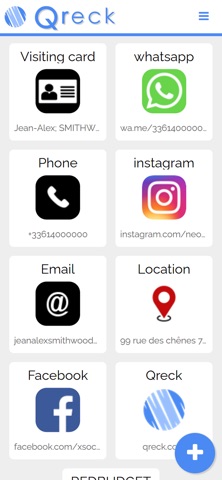
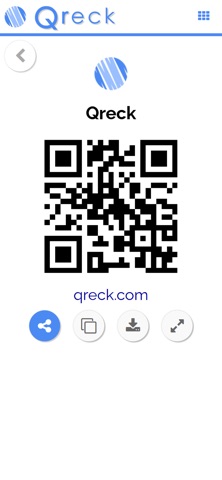
Qreck is a utility app that gathers your social profiles, contact details, links and Wi-Fi access into one place and shares them through a QR code. Scanning the code opens only the information you chose to include. No account is needed, and the app suits people who want a quick way to share their online presence at events, parties or while travelling.
Sammendrag fra Debuts, basert på oppføringen i App Store.Om appen
Share your socials. Share your contact. Share your link.
Qreck lets you put your social networks, contact details and links in one simple place — and share them instantly with a QR code.
Add the things you want to share:
• Instagram • TikTok • Other social networks • Email • Phone number • Website • Address • Free text • Wi-Fi
When someone scans your QR code, they can instantly access the links and information you chose to share.
No account is required.
Qreck is designed to make sharing your online presence simple, fast and effortless — whether you're meeting someone at a party, at an event, while travelling, or simply want to share your socials.
One QR code. Everything you want to share.
Slik vurderer folk den
Logg inn for å vurdere denne appen. Det ærlige svaret teller.
Ingen vurderinger ennå. Har du prøvd den? Vær den første til å vurdere.
Flere Verktøy-apper
Ukens beste nye Verktøy-apper Drainly: Speaker CleanerMuffled speaker after a splash, rain, or a sweaty workout?
 Photo & PDF Resize: KBFile too large to upload?
 Arvectum Proxy LauncherArvectum Proxy Launcher is a network utility that routes your iPhone through a proxy you…
 Vodoalarm: vodostaji BiHVodoalarm javlja kad tvoja rijeka naglo raste, pa ne moraš stalno gledati vodostaje
 TidyShots: Screenshot CleanerScreenshots pile up fast: receipts, memes, codes you needed once, directions you already…
 Screenshot Tidy: Sort & FindYou saved it