
Receipt River
Ikke hentetReceipt River turns receipts into digital documents that are ready for your expenses…
Av NATHAN GARRY COOPER · Økonomi


Kort fortalt
Receipt River Turns paper receipts or shared PDFs into digital files on iPhone, reading the merchant, date, total and VAT for review before saving. It suits people tracking expenses by property or project, with each receipt saved as a JPEG whose figures are stored inside the file and filed into the user's own iCloud Drive folders.
Sammendrag fra Debuts, basert på oppføringen i App Store.Om appen
Receipt River turns receipts into digital documents that are ready for your expenses process.
Scan a paper receipt or share a PDF from Mail, and Receipt River reads the merchant, date, total and VAT for you, right on your iPhone. Check the details, choose the property or project it belongs to, add any extra details you track and save.
THE DETAILS TRAVEL WITH THE RECEIPT Each receipt is saved as a standard JPEG image with its financial details stored inside the file. The picture and the numbers are never separated, and spreadsheets such as Excel, accounting tools and AI assistants can read the figures directly, without having to read the image.
YOUR FILES, YOUR STORAGE Receipts are saved to folders you choose in your own iCloud Drive, one for each property or project. There's no account to create, and nothing is sent to our servers.
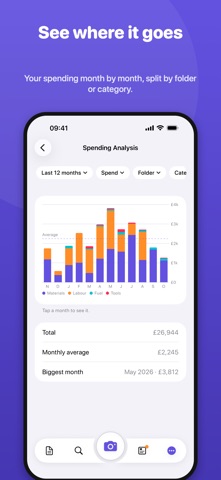
FEATURES • Scan receipts with the camera, or import photos and PDFs • Share receipts from Mail, Photos or Files straight into Receipt River • Reads the merchant, date, total, net amount and VAT • Flags VAT that doesn't add up and possible duplicates • Files receipts by property or project, each with its own iCloud Drive folder • Recognises foreign-currency receipts and keeps foreign VAT out of your UK figures • Search and filter by merchant, amount, property or dates • Totals of spend and UK VAT by property, VAT quarter or date range • Export to a spreadsheet for your accountant • Zoom in on any receipt to read the small print
Reading is most accurate on iPhones with Apple Intelligence. On other iPhones, Receipt River uses built-in text recognition, so check the details before saving.
Receipt River is a record-keeping tool and doesn't give tax advice. Check your figures with your accountant before submitting a VAT return.
Slik vurderer folk den
Logg inn for å vurdere denne appen. Det ærlige svaret teller.
Ingen vurderinger ennå. Har du prøvd den? Vær den første til å vurdere.
Flere Økonomi-apper
Ukens beste nye Økonomi-apper NjukiYour rent should do more than pay for where you live
 Qwiky AIQuiky AI helps you understand and organise your everyday finances in one clear place
 Set Aside for TaxFreelance money arrives without anything taken out of it
 MidRate: Currency ConverterMidRate converts at the mid-market rate, the midpoint between what banks buy and sell a…
 MesuraMesura answers one question: how much can I safely spend before my next pay?
 Inflation WatchInflation Watch turns official price data into plain English