
ScreenShotty
Ikke hentetScreenShotty is a fast screenshot tool for your Mac
Av Steven Matthias Bohm · VerktøyHvorfor vi forventer det: A thorough, privacy-focused screenshot tool with clear value and a well-described feature set.


Kort fortalt
ScreenShotty is a Mac utility for taking screenshots. You press a shortcut, choose a region, window, or screen, and then annotate the capture in its built-in editor. It suits anyone who needs quick captures with markup, such as shapes, text, numbered steps, or blurred details. One point stands out: the app states that captures never leave the Mac and that it has no network access.
Sammendrag fra Debuts, basert på oppføringen i App Store.Om appen
ScreenShotty is a fast screenshot tool for your Mac. Press a shortcut, pick a region, a window or the whole screen, and annotate the result right away.
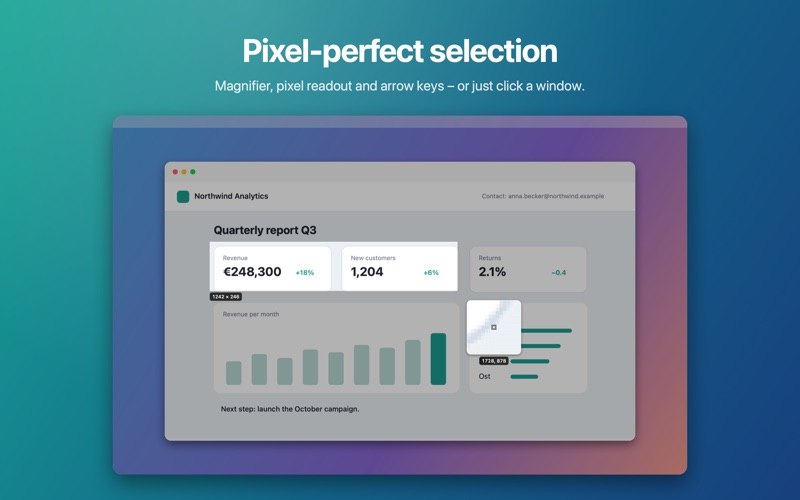
• Region, window, screen, all screens, last region and timer • Pixel-precise selection with magnifier and arrow keys • Editor with rectangle, ellipse, arrow, line, freehand, text, speech bubbles and numbered steps • Highlight, text marker, magnifier, grayscale outside • Pixelate or blur sensitive information • Crop, rotate, border, drop shadow, torn edge • Copy, save to a folder, print, or share via AirDrop and Mail • Editable ScreenShotty documents keep annotations adjustable • PNG, JPEG, HEIC, TIFF and PDF
Your captures never leave your Mac. ScreenShotty has no network access and collects no data.
Slik vurderer folk den
Logg inn for å vurdere denne appen. Det ærlige svaret teller.
Ingen vurderinger ennå. Har du prøvd den? Vær den første til å vurdere.
Flere Verktøy-apper
Ukens beste nye Verktøy-apper Drainly: Speaker CleanerMuffled speaker after a splash, rain, or a sweaty workout?
 Photo & PDF Resize: KBFile too large to upload?
 Arvectum Proxy LauncherArvectum Proxy Launcher is a network utility that routes your iPhone through a proxy you…
 Vodoalarm: vodostaji BiHVodoalarm javlja kad tvoja rijeka naglo raste, pa ne moraš stalno gledati vodostaje
 TidyShots: Screenshot CleanerScreenshots pile up fast: receipts, memes, codes you needed once, directions you already…
 Screenshot Tidy: Sort & FindYou saved it