
TelePointer
Ikke hentetTelePointer lets you control the mouse pointer entirely from the keyboard
Av TAEMIN YUN · VerktøyHvorfor vi forventer det: A thoughtful, privacy-respecting keyboard mouse tool with clear shortcuts and a meaningful accessibility purpose.
Kort fortalt
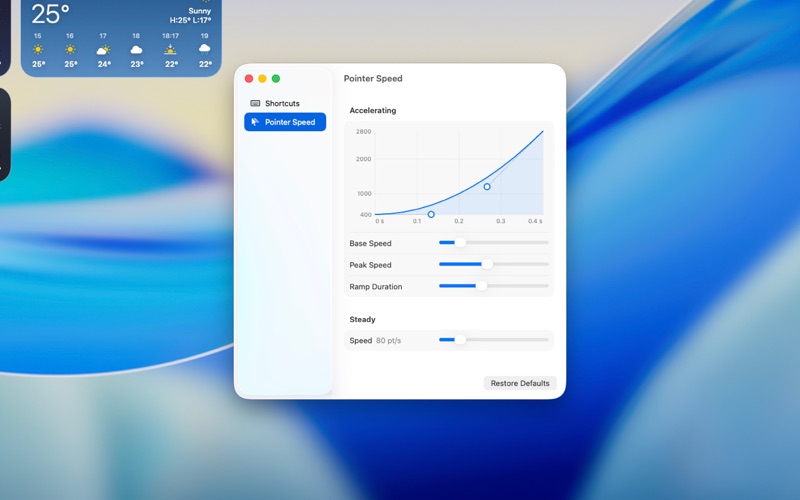
TelePointer lets people move the mouse pointer and click using only the keyboard, aimed at those who find a mouse or trackpad hard to use because of motor control, tremors, pain, or repetitive strain. Its speed curve starts slow for small targets and can be tuned on a live graph. The app collects no data and makes no network connections.
Sammendrag fra Debuts, basert på oppføringen i App Store.Om appen
TelePointer lets you control the mouse pointer entirely from the keyboard. It is built for people who find a mouse or trackpad difficult or impossible to use — because of limited fine motor control, tremors, pain, or repetitive strain — but who can press keys.
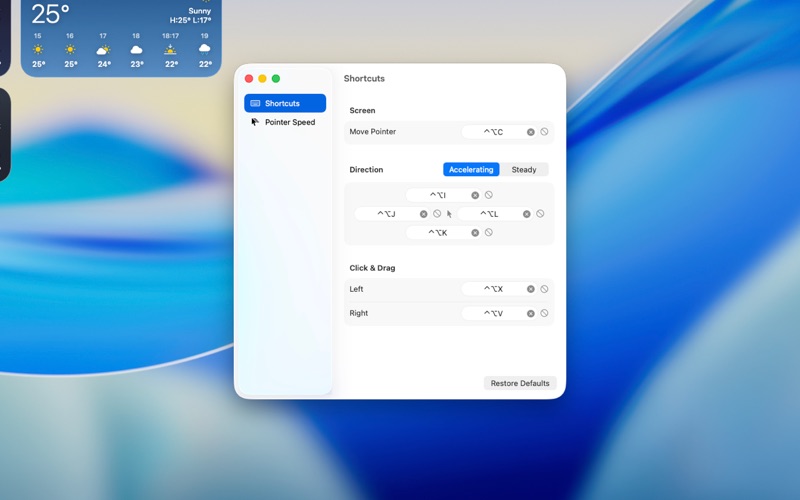
MOVE THE POINTER Hold ⌃⌥ with I, J, K, or L to move up, left, down, or right. The pointer starts slowly so small targets are easy to reach, then speeds up the longer you hold.
PRECISE, STEADY MOVEMENT Add ⌘ (⌃⌥⌘ + I/J/K/L) to move at a constant, gentle speed when you need to line up something small.
CLICK AND DRAG Press ⌃⌥X to left-click and ⌃⌥V to right-click at the pointer's location. Press again quickly to double-click. Hold the click shortcut while moving to drag.
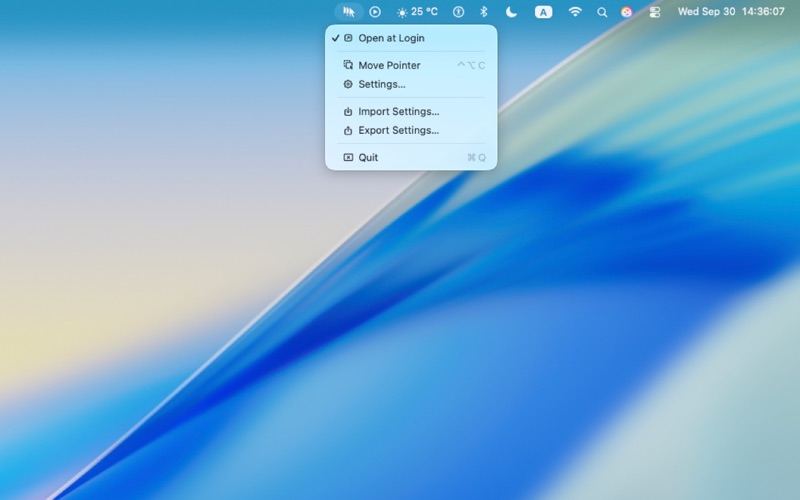
REACH EVERY DISPLAY Press ⌃⌥C to send the pointer to the center of the next display, so crossing a multi-monitor setup takes one keystroke per screen.
ADJUST IT TO YOUR HANDS • Change every shortcut to keys that are comfortable for you. • Set the starting speed, top speed, and how quickly it accelerates, and see the result on a live graph. • Turn off individual shortcuts in apps where they would conflict. • Export your settings and import them on another Mac.
PERMISSIONS & PRIVACY TelePointer uses Accessibility permission only to click at the pointer's location when you press a click shortcut. It does not read or control other apps' content. It collects no data and makes no network connections.
Slik vurderer folk den
Logg inn for å vurdere denne appen. Det ærlige svaret teller.
Ingen vurderinger ennå. Har du prøvd den? Vær den første til å vurdere.
Flere Verktøy-apper
Ukens beste nye Verktøy-apper Vodoalarm: vodostaji BiHVodoalarm javlja kad tvoja rijeka naglo raste, pa ne moraš stalno gledati vodostaje
 Rokey: Romanian KeyboardType Romanian without worrying about diacritics
 Vibe Island: AI Agent MonitorVibe Island is a command center for the AI coding agents running on your Mac
 Private AuthenticatorPrivate Authenticator keeps your two-factor authentication codes on your own Apple…
 Photo Clean: Photo CleanupA crowded camera roll?
 Songbird AlarmWhat if the morning didn't have to start with a loud noise?