
AirGauge
Niet geclaimdKeep Codex usage in view while you work
Door Jeonghyeon Cha · Hulpprogramma'sWaarom we dit verwachten: The description is clear and honest about its limits, and the multi-device summary design is a thoughtful touch.

Kort samengevat
AirGauge is a utility that shows your weekly remaining Codex usage percentage in the macOS menu bar, with reset time, credits when your account provides them, and the last refresh time. It is aimed at people who want to keep an eye on Codex usage while they work, and it signs in with a ChatGPT account without needing another Codex app or CLI. One point that stands out is that it can mirror a minimal usage summary to iPhone, iPad, and Apple Watch through iCloud.
Samenvatting door Debuts, gebaseerd op de vermelding in de App Store.Over deze app
Keep Codex usage in view while you work. AirGauge shows your weekly remaining percentage in the macOS menu bar. Open the panel for reset time, remaining usage resets, credits when provided by your account, and the last refresh time.
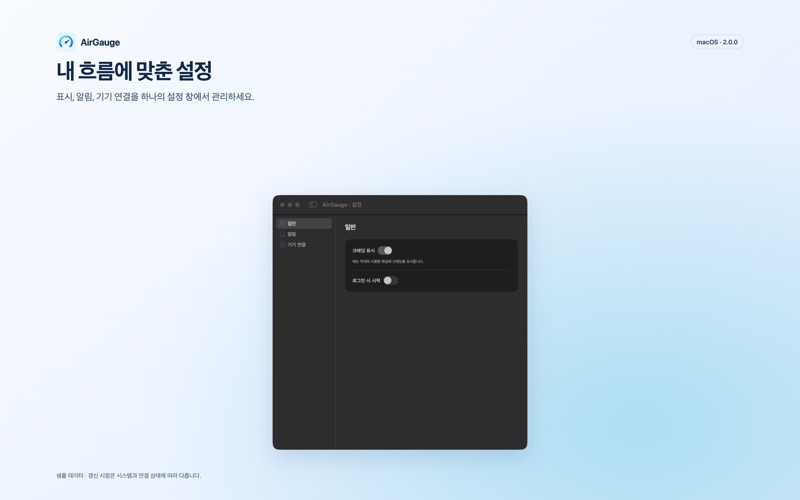
Sign in to AirGauge independently with your ChatGPT account. No other Codex app or CLI installation or login is required. Manage credit display, launch at login, notifications and device connections in the new Settings window. On Mac, you can also explore a sample demo without signing in.
View summaries shared by your Mac in the iPhone and iPad companion apps, and check the last observation on a connected Apple Watch. Add a small Home Screen widget or a Lock Screen status widget on iPhone and iPad. On Watch, choose weekly and credit circular complications or a rectangular complication. You can also enable mobile alerts for selected remaining-usage thresholds.
Mobile use requires a Mac running AirGauge and the same iCloud account. Apple Watch connects through its paired iPhone. Mobile apps do not query Codex directly. If a device or an approved summary has not appeared during first setup, refresh after about a minute; connection time is not guaranteed. New observations and alert detection stop when the Mac is asleep, offline or not running AirGauge. While active, the iPhone and iPad apps fetch the summary again 60 seconds after each fetch completes. Background, widget and complication updates are scheduled by the OS.
Available in English, Korean, Japanese, German, Spanish and Italian, with light and dark appearances. Optional device linking stores an encrypted minimal summary in your private iCloud database. Apps and extensions share a minimal summary on each mobile device, without sharing credentials or raw account responses.
AirGauge is an independent utility, not affiliated with OpenAI. A ChatGPT account is required to view actual usage; available information depends on your account and server responses. Missing or outdated information is clearly marked. AirGauge does not show general ChatGPT conversation usage or API billing, run coding tasks, purchase credits or redeem usage resets.
Zo beoordelen mensen de app
Log in om deze app te beoordelen. Eerlijk is wat telt.
Nog geen beoordelingen. Heb je de app geprobeerd? Beoordeel hem als eerste.
Meer apps in Hulpprogramma's
Beste nieuwe apps in Hulpprogramma's van deze week Drainly: Speaker CleanerMuffled speaker after a splash, rain, or a sweaty workout?
 Photo & PDF Resize: KBFile too large to upload?
 Arvectum Proxy LauncherArvectum Proxy Launcher is a network utility that routes your iPhone through a proxy you…
 Vodoalarm: vodostaji BiHVodoalarm javlja kad tvoja rijeka naglo raste, pa ne moraš stalno gledati vodostaje
 Dusty: Photo Cleaner PetYour camera roll's new pet
 FairAuth: AuthenticatorFairAuth creates the codes for two-step verification on iPhone and iPad