
American Speed Test
Niet geclaimdUnderstand your connection with American Speed Test
Door Felipe Jose Costa Pereira · Hulpprogramma's


Kort samengevat
American Speed Test is a utilities app that measures download, upload and ping, then turns the results into a PDF report. It targets people who want to understand their Wi-Fi or mobile connection, with 12 diagnostic tools in one place. One detail stands out: the PDF report is generated on the iPhone and only sent when the user chooses to share it.
Samenvatting door Debuts, gebaseerd op de vermelding in de App Store.Over deze app
Understand your connection with American Speed Test. Measure download, upload and automatic ping, analyze network response and turn the results into a complete PDF report. A modern interface brings together measurements and diagnostic tools for Wi-Fi and mobile data, without ads and without creating another password.
SPEED WITH A CLEAR METHOD The test uses continuous and parallel HTTPS transfers, excludes warm-up from the average, and records graphs during measurement. Choose between Quick, Complete and Advanced modes depending on your desired time and data consumption. Check the server, conditions, and method used to interpret each result.
AUTOMATIC SERVER The app compares responses from international destinations, validates download and upload and selects an available server by latency. You can also choose a target manually to repeat tests under similar conditions. The network includes the Cloudflare regional edge and the LibreSpeed public catalog; Destination availability may vary.
UNDERSTAND PING See automatic ICMP ping separate from HTTPS latency. Analyze jitter, incoming responses, and HTTPS latency during download and upload. The Ping tool allows you to investigate an IPv4 or IPv6 destination and track responses in real time. A lack of response may indicate ICMP blocking, and is not proof of packet loss.
NETWORK ANALYSIS Consult the type of connection, available addresses and information about the connected network. Compare the router's response with that of the internet and investigate differences between environments. The Wi-Fi name depends on the permission required by iOS. Common apps on the iPhone do not have access to scanning neighboring networks, channels, or RSSI signal strength.
12 TOOLS IN ONE APP Speed Test, ICMP Ping, Wi-Fi Analysis, TCP Port Scan, IPv4 Route Trace, DNS Query, LAN/Bonjour Discovery, Geo IP, Augmented Reality Latency Map, History, Full PDF Report and IP Information. Use tools on equipment that you own or that you are authorized to diagnose. Bonjour finds advertised services; does not guarantee discovering all devices.
FULL PDF REPORT Export speeds, graphs, ping, jitter, load response, measurement details, server comparison, and recorded samples. The PDF follows the app's language and offers the option to hide IPs and network name before sharing. The document is generated on the iPhone and sent only when you choose to share.
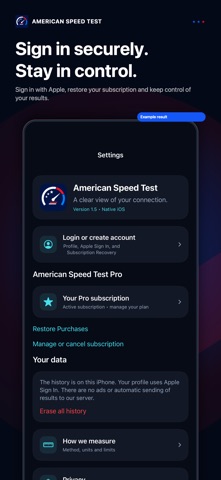
HISTORY AND PRIVACY The tests are stored in the app's local storage. Compare results, review measurements and delete your history whenever you want. Sign in with Apple to set up the profile without another password, with the option to protect your email. The purchase is confirmed by the App Store and can be restored with the Apple account that subscribed. Deleting your profile does not cancel your Apple charge.
AR LATENCY MAP On a supported iPhone, place ping measurements in the environment using the camera. Compare response times at different points with the same destination. The camera positions the markers; the app does not record photos or videos. The map shows measured latency, not Wi-Fi signal strength.
PRO ACCESS An active subscription unlocks the entire app. The weekly and annual plans include the same tools. 3-day free trial of weekly plan is subject to eligibility confirmed by Apple. After the trial, the subscription renews and is charged automatically until cancelled. Price and currency appear before confirming the purchase. Manage or cancel in Settings, your Apple account, Subscriptions.
The measurements describe this iPhone's connection to the server at the time of testing. Wi-Fi, VPN, concurrent traffic, and destination capacity influence results. Speed tests can consume a lot of data. Geo IP is approximate. External services are subject to availability.
License terms: https://www.apple.com/legal/internet-services/itunes/dev/stdeula/
Zo beoordelen mensen de app
Log in om deze app te beoordelen. Eerlijk is wat telt.
Nog geen beoordelingen. Heb je de app geprobeerd? Beoordeel hem als eerste.
Meer apps in Hulpprogramma's
Beste nieuwe apps in Hulpprogramma's van deze week Vodoalarm: vodostaji BiHVodoalarm javlja kad tvoja rijeka naglo raste, pa ne moraš stalno gledati vodostaje
 NadhirNadhir is an independent app
 Rokey: Romanian KeyboardType Romanian without worrying about diacritics
 Vibe Island: AI Agent MonitorVibe Island is a command center for the AI coding agents running on your Mac
 Private AuthenticatorPrivate Authenticator keeps your two-factor authentication codes on your own Apple…
 Photo Clean: Photo CleanupA crowded camera roll?