
Screen Lab: LED Wall Planner
Niet geclaimdScreen Lab is an LED video wall planner built by a working technical director for live…
Door Abdelwahab Bassal · ProductiviteitWaarom we dit verwachten: Its focused, well-documented scope and offline Mac design give live event crews clear, practical value.

Over deze app
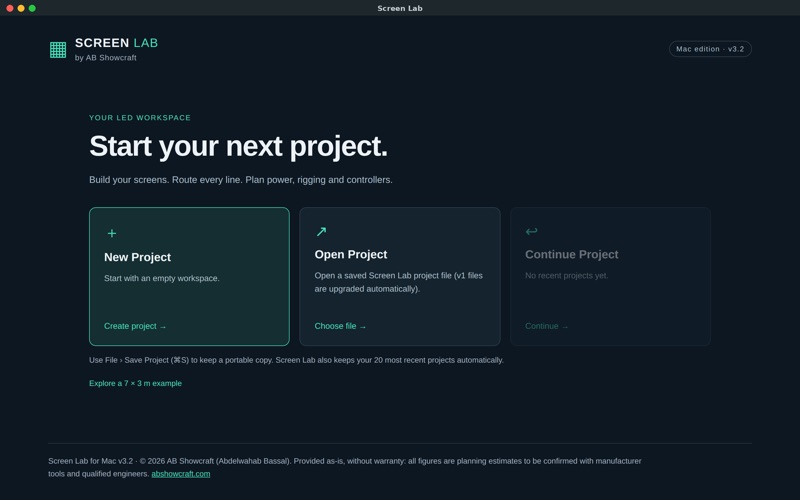
Screen Lab is an LED video wall planner built by a working technical director for live events, concerts, conferences and exhibitions.
Build each screen from real cabinets, route every data line to your LED processor, check power and rigging loads, and hand your crew a clean report, all on your Mac and fully offline.
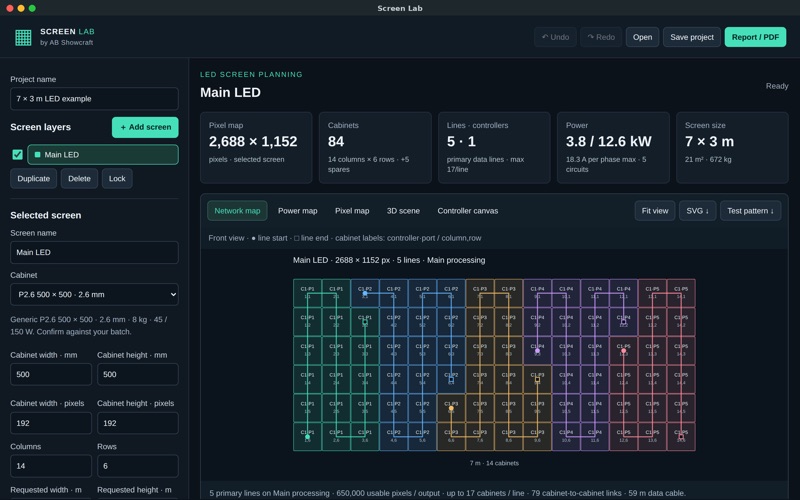
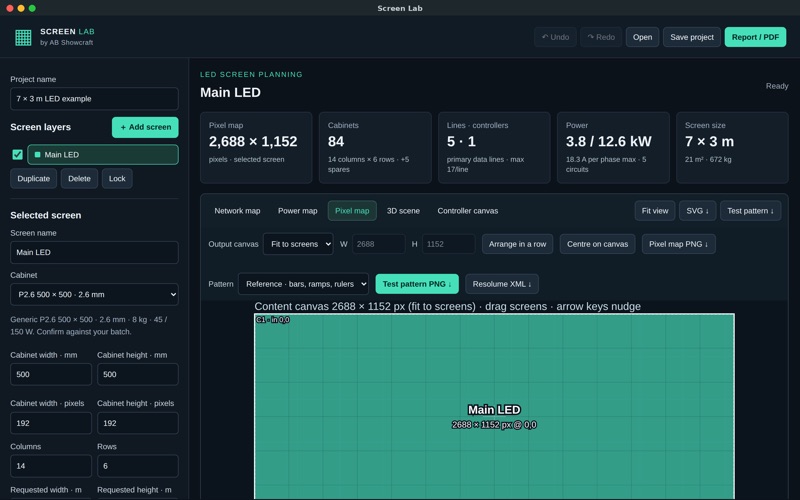
SCREENS & PIXEL MAPS • Build flat or curved LED walls from a cabinet library or your own cabinet size and resolution • Multiple screens on one canvas with automatic pixel-map placement • Pixel map, network map, power map and 3D scene views • Export test patterns as PNG and pixel maps as SVG
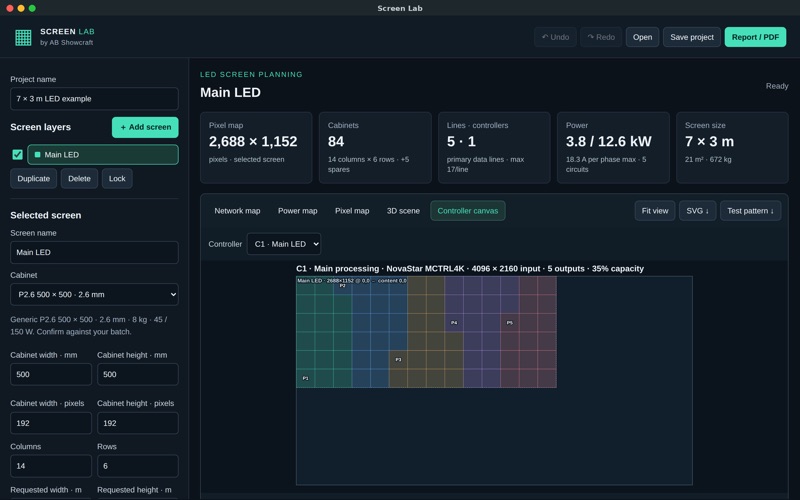
DATA ROUTING • Snake routing in any direction with port-load checks • Controller profiles for common LED processors (NovaStar, Brompton and more), including backup lines • Controller canvas view with input positions for every output • Export a Resolume Arena Advanced Output preset
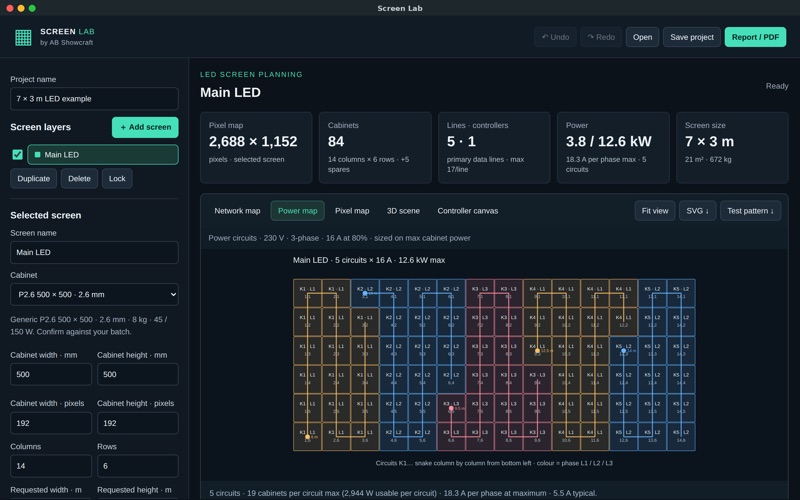
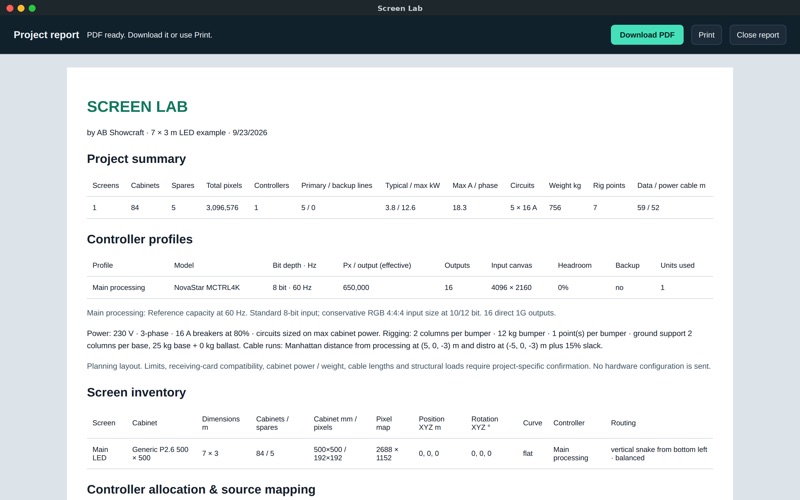
POWER & RIGGING • Typical and maximum power, amps per phase, circuits and cabinets per circuit • Flown or ground-stacked: bumpers, points, load per point and floor load • Data and power cable lengths from processing and power distro positions
REPORTS & EXPORTS • Full project report as PDF, or print it directly • Network and equipment lists as CSV for your rental quote or pull sheet • Printable cabinet labels
MADE FOR THE MAC • Native save and open for .screen-lab.json project files • Menu shortcuts, undo and redo, and your 20 most recent projects kept automatically • No account, no subscription, no data collected
All figures are planning estimates. Confirm final values with manufacturer tools and qualified engineers. Manufacturer names are used only to describe compatibility.
Zo beoordelen mensen de app
Log in om deze app te beoordelen. Eerlijk is wat telt.
Nog geen beoordelingen. Heb je de app geprobeerd? Beoordeel hem als eerste.
Meer apps in Productiviteit
Beste nieuwe apps in Productiviteit van deze week ChickMark: Habit TrackerChickMark is a simple habit tracker for routines, goals, and reminders
 Dayflint: One Thing a DayToo many priorities?
 Snappy Do ItSix connected modes. One traceable journey.
 Fristo CAFMFristo is the app for Fristo CAFM, the facility management software
 UhWhat? Voice NotesCatch the thought before it disappears
- BeginAnywayMorning alarm for hard tasks: set one task, prove you started, build a streak