Clipframe Studio: Screenshot
NieodebranaClipframe Studio is a fast, native screenshot and screen-recording tool in your menu bar
Twórca: Ihor Yanda · Narzędzia





W skrócie
Clipframe Studio is a native screenshot and screen-recording tool that lives in the Mac menu bar. It saves each capture to a folder and copies it to the clipboard, and it offers annotation, scrolling capture, screen recording, and a video editor. Free tools cover basic annotation and trimming, while Pro unlocks features such as automatic face and card-number hiding.
Podsumowanie Debuts na podstawie karty aplikacji w App Store.O aplikacji
Clipframe Studio is a fast, native screenshot and screen-recording tool in your menu bar. Press a shortcut, select an area — the shot is saved to your folder and is already in the clipboard, so ⌘V drops it straight into Messages, Slack, Mail or a document.
SCREENSHOTS IN A SNAP • Select an area, or click a window, a panel inside it or the whole screen — in a browser, just the page • A preview after every shot: click it to annotate, drag it into any app or pin it • Freezes the screen first, so tooltips and hover states are in the shot • Scrolling capture stitches long pages and chats • JPEG, PNG, HEIC or AVIF in full Retina quality; repeat the last area, or send a quick shot straight to the clipboard
ANNOTATE FOR FREE • Arrows, lines, shapes, text in 11 fonts with a readable outline, numbered steps, pen, highlighter, pixelate and crop • Move, recolor, copy, paste or delete anything, with full undo
SMART TOOLS (PRO) • Cut out an object, or remove the background from a stamp, signature or drawing, in one click • Hide emails, phone numbers, card numbers, keys and faces automatically • Blur, spotlight and backgrounds with shadow and rounded corners — ready to post • Annotations stay editable when you reopen a shot
RECORD YOUR SCREEN • The whole screen, a window or an area — in native resolution or 4K, 1080p or 720p, at 30 or 60 fps • Choose the sound: every app, the app in front or only the apps you pick — plus your microphone, switchable on the fly • Record one window on its own, even under other windows • One track that plays everywhere; pause without a gap • HEVC for small files or H.264 for compatibility; GIF for short clips (Pro) • Highlight clicks and add a webcam bubble (Pro)
A VIDEO EDITOR THAT DOES THE WORK • Trim, cut and split for free; join several into one (Pro) • Edit any video: drop it onto Edit Video… in the menu • Auto zoom follows your clicks like a camera operator (Pro) • Draw arrows, text, steps or a blur on the video, each for as long as you need (Pro) • Crop to 9:16, 4:5 or 1:1 for free; backgrounds for videos (Pro) • Captions made on your Mac: fix, translate, burn in or save an .srt, plus a voice-over in another language (Pro, macOS 26 or later) • Find and cut pauses, change speed, set microphone and system volume separately (Pro) • Compress to a size such as 25 MB, or export to GIF (Pro)
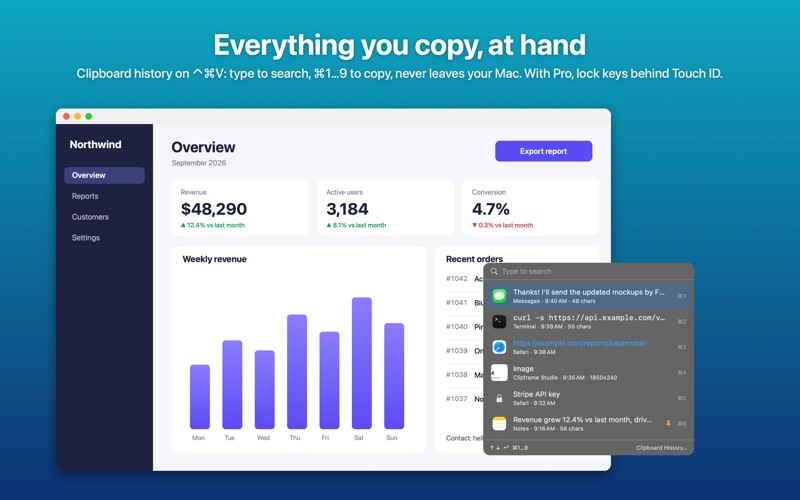
CLIPBOARD HISTORY • Press Control-Command-V for everything you've copied: text, links, colors, images and files • Type to search, pick with the arrows or Command-1…9, paste with Command-V • Pin favorites and leave out any app; passwords and keys are not kept. Free, off until you turn it on • Pro: lock entries with Touch ID, names and tags, Copy As, and search the text in images
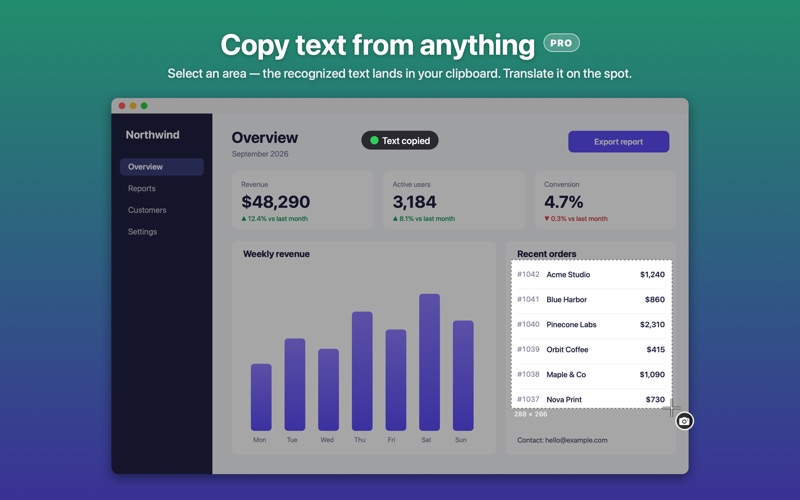
COPY TEXT FROM ANYTHING (PRO) • Select any area and its text lands in your clipboard — even from images, videos and screen shares — or translate it on the spot
ALSO INSIDE • A color picker with a loupe that copies HEX, RGB or sRGB • A Library of every screenshot and recording with filters, pinning, copy and drag-out; in Pro, find a shot by the words on it • Custom shortcuts, 12 languages, launch at login and automatic cleanup
PRIVATE BY DESIGN No accounts, no tracking, no servers. Screenshots, recordings, recognized text, captions and your clipboard history never leave your Mac.
FREE AND PRO Everything not marked Pro is free — screen recording too: no time limit up to 720p, 30 fps and medium quality, and 1 minute above that. Clipframe Studio Pro unlocks every Pro tool and unlimited recording at any quality. Most Pro tools can be tried for free 3 times.
Subscriptions renew automatically unless cancelled at least 24 hours before the end of the current period. Payment is charged to your Apple Account. You can manage or cancel your subscription in your App Store account settings. Terms of Use: https://www.apple.com/legal/internet-services/itunes/dev/stdeula/ Privacy Policy: https://lyo-n.github.io/Clipframe-Studio/privacy/
Oceny użytkowników
Zaloguj się, aby ocenić tę aplikację. Liczy się szczerość.
Brak ocen. Znasz tę aplikację? Oceń ją jako pierwszy.
Więcej aplikacji z kategorii Narzędzia
Najlepsze nowe aplikacje z kategorii Narzędzia w tym tygodniu Drainly: Speaker CleanerMuffled speaker after a splash, rain, or a sweaty workout?
 Photo & PDF Resize: KBFile too large to upload?
 Arvectum Proxy LauncherArvectum Proxy Launcher is a network utility that routes your iPhone through a proxy you…
 Vodoalarm: vodostaji BiHVodoalarm javlja kad tvoja rijeka naglo raste, pa ne moraš stalno gledati vodostaje
 Dusty: Photo Cleaner PetYour camera roll's new pet
 FairAuth: AuthenticatorFairAuth creates the codes for two-step verification on iPhone and iPad