
TV Remote Control & Casting
NieodebranaTurn your iPhone or iPad into a remote for compatible smart TVs, and bring selected…
Twórca: 洁 蒋 · Narzędzia



W skrócie
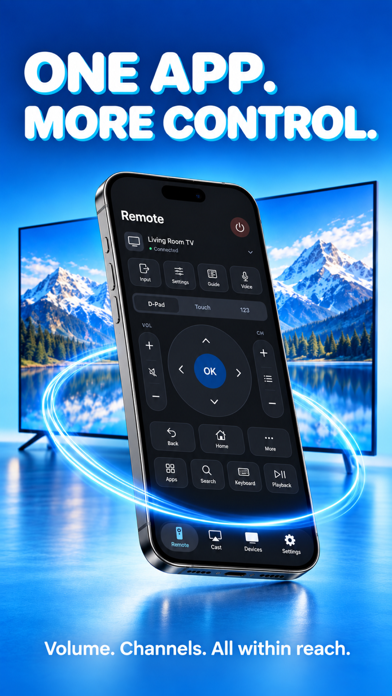
TV Remote Control & Casting turns an iPhone or iPad into a remote for compatible smart TVs on the same Wi-Fi network, with a directional pad, touchpad, number pad, voice dictation and photo or video casting. It is aimed at people who want everyday TV control and selected media on a larger screen. Remote control and casting require a Pro subscription, with weekly, monthly and annual plans.
Podsumowanie Debuts na podstawie karty aplikacji w App Store.O aplikacji
Turn your iPhone or iPad into a remote for compatible smart TVs, and bring selected photos and videos to the big screen. Connect on the same Wi-Fi network, pair with your TV and keep everyday controls close at hand.
► EVERYDAY TV CONTROLS Navigate with a directional pad, touchpad or number pad. Adjust volume, mute sound, change channels and control playback where your TV supports them.
► KEYBOARD & VOICE INPUT Type with your device's keyboard or dictate text, review it and send it to a compatible TV text field. Text entry and voice typing depend on your TV and permissions.
► PHOTOS & VIDEOS ON TV Choose media from your library and send it to a compatible receiver. Control playback and enjoy your selected moments on a larger display.
► APP SHORTCUTS & INPUTS Access supported TV apps and switch inputs where available. The controls shown depend on your television's capabilities.
► CONNECT & PERSONALIZE Discover TVs on your local network or add an address manually. Save devices, adjust touch and haptic preferences, and use connection diagnostics when you need help.
► SCREEN MIRRORING GUIDE Follow the guide to start screen mirroring using the built-in AirPlay controls on your iPhone or iPad. An AirPlay-compatible receiver is required.
Compatibility depends on TV model, firmware, network settings and enabled services. Your device and receiver must be on the same local network.
PRO SUBSCRIPTION A Pro subscription is required for remote control and photo/video casting. Weekly, monthly and annual plans are offered. A free trial may be available to eligible accounts on selected plans; the purchase screen shows the current offer and price. Payment is charged to your Apple Account. Subscriptions renew automatically unless canceled at least 24 hours before the current period ends. Manage or cancel in your Apple Account subscription settings.
Privacy Policy: https://clearwarejj.netlify.app/privacy_policy Terms of Use (EULA): https://clearwarejj.netlify.app/terms_of_service
Oceny użytkowników
Zaloguj się, aby ocenić tę aplikację. Liczy się szczerość.
Brak ocen. Znasz tę aplikację? Oceń ją jako pierwszy.
Więcej aplikacji z kategorii Narzędzia
Najlepsze nowe aplikacje z kategorii Narzędzia w tym tygodniu Drainly: Speaker CleanerMuffled speaker after a splash, rain, or a sweaty workout?
 Photo & PDF Resize: KBFile too large to upload?
 Arvectum Proxy LauncherArvectum Proxy Launcher is a network utility that routes your iPhone through a proxy you…
 Look Twice: Scam & AI CheckLook twice before you click
 Vodoalarm: vodostaji BiHVodoalarm javlja kad tvoja rijeka naglo raste, pa ne moraš stalno gledati vodostaje
 Sift: Photo CleanupYour camera roll is full of blurry shots, old screenshots and videos you'll never watch…