
TelePointer
Não reivindicadaTelePointer lets you control the mouse pointer entirely from the keyboard
Por TAEMIN YUN · UtilitáriosPorque esperamos isto: A thoughtful, privacy-respecting keyboard mouse tool with clear shortcuts and a meaningful accessibility purpose.
Em resumo
TelePointer lets people move the mouse pointer and click using only the keyboard, aimed at those who find a mouse or trackpad hard to use because of motor control, tremors, pain, or repetitive strain. Its speed curve starts slow for small targets and can be tuned on a live graph. The app collects no data and makes no network connections.
Resumo do Debuts, com base na ficha da App Store.Sobre
TelePointer lets you control the mouse pointer entirely from the keyboard. It is built for people who find a mouse or trackpad difficult or impossible to use — because of limited fine motor control, tremors, pain, or repetitive strain — but who can press keys.
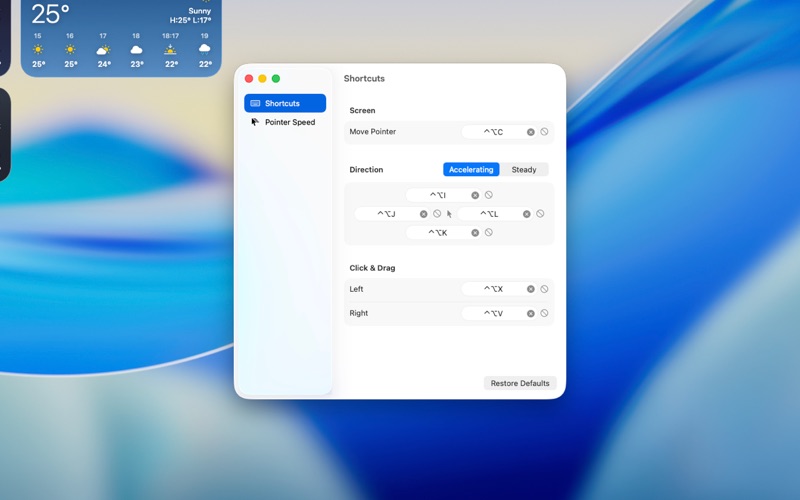
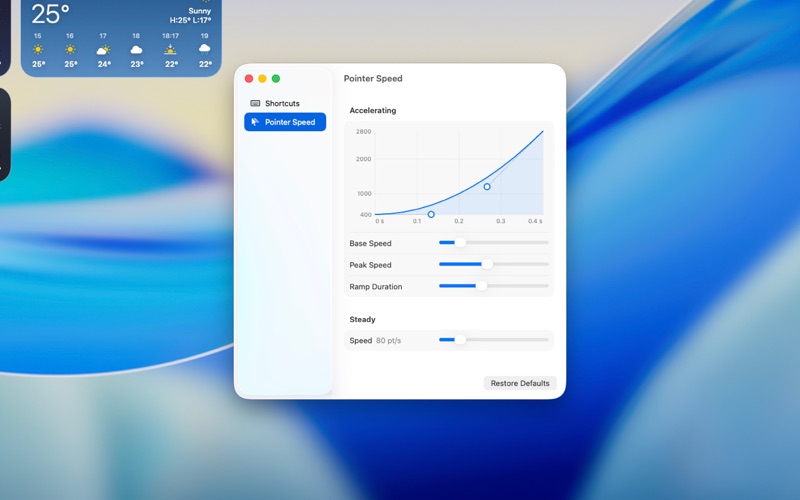
MOVE THE POINTER Hold ⌃⌥ with I, J, K, or L to move up, left, down, or right. The pointer starts slowly so small targets are easy to reach, then speeds up the longer you hold.
PRECISE, STEADY MOVEMENT Add ⌘ (⌃⌥⌘ + I/J/K/L) to move at a constant, gentle speed when you need to line up something small.
CLICK AND DRAG Press ⌃⌥X to left-click and ⌃⌥V to right-click at the pointer's location. Press again quickly to double-click. Hold the click shortcut while moving to drag.
REACH EVERY DISPLAY Press ⌃⌥C to send the pointer to the center of the next display, so crossing a multi-monitor setup takes one keystroke per screen.
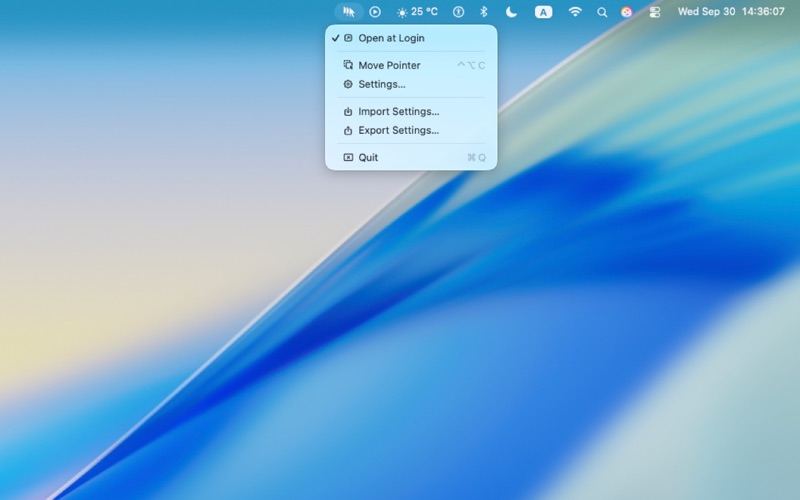
ADJUST IT TO YOUR HANDS • Change every shortcut to keys that are comfortable for you. • Set the starting speed, top speed, and how quickly it accelerates, and see the result on a live graph. • Turn off individual shortcuts in apps where they would conflict. • Export your settings and import them on another Mac.
PERMISSIONS & PRIVACY TelePointer uses Accessibility permission only to click at the pointer's location when you press a click shortcut. It does not read or control other apps' content. It collects no data and makes no network connections.
A avaliação das pessoas
Inicia sessão para avaliares esta aplicação. O que conta é seres sincero.
Ainda sem avaliações. Já a experimentaste? Sê o primeiro a avaliar.
Mais apps de Utilitários
As melhores apps novas de Utilitários desta semana Vodoalarm: vodostaji BiHVodoalarm javlja kad tvoja rijeka naglo raste, pa ne moraš stalno gledati vodostaje
 Rokey: Romanian KeyboardType Romanian without worrying about diacritics
 Vibe Island: AI Agent MonitorVibe Island is a command center for the AI coding agents running on your Mac
 Private AuthenticatorPrivate Authenticator keeps your two-factor authentication codes on your own Apple…
 Photo Clean: Photo CleanupA crowded camera roll?
 Songbird AlarmWhat if the morning didn't have to start with a loud noise?