
Puls – System Monitor
Inget anspråk gjortPuls shows you what your Mac is doing right now – calm, clear and right in your menu bar
Av Vllasa Ventures UG (haftungsbeschraenkt) · VerktygDärför förväntar vi oss mycket av den: A clean, focused menu bar monitor with clear value, careful copy, privacy promises and a free price for curious users.



Kort sagt
Puls, System Monitor is a menu bar utility for macOS that shows live CPU, graphics, memory, network, disk, thermal, energy and battery readings in a single panel, each with its current value and history. It suits Mac users who want a quick, uncluttered view of system activity. One notable point: it skips dozens of settings and lets you choose which values appear in the menu bar, with optional color status indicators or a monochrome style.
Sammanfattning från Debuts, baserad på appsidan i App Store.Om appen
Puls shows you what your Mac is doing right now – calm, clear and right in your menu bar.
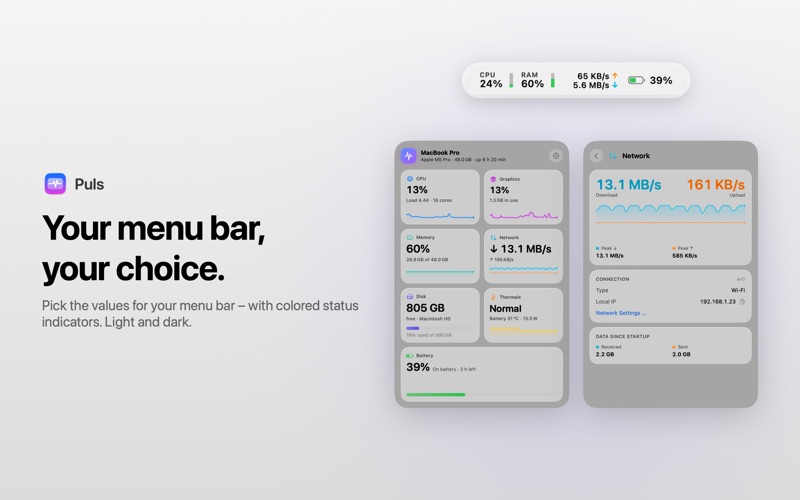
Click the menu bar item to open a glass panel designed for macOS Tahoe. Every tile shows one part of your system with its current value and history. Click a tile for the details.
WHAT PULS SHOWS
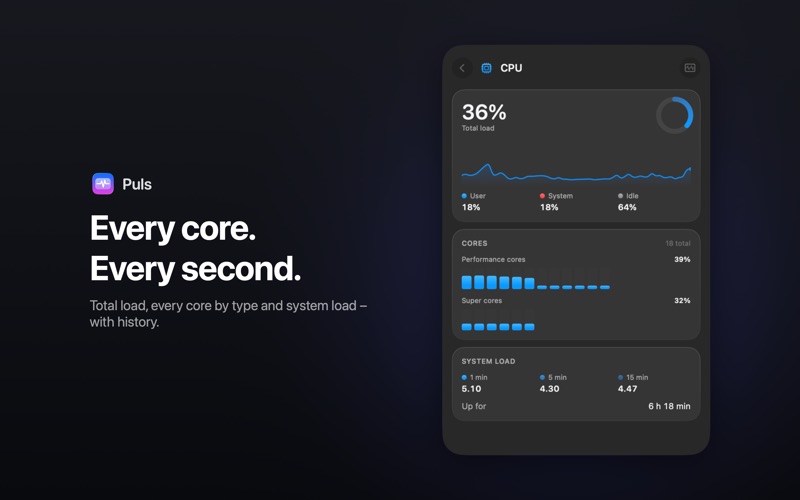
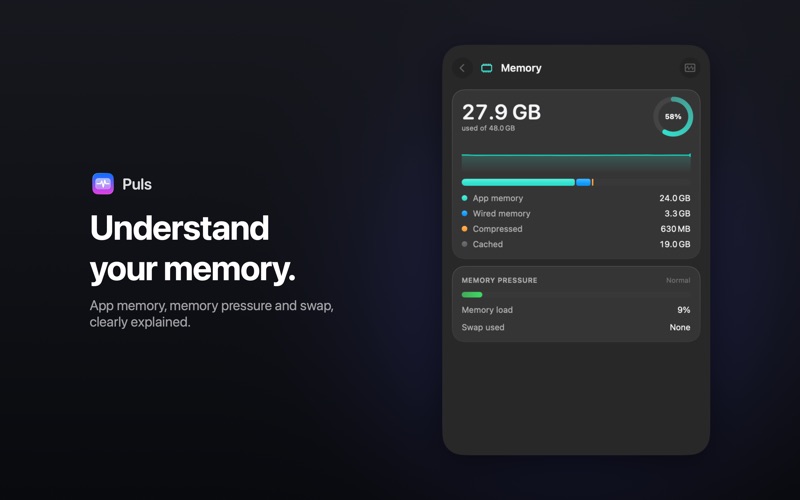
• CPU: total load, user and system share, every core grouped by core type, system load over 1, 5 and 15 minutes, and uptime. • Graphics: GPU utilization, renderer load and graphics memory in use. • Memory: app memory, wired and compressed memory, cache, memory pressure and swap. • Network: live download and upload with history, peak values, connection type, local IP address and data transferred since startup. Optionally your public IP address. • Disk: live read and write rates and free space on every volume. • Thermals & energy: your Mac's thermal state, the system's power draw and the battery temperature. • Battery: charge level, time remaining, maximum capacity, cycle count, charging and discharging power, and the battery levels of your Magic Keyboard, Mouse and Trackpad.
YOUR MENU BAR, YOUR CHOICE
Choose which values appear at the top: CPU, graphics, memory, network, disk or battery. Colored status indicators show at a glance when something is under load – or pick the plain monochrome style.
SIMPLE, NOT CLUTTERED
Puls deliberately skips dozens of settings. One menu bar item, one panel, everything important at a glance. Light and dark mode are supported automatically.
LIGHTWEIGHT AND PRIVATE
Puls barely uses any CPU, collects no data and needs no account, ads or subscription. If you like, Puls starts automatically with your Mac.
Puls is available in English and German.
Så betygsätter folk den
Logga in för att betygsätta appen. Det ärliga betyget räknas.
Inga betyg ännu. Har du provat appen? Ge det första betyget.
Fler appar i kategorin Verktyg
Veckans bästa nya appar i kategorin Verktyg Drainly: Speaker CleanerMuffled speaker after a splash, rain, or a sweaty workout?
 Photo & PDF Resize: KBFile too large to upload?
 Arvectum Proxy LauncherArvectum Proxy Launcher is a network utility that routes your iPhone through a proxy you…
 Vodoalarm: vodostaji BiHVodoalarm javlja kad tvoja rijeka naglo raste, pa ne moraš stalno gledati vodostaje
 FairAuth: AuthenticatorFairAuth creates the codes for two-step verification on iPhone and iPad
 Polarglow: Aurora AlertsKnow tonight's chance of seeing the aurora where you are, and never miss a storm night