
Transcriber: Subtitles & Notes
Inget anspråk gjortTranscriber turns a video or audio file into a transcript you can edit, with every word…
Av Stephen Robles · ProduktivitetDärför förväntar vi oss mycket av den: Clear on-device transcription with timed subtitles and flexible export options makes this a promising productivity debut.

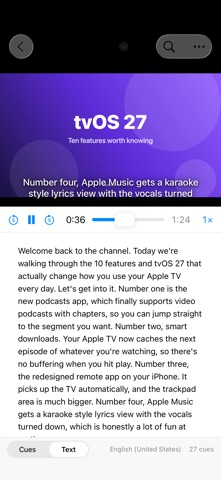
Kort sagt
Transcriber: Subtitles & Notes is a productivity app that turns video or audio files into editable transcripts with per-word timing, using Apple's on-device speech engine. It exports SRT and WebVTT subtitles, plain or Markdown text, and runs on Mac, iPhone and iPad. Watched folders on the Mac can transcribe new files automatically, and nothing leaves the device.
Sammanfattning från Debuts, baserad på appsidan i App Store.Om appen
Transcriber turns a video or audio file into a transcript you can edit, with every word timed, using Apple's on-device speech engine. Nothing leaves your Mac, iPhone or iPad.
Pick a file, and the text appears as it is recognized. A ten-minute video takes well under a minute on Apple silicon. The words are grouped into subtitle cues the way YouTube and broadcast captions expect them, so the SRT you export drops straight into your video.
WHAT IT DOES • Transcribes MP4, MOV, M4A, MP3, WAV, AIFF and anything else your device can play • Keeps the moment every word was spoken, so subtitles land exactly on the speech • Groups text into cues of two lines up to 42 characters, broken at sentence ends, commas and pauses (adjustable) • Plays the file in the window with the current cue shown over the video as a caption, in a classic, boxed or outlined style, exactly as it will look in the SRT • Edit any cue in place, split a cue at the cursor, merge two, or retime one. Find & Replace fixes a misheard name everywhere at once, and everything is undoable • A Text view shows the transcript as readable paragraphs, with optional timestamps and Copy All
EXPORT • SRT and WebVTT subtitles for YouTube and video editors • Plain text as paragraphs, text with a timestamp on each paragraph for show notes and chapters, or Markdown with bold timestamps • Save the project to come back to it later
LANGUAGES • Everything Apple's on-device engines support: English, Spanish, French, German, Italian, Portuguese, Japanese, Korean, Chinese, Hindi and more through Apple's newest model, plus Swedish, Danish, Norwegian, Finnish, Dutch, Russian, Polish, Turkish, Greek, Arabic, Hebrew, Thai, Vietnamese and others through Apple's earlier dictation model • Pick the language right in the window; the model downloads once, then works offline
ON THE MAC • Drop files on the window or the Dock icon • Watched folders: point Transcriber at a folder and every new file that lands in it is transcribed automatically, with the outputs you choose saved next to it • Open at Login keeps it running quietly in the background
PRIVATE BY DESIGN • Transcription runs on your device's Neural Engine. There is no account, no analytics and no network feature of any kind • The first use of a language downloads Apple's speech model for it; after that it works offline
Transcriber requires macOS 26, iOS 26 or iPadOS 26 and a device that supports Apple's on-device speech recognition.
Så betygsätter folk den
Logga in för att betygsätta appen. Det ärliga betyget räknas.
Inga betyg ännu. Har du provat appen? Ge det första betyget.
Fler appar i kategorin Produktivitet
Veckans bästa nya appar i kategorin Produktivitet ChickMark: Habit TrackerChickMark is a simple habit tracker for routines, goals, and reminders
 Dayflint: One Thing a DayToo many priorities?
 Fristo CAFMFristo is the app for Fristo CAFM, the facility management software
- BeginAnywayMorning alarm for hard tasks: set one task, prove you started, build a streak
 DHUDEDHUDE Analityxs es la herramienta de gestión diaria para grupos de restauración y ocio…
 ScrollTime: Limit & ChallengesTikTok, Instagram, Facebook… ScrollTime helps you take back control of the time you…